Itch.io API for Construct 3
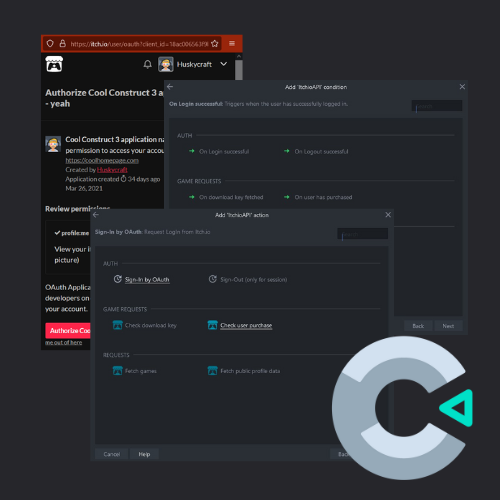
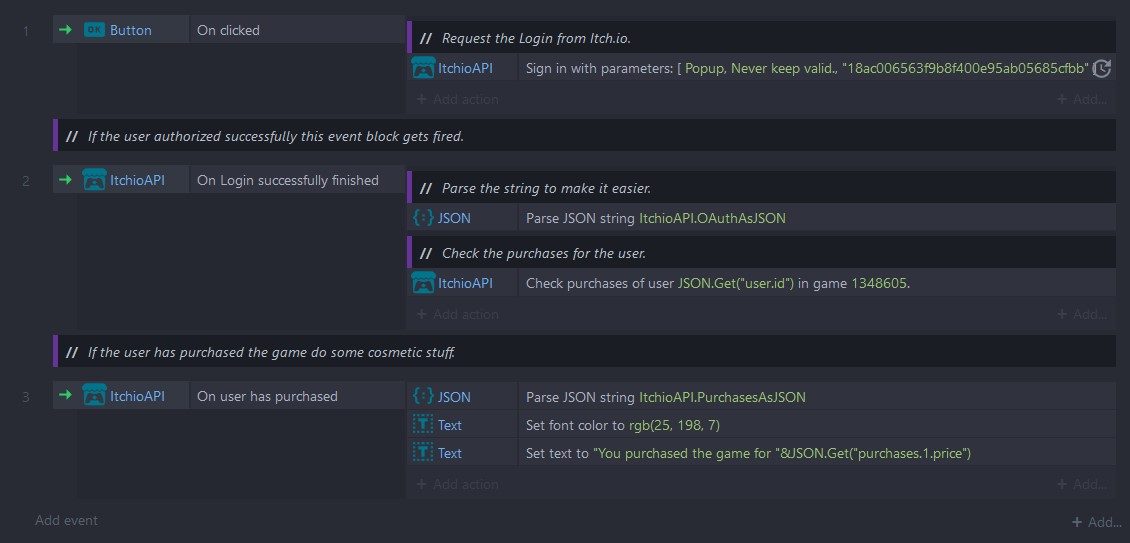
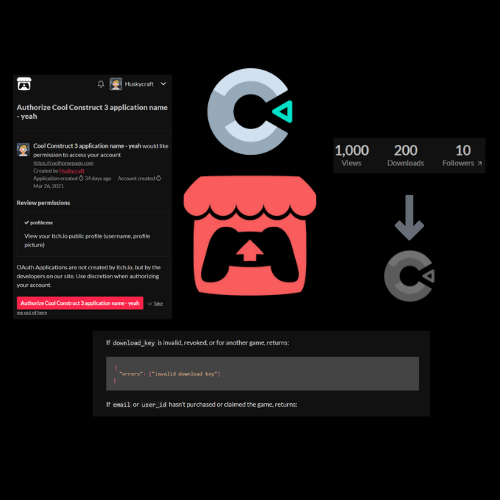
This plugin seamlessly integrates multiple Itch.io features into your Construct 3 project, significantly enhancing the utilization of Itch.io Login and facilitating the verification of user purchases for your (web)game. Moreover, it empowers you to conveniently monitor your Itch.io page's sales, views, and other metrics directly within your Construct 3 game environment. Features Itch.io Login: This feature enables users to log in to your application using their Itch.io credentials, providing a seamless authentication process.Userdata Retrieval: Obtain essential user information such as username, unique id, avatar URL, and other relevant data upon successful login.Purchase Verification: Verify whether a user has purchased a specific game developed by you, offering a streamlined approach to validating ownership.Sales and Views Monitoring: Keep track of your game's sales and views directly within your Construct 3 application/game, providing valuable insights into its performance.Game Listing: Retrieve a comprehensive list of your games, facilitating efficient management and navigation within your application.Download Key Validation: Perform validation checks to determine the authenticity and validity of download keys, ensuring secure distribution of your games. Documentation We have diligently prepared an extensive documentation that provides comprehensive guidance on utilizing this plugin. You can access the documentation by following this link. Additionally, we have included a practical example in the files, which serves as a reference implementation based on the provided documentation. Should you have any further inquiries or encounter any issues, we encourage you to reach out to us on Discord at discord.gg/tU4mZDRpvD. Our team is readily available to assist you and address any questions or concerns you may have. Basic usage Getting Itch.io API token: To acquire an Itch.io API token, please visit https://itch.io/user/settings/api-keys and click on "Generate new API key." Once you obtain the key, paste it into the designated "API Key" property within your Construct 3 project.OAuth: To enable OAuth functionality, navigate to https://itch.io/user/settings/oauth-apps and create a new OAuth application. You can assign a custom name to the application, along with the Homepage URL and a description. For the authorization callback URL (if you don't have your own), enter: https://oauth2-redirect.netlify.app. Next, copy the Client ID provided and insert it into the "Client ID" parameter of the "Sign-In by OAuth" action. Upon successful user authorization, the "On Login successful" condition will be triggered, returning a JSON string containing client information (OAuthAsJSON). You can parse this string using the official JSON plugin.Checking download keys: Ensure accurate information is filled in the parameters; otherwise, an error will be returned. The "Game ID" parameter should contain the corresponding game's ID to which the key belongs. Enter the key you wish to verify into the "Key" parameter. Upon completion, the action will trigger the "On download key fetched" condition.Checking user purchases: Fill in the parameters as specified in their respective descriptions. The user's ID can be obtained from OAuth. If the user has purchased the game, the "On user has purchased" condition will be triggered. The "PurchasesAsJSON" expression returns a JSON string containing information about the purchase, such as price, donation(s), email, and more.
 Huskycraft 44 followers· portfolio 14 View creator →
Ratings over time
Cumulative · 30dScreenshots
1 / 3