Vulkan Resolution - Unreal Engine Plugin
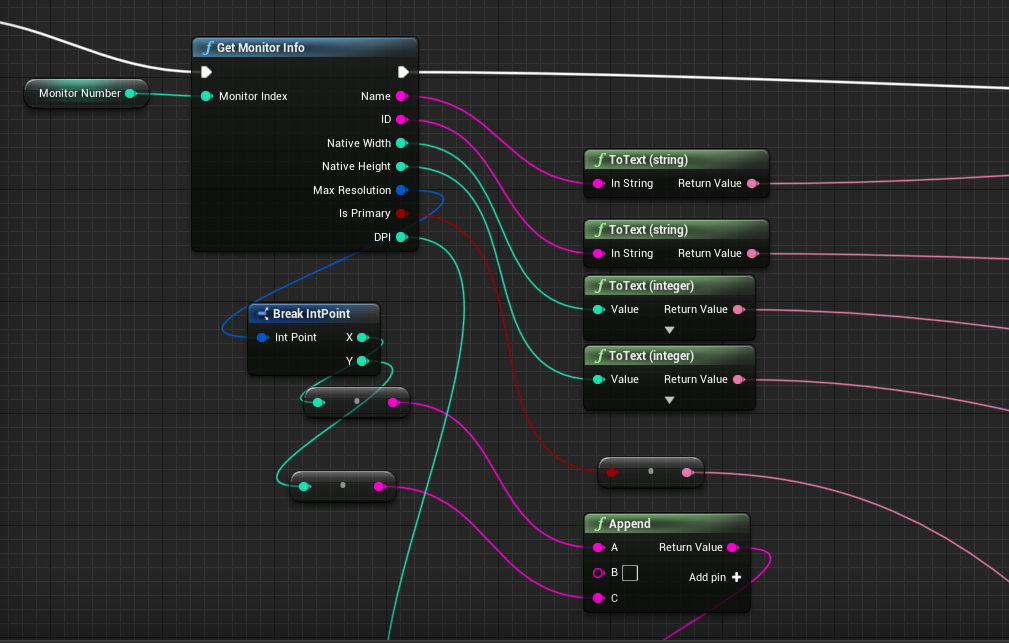
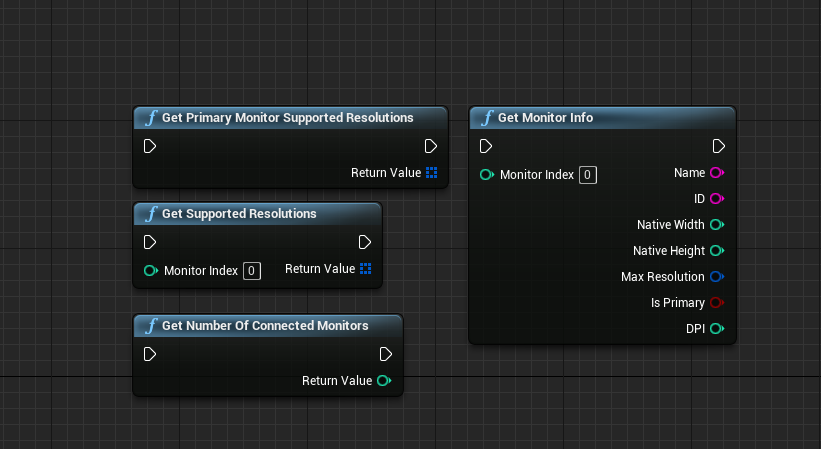
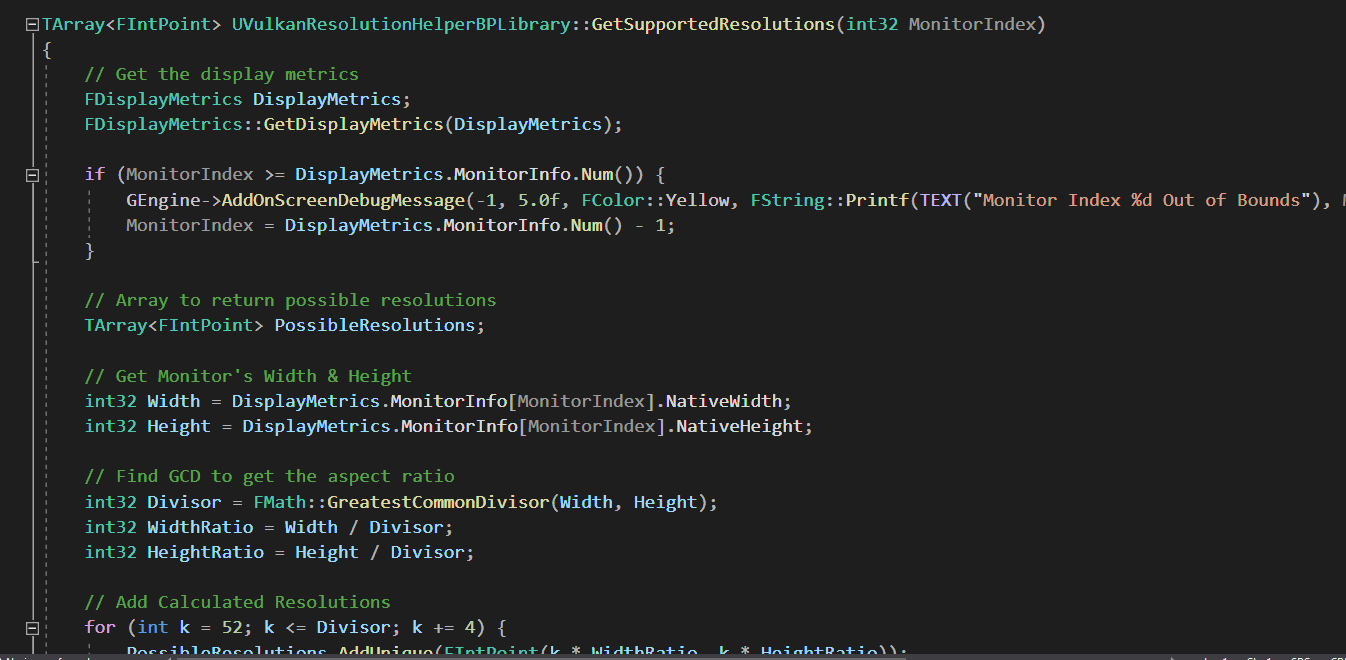
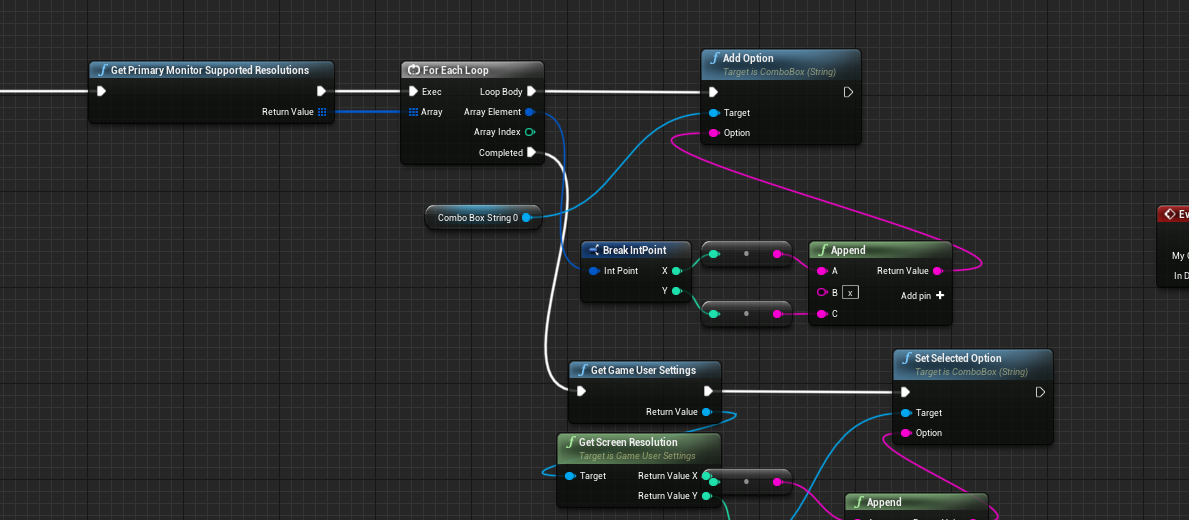
Github Link What is This This plugin fetches monitor information and determines all potential resolutions based on the monitor's aspect ratio. This plugin can be used with all RHIs but is primarily intended for Vulkan, as screen resolutions cannot be obtained while using the Vulkan RHI. This plugin was developed for UE4 4.26.2 and has been tested on versions 4.27 and 5.2. Functions 1. Get Supported Resolutions This function retrieves a list of supported screen resolutions for a specified monitor. It takes an integer MonitorIndex as input, which indicates which monitor's resolutions to fetch. Obtains the display metrics for all connected monitors. Checks if the provided MonitorIndex is valid; if not, it adjusts it to the last monitor. Calculates the aspect ratio of the monitor by finding the greatest common divisor (GCD) of its width and height. Generates a list of possible resolutions based on the aspect ratio. Includes the current monitor's native resolution in the list. Returns an array of FIntPoint structures representing the supported resolutions. 2. Get Primary Monitor's Supported Resolutions This function calls GetSupportedResolutions with an argument of 0, which corresponds to the primary monitor. It returns the list of supported resolutions for the primary monitor. 3. Get Monitor Info This function retrieves detailed information about a specific monitor based on the provided MonitorIndex. Name: The name of the monitor. ID: The unique identifier of the monitor. NativeWidth: The native width of the monitor. NativeHeight: The native height of the monitor. MaxResolution: The maximum supported resolution of the monitor. bIsPrimary: A boolean indicating whether the monitor is the primary monitor. DPI: The dots per inch (DPI) of the monitor. 4. Get Number Of Connected Monitors Basically just returns the number of monitors currently connected to the system.
 Jango Mango 1 games· 86 followers· 4 ratings· portfolio 39 View creator →
Ratings over time
Cumulative · 30dComments over time
Cumulative · 30dScreenshots
1 / 6