
roguelike deckbuilder
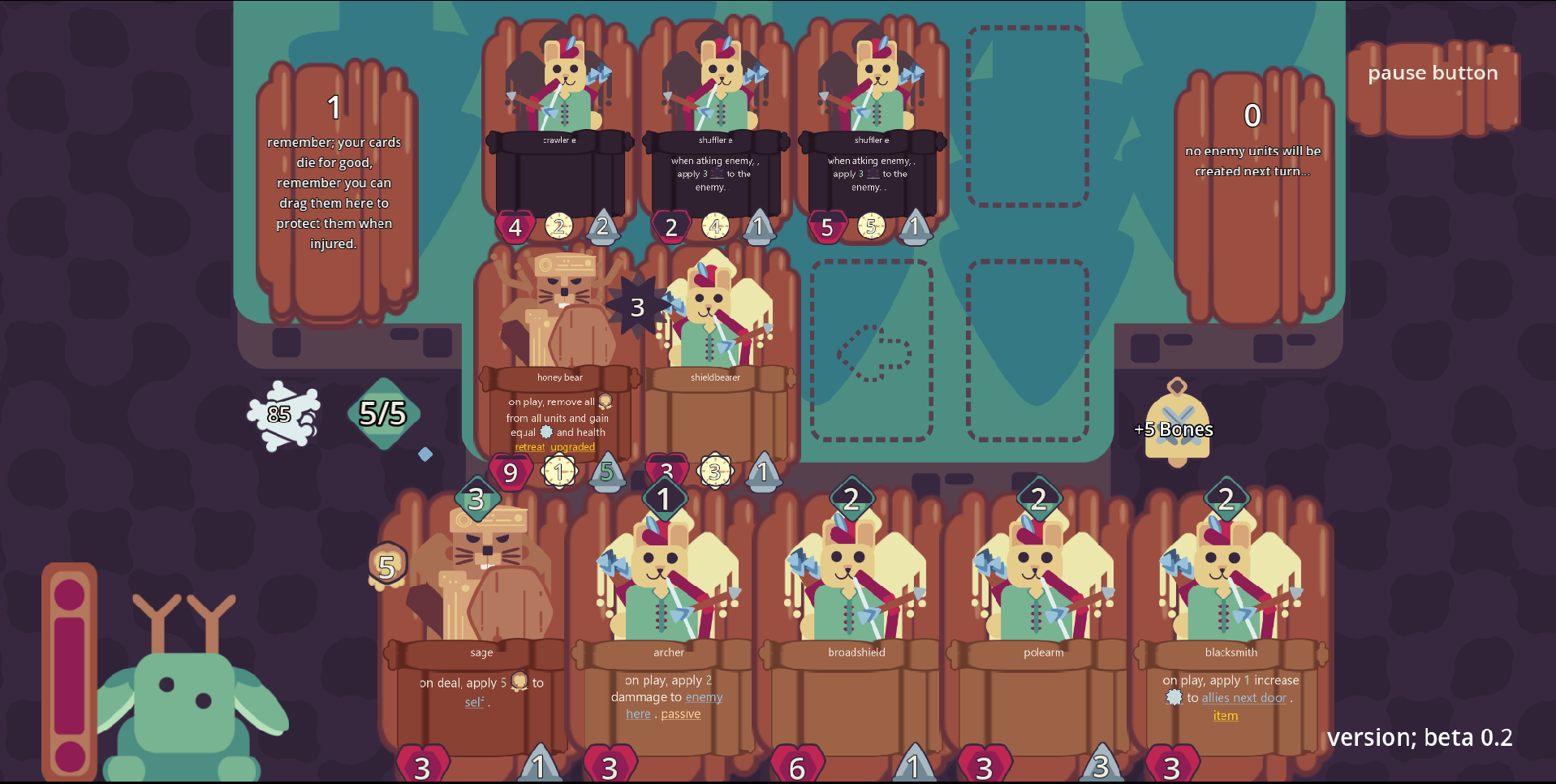
How to play It’s recommended to go into the settings in the top right corner and change graphics to potato for the web version, if it’s not already on that. There are on-screen text prompts explaining all the menus. The only thing that is not explained is the battle menu, which will be explained here. Winning the battle; There is a number on the skull in the top left corner indicating how many are left in the enemy deck. When the enemy deck is empty and there are no enemies on the field, you win. Losing the battle; if at the start of your turn, you have none of your cards on the field, you immediately lose and the run is over. Playing cards; drag cards from your hand (cards at the very bottom of the screen) to an empty slot on the bottom half of the battle grid. Player and enemy cards will automatically occupy empty space to their left during your turn. IMPORTANT; you can play cards on top of your already played cards to cause the card you are playing on and all to the right of it to shift one space to the right! Of course, playing cards costs mana (indicated at the top of the card) there is a large meter displaying your current mana on the right. Additionally, you cannot play a card if all four slots are full. Starting combat; clicking the yellow bell on the right side of the screen will end your turn and initiate combat. When combat starts, all cards attack, from left to right, with your cards attacking first. When a card attacks, its attack power is subtracted from its victum’s health. If your card kills an enemy card, the enemy card doesn't get to retaliate! If a card has no card opposite to it, it will attack the first enemy card to the left. Recalling cards; your cards will take damage after a battle, however, if the health on yours cards ever drops to zero, they are killed and are permanently removed from your deck for the rest of the run. So, when the health on your card gets low, you should recall your card by holding the mana icon on the played card. Recalling cards does two things; 1. It gives you 1 extra mana to use to play extra cards 2. It returns the card to your draw pile, so it can be used again in this and other combats. There are other things to learn about, such as status effects, keywords, ect, however hovering your mouse over any of those will create a tooltip telling you what it does! If you have any other questions, however, feel free to contact me.
 CuttingLogic 19 followers· portfolio 11 View creator →