
Rana Khan IT 201 Project 2
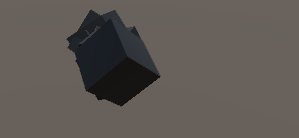
Previous Features: Display Mouse Position: Input: Captures the mouse's X and Y position on the screen using Input.mousePosition. Process: Updates a UI Text element to reflect the current mouse position every frame. Output: The text updates in real-time, showing the user's mouse location on the lower-left corner of the screen. Create/Destroy 3D Objects: Input: Detects a left mouse click using Input.GetMouseButtonDown(0). Process: Depending on the dropdown menu value, it spawns a Cube, Sphere, or Cylinder prefab at the mouse's world position. The object is destroyed after 3 seconds using a coroutine. Output: A 3D object is spawned at the location clicked, and it disappears after 3 seconds. Change Primitive Shape: Input: A dropdown menu is used for selecting the primitive shape (Cube, Sphere, Cylinder). Process: The selected shape is used when the user clicks to create a new object. Output: The object that spawns will be the selected shape from the dropdown menu. Change Color: Input: Three sliders for Red, Green, and Blue values control the color. Process: As the sliders are adjusted, the color of the next object to be created (or the currently existing object) changes in real-time. Output: The object created will have the color determined by the slider values. New Features: Feature 1: Shape Spawning with Customization Input: Left mouse click on the game screen. Process: Based on the selected shape in the dropdown (cube, sphere, or cylinder), the script spawns the shape at the mouse's world position. Customization:Color: Controlled by three RGB sliders, allowing users to adjust the spawned shape’s color. Size: Adjusted via a size slider, changing the shape’s scale from small (0.1) to large (3.0 times its original size). Random Rotation: If the "Random Rotation" toggle is enabled, the shape spawns with a randomized rotation. Output: The selected shape, with specified color, size, and rotation, is displayed in the game world at the clicked position. Feature 2: Timed Deletion with Toggle Control Input: A toggle for timed deletion and a slider to set the deletion time (1 to 10 seconds). Process: If the "Timed Deletion" toggle is active, the shape will automatically be destroyed after the specified time from the slider. Output: The shape disappears after the chosen delay if timed deletion is enabled, otherwise, it remains in the scene. Feature 3: Dynamic Camera Zoom Input: Arrow keys (up/down). Process: The up and down arrow keys adjust the main camera’s field of view, effectively zooming in and out within a range of 20 to 100 degrees. Output: Real-time zoom adjustment as the arrow keys are pressed, changing the view on the scene. Feature 4: Display Mouse Position & Digital Clock Mouse Position Display: Input: Real-time mouse movement. Process: Updates the mousePositionText UI element with the current screen X and Y coordinates of the mouse position. Output: Real-time display of the mouse position on the screen as text. Digital Clock: Input: System time. Process: Updates the clockText UI element with the current system time in "HH:mm " format every frame. Output: A live digital clock in the game interface displaying the current time.
[email protected] 7 followers· portfolio 8 View creator →