Turbo Clicker 🖱
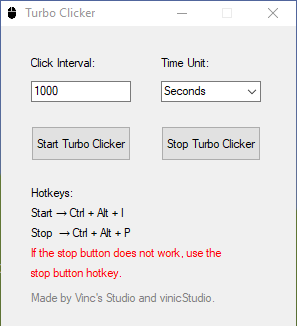
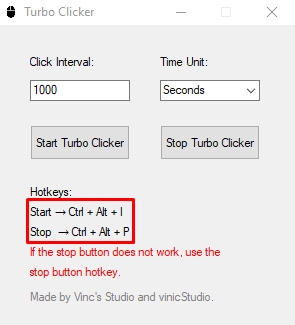
Fast and customizable auto clicker for Windows — no root, no hassle. About Turbo Clicker is a lightweight and powerful auto clicker designed to automate mouse clicks with precision and speed. Whether you're grinding in a game, performing repetitive tasks, or testing software, Turbo Clicker makes it easy to click automatically — just set it and let it run. Key Features Fast & Accurate – Set click speed down to milliseconds Customizable – Adjust click intervals, Miliseconds, Seconds and Minutes Hotkey Support – Start/stop the clicker with a keyboard shortcutSafe & Simple – Clean interface, no bloat, no root/admin needed How to Use Download the .exe file, run the app, configure your click settings, and start clicking automatically with a single hotkey. Perfect for idle games, testing UIs, or automating repetitive work. Use Ctrl + Alt + I to start the auto-clicker and to stop it, use Ctrl + Alt + P. [These tips will be in the app.] Disclaimer Please use Turbo Clicker responsibly. Some games or apps may have rules against automation. Always follow the terms of service of the software you're using. WARNING! We unintentionally wrote Vinc's Studio instead of Vinic Studios; please consider the credits as Vinic Studios and Vinic.
 Vinic Studios 1 followers· portfolio 3 View creator →
Ratings over time
Cumulative · 30dComments over time
Cumulative · 30dScreenshots
1 / 3