Tea Time Garden
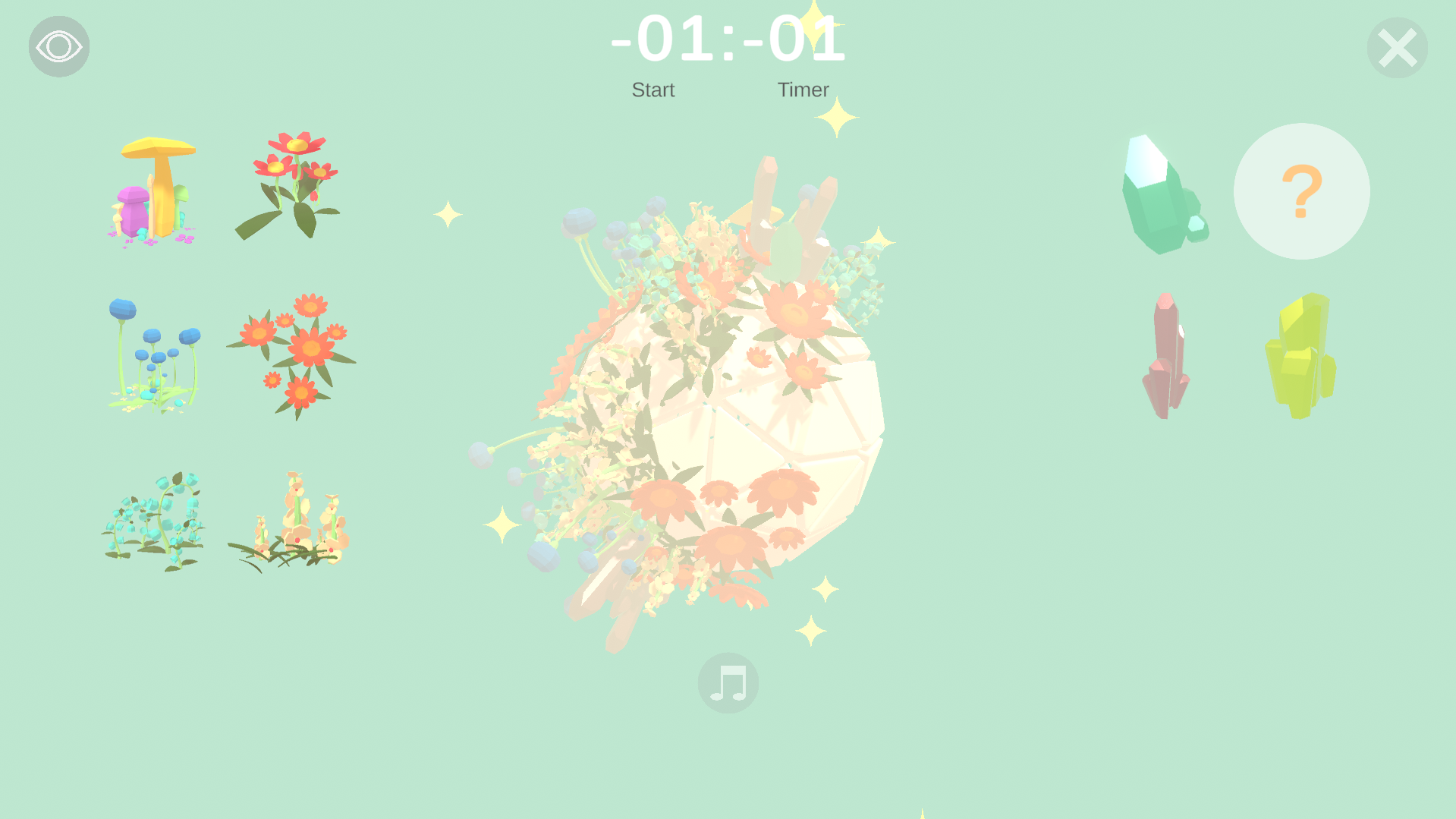
Control: Click buttons, Place plants: Mouse Left Spin planet: Mouse Middle How to play: Play: Set your break timer: Choose how long your coffee break will be by clicking "Timer". Once you press "Start", the timer begins, and you cannot quit the game until your break ends (you can still force quit with Task Manager). During the break, plant flowers and decorate your planet however you like: - Click on plant icons to select a plant, then click on the planet to place it. - There are also crystals you can use for decoration. Special plants: - The "?" seed button plants special flowers that take time to grow. - Their final form depends on the real-world Melbourne weather. Some weather conditions trigger special effects like rain, wind, sun, or snow particles. Listen to music: - The musical note button lets you change the background music if you want a different vibe, it will appear after you've played for a certain amount of time. Screenshot and share your planet: - The eye button hides/shows all (other) UI, so you can take a clean screenshot of your planet and share it with friends. Quit: - The quit button is available before starting the timer. - Once the timer starts, it's hidden and disabled until the break ends. - When the timer ends, the quit button re-appears.
Linh Vu 1 games· 11 followers· 4 ratings· portfolio 35 View creator →Ratings over time
Cumulative · 30dComments over time
Cumulative · 30dScreenshots
1 / 4