
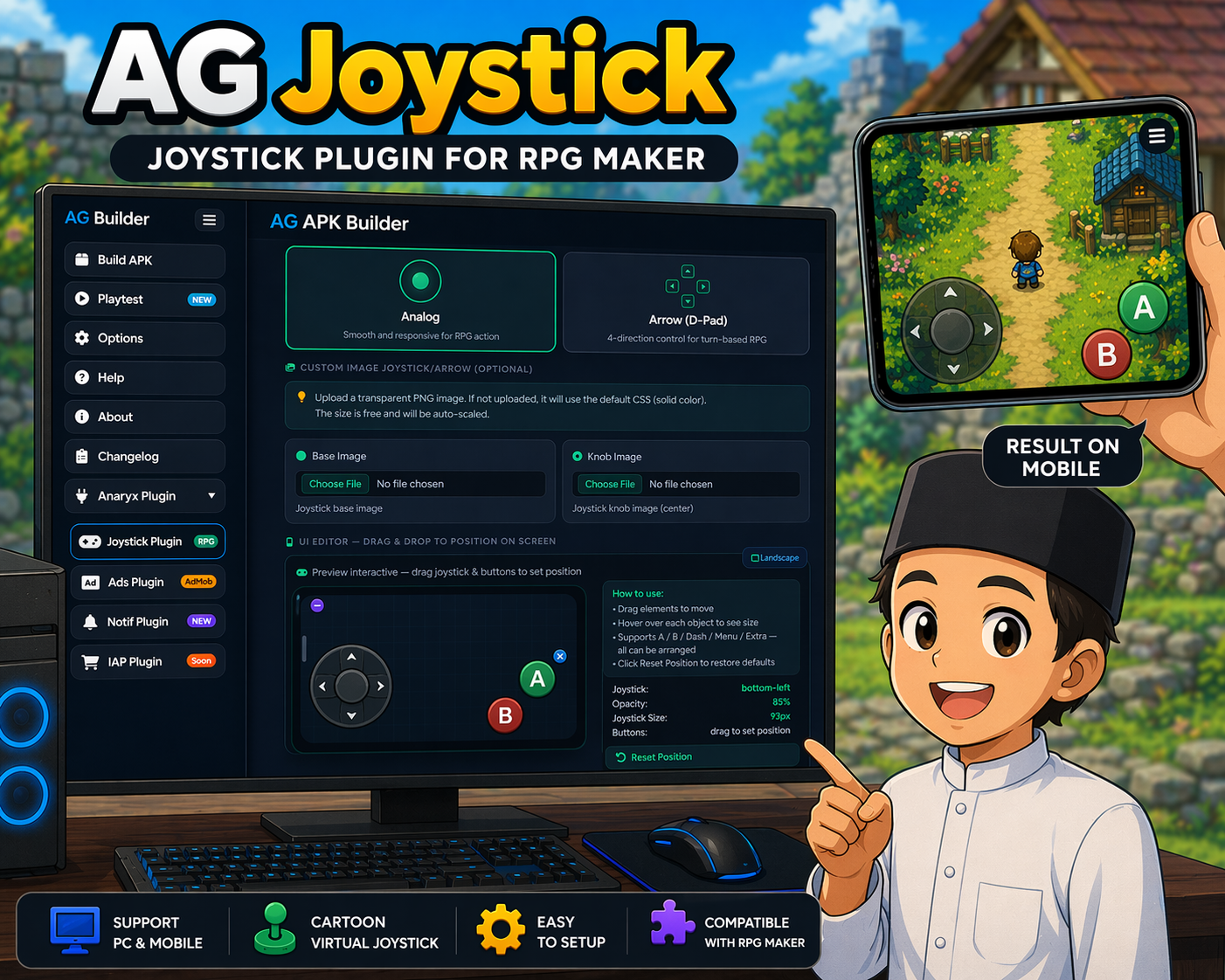
AG JOYSTICK PLUGIN
AGJoystick Full — Virtual Joystick + Action Buttons for Android Tired of your RPG Maker game on Android having zero touch controls? AGJoystick slaps a fully-featured virtual joystick and action buttons right onto your screen. Everything is configured through AG APK Builder's UI Editor — no coding required (unless you want to flex). Available for both RPG Maker MZ and RPG Maker MV, deployed on Android via AG APK Builder. Available Versions File Name Engine Language Plugin Name in Plugin Manager Version AGJoystick_Full_EN.jsRPG Maker MZEnglishAGJoystick_Full_EN3.5.1 AGJoystick_Full_ID.jsRPG Maker MZIndonesianAGJoystick_Full_ID3.5.1 AGJoystick_Full_EN_MV.jsRPG Maker MVEnglishAGJoystick_Full_EN_MV3.6.0-MV AGJoystick_Full_ID_MV.jsRPG Maker MVIndonesianAGJoystick_Full_ID_MV3.6.0-MV Use ONLY ONE version at a time. Pick the one that matches your engine and preferred language. Key Features Virtual joystick with analog or D-pad (arrow button) mode Action buttons: A, B, Dash, Menu — all customizable Extra buttons with custom actions (Common Event / Script / Plugin Command) Image support for joystick base, knob, and all buttons Opacity, size, position, dead zone — all tweakable from UI Editor Auto-hide mode so the joystick disappears when not in use Script calls and Plugin Commands for full control from events Removes RPG Maker's default on-screen menu button automatically MV only: Smart Menu/Back button that auto-switches behavior depending on the current scene How Configuration Works Unlike most plugins, joystick position, size, colors, and button images are configured in AG APK Builder's UI Editor — not in the RPG Maker Plugin Manager. The Plugin Manager parameters here only handle: Whether to remove RPG Maker's built-in menu button Extra button actions (Common Event / Script / Plugin Command) matched by label MV only: Back button label and color when the smart menu button switches to Back mode Joystick Modes analog — Classic circular joystick. Drag the knob in any direction for smooth analog movement. Supports dead zone configuration to avoid accidental input. dpad — Four arrow buttons laid out in a cross. Each button registers a directional input. Button size and gap between arrows are configurable. Both modes support 8-way or 4-way input mapping and can use custom images instead of default colored circles/arrows. Action Buttons Button Default Label Default Color Maps To AAGreenOK / Confirm BBRedCancel / Back Dash⚡AmberShift (Dash) Menu☰PurpleMenu (Smart Button on MV) ExtraCustomCustomCommon Event / Script / Plugin Command All buttons can be replaced with custom images from img/pictures/. Smart Menu / Back Button (MV Only) RPG Maker MV doesn't have a native on-screen menu button. AGJoystick MV automatically creates one that's context-aware: On Scene_Map — button shows as Menu (☰) → tap opens Scene_Menu On any other scene (Battle, Options, Menu, etc.) — button switches to Back (✕) → tap closes the scene / goes back This works automatically with no extra setup needed. The label and color of the Back state are configurable via Plugin Manager parameters. In the MZ version, this behavior is handled differently via the useNativeMenu setting injected by AG APK Builder. Extra Buttons You can add extra buttons in the UI Editor and assign actions to them via the Plugin Manager. Just match the Label field between the UI Editor and the Plugin Manager entry (case-sensitive). Supported action types: Common Event — triggers a Common Event by ID Script — runs a JavaScript snippet Plugin Command — fires a Plugin Command Example: Label = "L", Action = Common Event, ID = 5 → the button labeled "L" in UI Editor will trigger Common Event #5. MZ version — Extra actions are configured as a structured list in Plugin Manager (each entry has its own fields). MV version — Extra actions are configured as a raw JSON array in the parameter field. Format: [ {"label":"L","actionType":"CommonEvent","commonEventId":5,"script":"","pluginCommand":""}, {"label":"R","actionType":"Script","commonEventId":1,"script":"SceneManager.push(Scene_Options);","pluginCommand":""} ] Script Calls Works the same on both MZ and MV: AGJoystick.show() — Show joystick and buttons AGJoystick.hide() — Hide (tap events still active) AGJoystick.toggle() — Toggle show/hide AGJoystick.isVisible() — Returns true/false AGJoystick.setOpacity(n) — Set opacity 0–100 Plugin Commands MZ version — Use via Event → Plugin Command (structured UI): Command Description Show JoystickShow the virtual joystick and buttons Hide JoystickHide the controls (tap events still active) Toggle JoystickToggle show/hide Set OpacityChange opacity at runtime (0–100) MV version — Use via Event → Plugin Command (text format): AGJoystick ShowJoystick AGJoystick HideJoystick AGJoystick ToggleJoystick AGJoystick SetOpacity 85 Plugin Parameters Shared parameters (both MZ and MV): Parameter Type Default Description Remove Native Menu Button Boolean true Removes RPG Maker's built-in on-screen menu button. Enable this if you're using AG APK Builder's menu button instead. Extra Button Actions Struct list (MZ) / JSON array (MV) [] Assign actions to extra buttons created in UI Editor. Match label exactly with the button label in UI Editor. MV-only parameters: Parameter Type Default Description Back Button Label Text ✕ Label shown on the smart menu button when it switches to Back mode. Options: ✕, ←, BACK, etc. Back Button Color Text (hex) #ef4444 Color of the button when in Back mode. Use hex format: #ef4444 (red), #f59e0b (orange), etc. MZ vs MV — Key Differences Feature MZ (v3.5.1) MV (v3.6.0-MV) Plugin Command formatStructured UI (@command)Text format: AGJoystick CommandName [arg] Extra button configStructured list in Plugin ManagerRaw JSON array in parameter field Smart Menu/Back buttonuseNativeMenu via AG APK Builder configAutomatic, built into the plugin Back button label/color paramNot neededConfigurable in Plugin Manager @command supportYesNo (MV doesn't support it) Setup Drop the correct plugin file (MZ or MV) into your game's js/plugins/ folder. Enable it in RPG Maker's Plugin Manager. Make sure the plugin name matches the filename exactly. Set up joystick layout, button positions, sizes, and images in AG APK Builder's UI Editor. Configure extra button actions in the Plugin Manager if needed. Build your APK with AG APK Builder and test on an Android device. Compatibility Engine: RPG Maker MZ / RPG Maker MV Platform: Android (via AG APK Builder) Default menu button: Removed automatically when the plugin is active (if parameter is enabled) Troubleshooting Joystick not showing up: Make sure the plugin name in Plugin Manager matches the filename exactly. Joystick only renders on mobile/touch devices. It won't appear in desktop preview. Check that joystick visibility is enabled in AG APK Builder's UI Editor. Extra buttons not doing anything: The Label must match exactly (case-sensitive) between Plugin Manager and UI Editor. MV: Verify the JSON array is valid — no trailing commas, all strings in double quotes. Two menu buttons on screen (MZ): Enable "Remove Native Menu Button" in Plugin Manager to remove the default RPG Maker one. Smart menu/back button not working (MV): This is fully automatic — no extra config needed. Check that the plugin is loaded correctly. Opacity or layout looks off: Opacity, size, and position are managed in AG APK Builder's UI Editor, not in Plugin Manager. Use AGJoystick.setOpacity(n) at runtime to change opacity dynamically from an event. Terms of Use Full version: Free to use for both commercial and non-commercial projects. You may modify the code for personal use. Do NOT redistribute or share this plugin file with others. Do not remove the author signature / credits inside the script. Do not claim this as your own work or resell it. Feedback, Bug Reports, and Support Spotted a bug, hit a weird error, or have a feature idea? Drop a comment or reach out directly. Contact: [email protected] AGJoystick Full — part of the Anaryx Plugin ecosystem. Built for RPG Maker MZ and MV devs who want proper touch controls on Android. Every plugin is packed with an integrity signature — don't mess with it. anaryx-plugin.itch.io
 anaryx-plugin 37 followers· portfolio 13 View creator →