
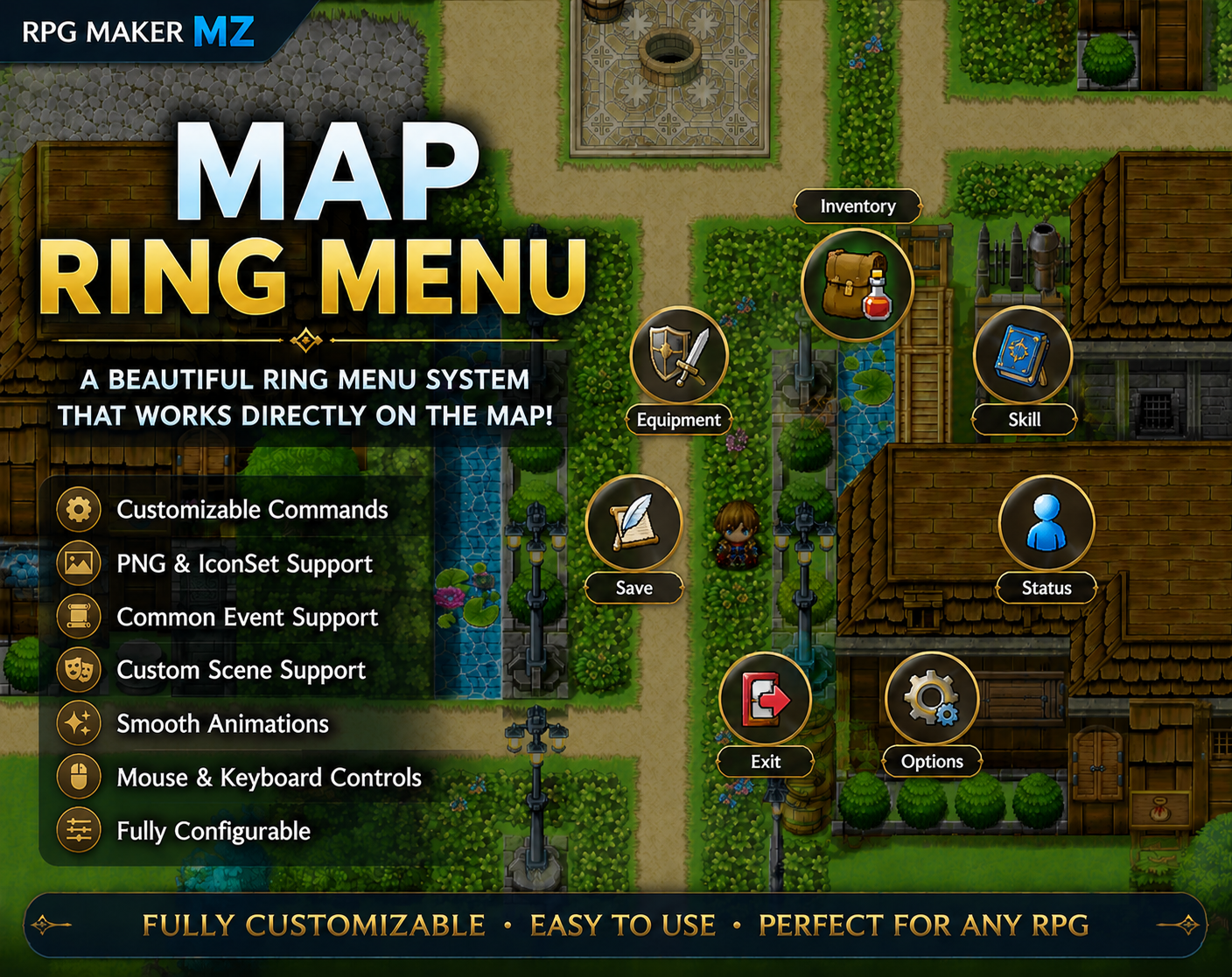
Customizable Map-Based Ring Menu for RPG Maker MZ
Map Ring Menu A customizable map-based ring menu system for RPG Maker MZ. Display commands around the player in a circular layout and access menus without interrupting gameplay. Features Runs directly on Scene_Map Customizable command list PNG Icon Support RPG Maker IconSet Support Common Event Support Custom Scene Support Ring Menu State Restoration Smooth Open / Close Animations Smooth Rotation Animation Optional Background Dimming Mouse & Keyboard Controls Player Movement Locking Plugin Parameter Configuration No Coding Required Perfect For Action RPGs ABS Projects Adventure Games Open World Games Quest Systems Custom UI Projects Compatibility ✔ RPG Maker MZ ✔ PNG Icons ✔ IconSet Icons ✔ Common Events ✔ Custom Scenes ✔ Mouse & Keyboard Support PNG Icon Setup Default PNG icon folder: /img/system/MenuIcons/ Important:PNG icons should be placed in the folder above when using the default plugin configuration.If you use a different folder, update the Icon Folder parameter accordingly. Important:When using PNG Icon Mode, the icon folder must contain:None.pngThis file is used as the default icon for commands that do not have a PNG icon assigned. Important: Do not rename the plugin file. Guide 1. IconSet Mode 2. PNG Mode 3. Common Event 4. Custom Scene License This plugin may be used in both personal and commercial RPG Maker projects. Credit is appreciated but not required. Redistribution of the plugin itself is prohibited. Resale of the plugin, whether modified or unmodified, is prohibited. Sharing the plugin files with others is prohibited. The source code is obfuscated to protect the plugin's intellectual property and prevent unauthorized redistribution. The author is not responsible for any damages caused by the use of this plugin.
 Ken 5 followers· portfolio 7 View creator →