KERO KERO HORSE SPEED 40
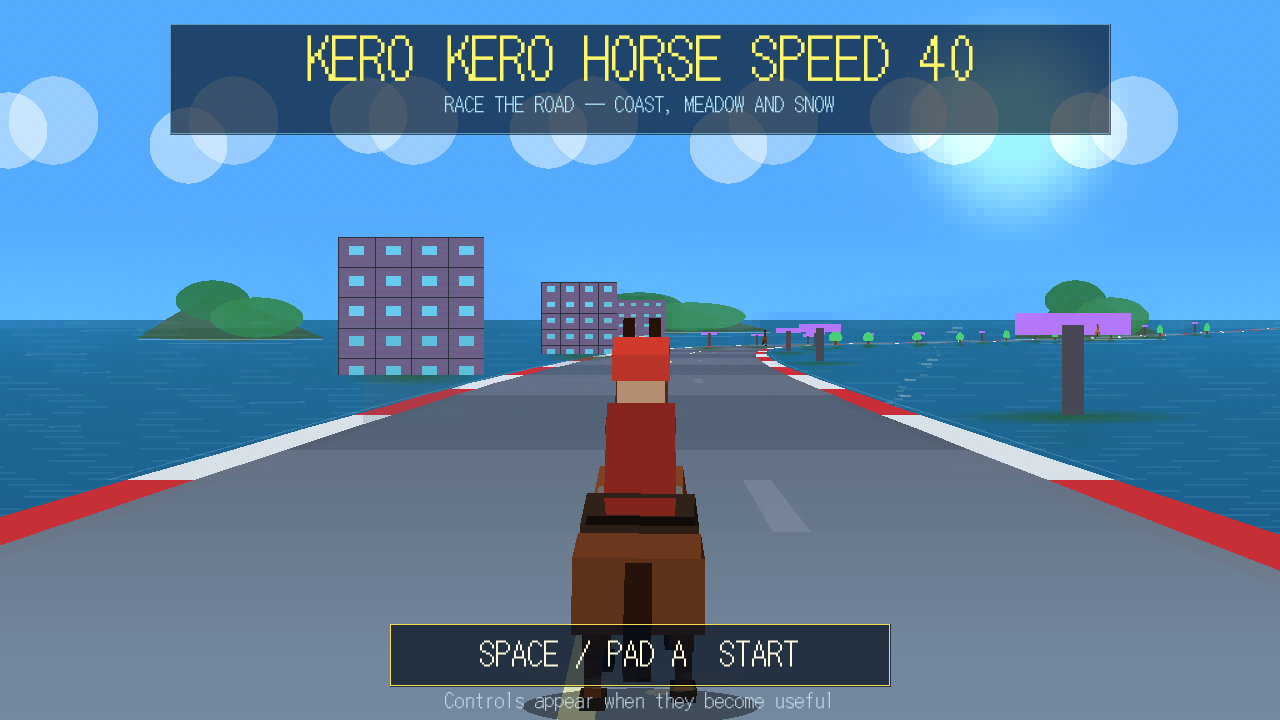
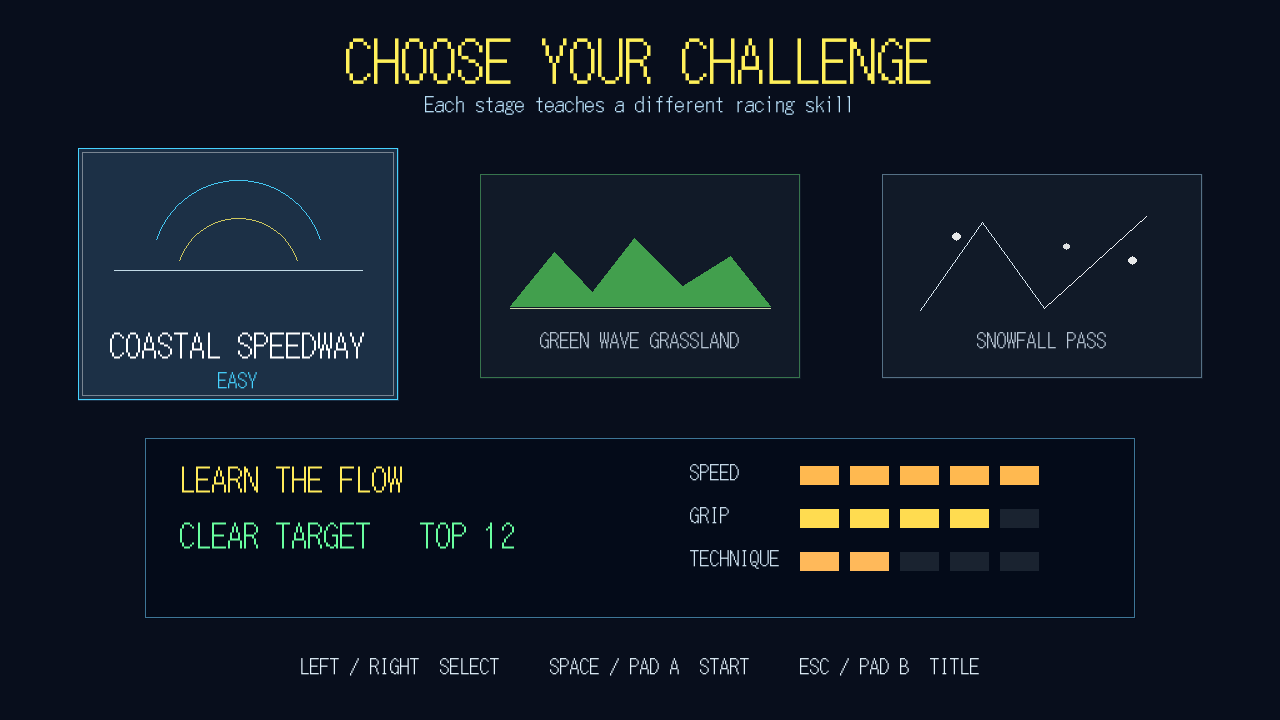
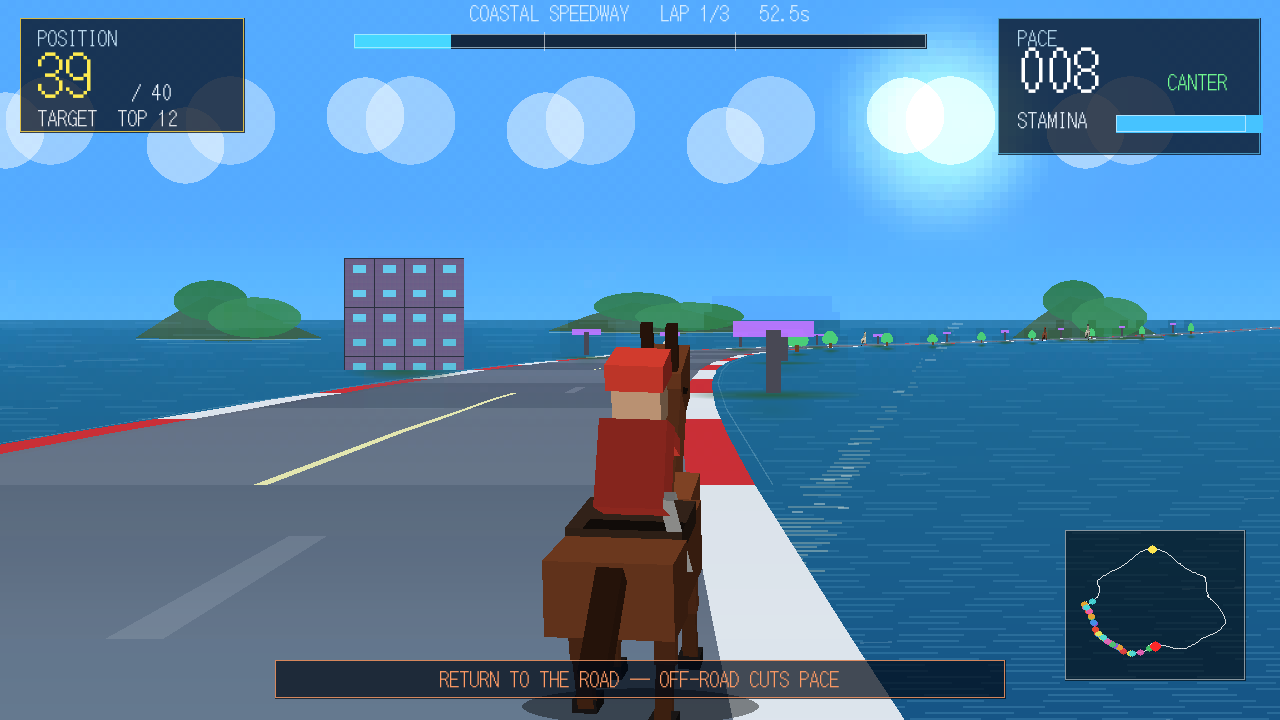
# KERO KERO HORSE SPEED 40 40頭の馬が、海岸道路・草原・雪山を駆け抜ける3Dアーケードレースゲームです。 車のレースゲームのような高速コースを、騎手と馬で3周走り抜けます。 --- # 日本語 ## 1. ゲーム概要 - ジャンル:3Dアーケード・ホースレース - 参加頭数:40頭 - レース形式:3周 - 視点:馬の後方から見るチェイスカメラ - 画面解像度:1280×720 - 対応入力:キーボード/ゲームパッド 各ステージにはクリア目標順位があります。 目標順位以内でゴールするとステージクリアです。 1位でゴールすると、馬をさまざまな角度から映す専用ビクトリーカメラが再生されます。 --- ## 2. ステージ ### COASTAL SPEEDWAY 海の見える高速コースです。 広い道と高いグリップを利用して、基本操作と追い抜きを覚えるステージです。 - 難易度:EASY - 開始順位:28位前後 - クリア目標:12位以内 - SPEED:★★★★★ - GRIP:★★★★☆ - TECHNIQUE:★★☆☆☆ ### GREEN WAVE GRASSLAND 草原を走る、カーブと起伏の多いコースです。 速度を保ちながら、コーナーの流れと追い抜きのタイミングをつかみましょう。 - 難易度:NORMAL - 開始順位:34位前後 - クリア目標:8位以内 - SPEED:★★★★☆ - GRIP:★★★☆☆ - TECHNIQUE:★★★☆☆ ### SNOWFALL PASS 雪山を走る低グリップのテクニカルコースです。 早めに曲がり始め、滑りに合わせて穏やかにカウンターステアを当てることが重要です。 - 難易度:TECHNICAL - 開始順位:40位 - クリア目標:3位以内 - SPEED:★★★☆☆ - GRIP:★☆☆☆☆ - TECHNIQUE:★★★★★ --- ## 3. キーボード操作 | 操作 | キー | |---|---| | 加速/ギャロップ | `Space` / `W` / `↑` / `Enter` | | 左右移動 | `A` `D` / `←` `→` | | ブレーキ | `S` / `↓` / `Ctrl` | | スプリント | `Shift` | | LOWギア | `Z` / `L` / `1` | | HIGHギア | `X` / `H` / `2` | | 決定 | `Space` / `Enter` | | 戻る | `Esc` | | フルスクリーン切り替え | `Alt + Enter` | | ウィンドウ倍率リセット | `Alt + Backspace` | ### ギアの使い分け - **LOWギア**:加速しやすく、カーブや立ち上がりに向いています。 - **HIGHギア**:最高速が高く、長い直線に向いています。 スタート直後や急カーブではLOWギア、速度が乗った直線ではHIGHギアを使うと走りやすくなります。 --- ## 4. ゲームパッド操作 | 操作 | ボタン | |---|---| | 左右移動 | 左スティック / 十字キー左右 | | 加速/ギャロップ | A / 右トリガー | | ブレーキ | B / 左トリガー | | スプリント | X | | LOWギア | Y / 十字キー下 | | HIGHギア | START / 十字キー上 | | メニュー選択 | 十字キー | | 決定 | A | | 戻る | B | コントローラーによってボタン表記や配置が異なる場合があります。 --- ## 5. レースシステム ### PACE 現在の走行速度です。 コース外へ出ると大きく低下します。 ### STAMINA スプリントに使用するゲージです。 - `Shift`またはパッドXで消費します。 - スプリントをやめると回復します。 - 使い切る前に休ませると、終盤でも加速しやすくなります。 ### DRAFT 前を走る馬のすぐ後ろに入ると、ドラフトが発生します。 ドラフト中は次の効果があります。 - 加速力上昇 - 最高速度上昇 - スタミナ回復量上昇 前の馬の後ろで速度をため、直線で横へ出て追い抜くのが有効です。 ### コースアウト 道路から大きく外れると速度が低下します。 無理にショートカットするより、道路内で速度を維持するほうが速く走れます。 ### 接触 ライバル馬と接触すると、速度低下や横方向への押し出しが発生します。 密集地帯では、空いているラインを早めに選びましょう。 ### FINAL LAP 最終周では上位のライバル馬も末脚を使います。 スプリントを最初から使い切らず、最後の直線に残しておくことが重要です。 極端に遅れた周回遅れの馬は、先頭争いを邪魔しないよう整理されます。 --- ## 6. 画面表示 レース中の主な表示は次のとおりです。 - 現在順位 - クリア目標順位 - 現在の周回 - レース進行状況 - PACE - STAMINA - DRAFT - レースタイム - 状況に応じた操作ガイド 画面中央に表示される短いメッセージは、追い抜き、最終周、目標順位到達などの重要な情報です。 --- ## 7. ゴール後 ゴール後は次の項目を選択できます。 - **RETRY**:同じステージをもう一度走る - **STAGE SELECT**:ステージ選択へ戻る - **TITLE**:タイトル画面へ戻る クリア目標以内なら `TARGET CLEARED`、1位なら `GOLD FINISH` になります。 ### 1位専用ビクトリーカメラ 1位でゴールすると、馬を後方、側面、正面ローアングル、反対側面、周回カメラから映します。 `Space`、`Enter`、パッドAで結果画面へ進めます。 誤操作防止のため、一度ボタンを離してから入力してください。 --- ## 8. 攻略の基本 1. スタート直後はLOWギアで加速する。 2. 速度が乗ったらHIGHギアへ切り替える。 3. ライバルの後ろでドラフトを使う。 4. 直線へ入る直前に横へ出る。 5. スタミナを少し残し、FINAL LAPでスプリントする。 6. 雪山では急に切り返さず、早めに曲がり始める。 7. コース外へ出た場合は、無理に加速せず道路へ戻る。 --- ## 9. 起動方法 Windows版では、ゲームフォルダー内の次のファイルを起動してください。 `kero_kero_horse_speed_40.exe` 配布されたファイルは同じフォルダーに置いてください。 `game.data`が含まれている場合は、EXEと同じ場所から移動しないでください。 Web版では`index.html`を対応ブラウザーで開きます。 公開サイト以外で確認する場合は、ローカルWebサーバーを使用してください。 --- ## 10. トラブルシューティング ### ゲームパッドが反応しない - ゲームを起動する前にコントローラーを接続してください。 - 一度ゲームウィンドウをクリックしてください。 - 他のゲームパッド設定ソフトが入力を占有していないか確認してください。 ### 音が鳴らない - Windowsとゲームの音量を確認してください。 ### 黒い画面のまま進まない - 配布ファイルを別々のフォルダーへ移動していないか確認してください。 - DLLと`game.data`がEXEと同じフォルダーにあるか確認してください。 --- ## 11. クレジット **Game Copyright (C) 2026 Kacchando** **Copyright (c) 2026 かっちゃん堂** - Game Engine: TinCLE v0.04 - Libraries: SDL2 / SDL_ttf / SDL2_gfx - その他の素材・ライブラリー表記は`CREDITS.txt`を確認してください。 無断転載、無断再配布、作者を偽る行為は禁止します。 --- # English ## 1. About the Game KERO KERO HORSE SPEED 40 is a 3D arcade horse-racing game in which 40 horses race across high-speed road courses inspired by arcade driving games. - Genre: 3D arcade horse racing - Racers: 40 horses - Race length: 3 laps - Camera: Third-person chase camera - Resolution: 1280×720 - Input: Keyboard and gamepad Each stage has a target finishing position. Finish within the target position to clear the stage. Finishing in first place activates a special cinematic camera that shows your horse from several angles. --- ## 2. Stages ### COASTAL SPEEDWAY A fast coastal course with wide roads and high grip. Use this stage to learn the basic controls, drafting, and overtaking. - Difficulty: EASY - Starting position: Around 28th - Clear target: Top 12 - SPEED: ★★★★★ - GRIP: ★★★★☆ - TECHNIQUE: ★★☆☆☆ ### GREEN WAVE GRASSLAND A rolling grassland course with more bends and elevation changes. Maintain your pace and learn the rhythm of cornering and overtaking. - Difficulty: NORMAL - Starting position: Around 34th - Clear target: Top 8 - SPEED: ★★★★☆ - GRIP: ★★★☆☆ - TECHNIQUE: ★★★☆☆ ### SNOWFALL PASS A technical mountain course with slippery snow-covered roads. Begin steering early and use gentle counter-steering when the horse starts to slide. - Difficulty: TECHNICAL - Starting position: 40th - Clear target: Top 3 - SPEED: ★★★☆☆ - GRIP: ★☆☆☆☆ - TECHNIQUE: ★★★★★ --- ## 3. Keyboard Controls | Action | Key | |---|---| | Accelerate / Gallop | `Space` / `W` / `Up Arrow` / `Enter` | | Steer | `A` `D` / `Left Arrow` `Right Arrow` | | Brake | `S` / `Down Arrow` / `Ctrl` | | Sprint | `Shift` | | LOW gear | `Z` / `L` / `1` | | HIGH gear | `X` / `H` / `2` | | Confirm | `Space` / `Enter` | | Back | `Esc` | | Toggle fullscreen | `Alt + Enter` | | Reset window scale | `Alt + Backspace` | ### Using the Gears - **LOW gear:** Better acceleration and easier control when exiting corners. - **HIGH gear:** Higher top speed for long straights. Use LOW gear at the start and through tight corners. Switch to HIGH gear after building enough speed. --- ## 4. Gamepad Controls | Action | Button | |---|---| | Steer | Left Stick / D-pad Left and Right | | Accelerate / Gallop | A / Right Trigger | | Brake | B / Left Trigger | | Sprint | X | | LOW gear | Y / D-pad Down | | HIGH gear | START / D-pad Up | | Menu navigation | D-pad | | Confirm | A | | Back | B | Button names and layouts may differ depending on the controller. --- ## 5. Race Systems ### PACE PACE shows your current racing speed. Leaving the road greatly reduces it. ### STAMINA STAMINA is consumed while sprinting. - Hold `Shift` or gamepad X to sprint. - Release sprint to recover stamina. - Avoid completely draining the gauge before the final part of the race. ### DRAFT Stay directly behind another horse to enter its draft. Drafting provides: - Increased acceleration - Increased maximum speed - Faster stamina recovery Build speed behind a rival, move out of the slipstream, and overtake on the straight. ### Off-Road Penalty Moving too far outside the road reduces your speed. Maintaining a clean racing line is usually faster than attempting a shortcut. ### Contact Contact with another horse can reduce your speed and push you sideways. Choose an open lane early when the field is crowded. ### FINAL LAP Leading rivals use their finishing kick on the final lap. Save some stamina for the last straight instead of using it all early. Severely lapped backmarkers are managed so they do not repeatedly interfere with the lead battle. --- ## 6. HUD The race HUD displays: - Current position - Clear target - Current lap - Race progress - PACE - STAMINA - DRAFT - Race time - Context-sensitive driving hints Large center-screen messages announce important events such as overtakes, the final lap, and reaching the target position. --- ## 7. After the Race The result screen provides three choices: - **RETRY:** Race the same stage again - **STAGE SELECT:** Return to stage selection - **TITLE:** Return to the title screen Finishing within the target shows `TARGET CLEARED`. Finishing first shows `GOLD FINISH`. ### First-Place Victory Camera After a first-place finish, the game shows the horse from a rear chase view, both side views, a low front view, and an orbiting camera. Press `Space`, `Enter`, or gamepad A to continue to the result screen. Release the button once before pressing it again to avoid accidental skipping. --- ## 8. Basic Strategy 1. Start in LOW gear for stronger acceleration. 2. Switch to HIGH gear after reaching racing speed. 3. Draft behind rivals. 4. Move out just before entering a long straight. 5. Save stamina for the FINAL LAP. 6. On snow, begin steering early and avoid sudden corrections. 7. If you leave the road, return smoothly instead of forcing full acceleration. --- ## 9. Starting the Game For the Windows version, run: `kero_kero_horse_speed_40.exe` Keep all distributed files in the same folder. Do not move `game.data` away from the executable. For the Web version, open `index.html` through a compatible web host or local web server. --- ## 10. Troubleshooting ### The gamepad does not respond - Connect the controller before starting the game. - Click the game window once to give it input focus. - Check whether another controller utility is capturing the input. ### There is no sound - Check the Windows and game volume settings. - Keep `game.data` in the same folder as the executable. - Builds that distribute audio separately require: ### The game remains on a black screen - Make sure the distributed files were not separated into different folders. - Confirm that the required DLL files and `game.data` are beside the executable. ## 11. Credits **Game Copyright (C) 2026 Kacchando** **Copyright (c) 2026 かっちゃん堂** - Game Engine: TinCLE v0.04 - Libraries: SDL2 / SDL_ttf / SDL2_gfx - See `CREDITS.txt` for additional asset and library notices. Unauthorized redistribution, impersonation of the creator, and removal of copyright notices are prohibited.
 Kacchyan 12 followers· portfolio 9 View creator →
Comments over time
Cumulative · 30dScreenshots
1 / 4