Music Player for RPG Maker MZ
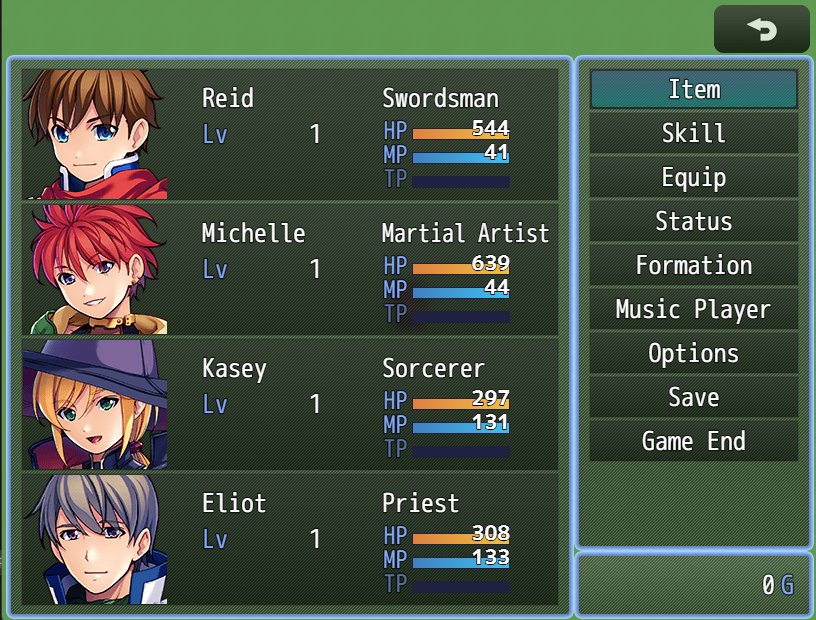
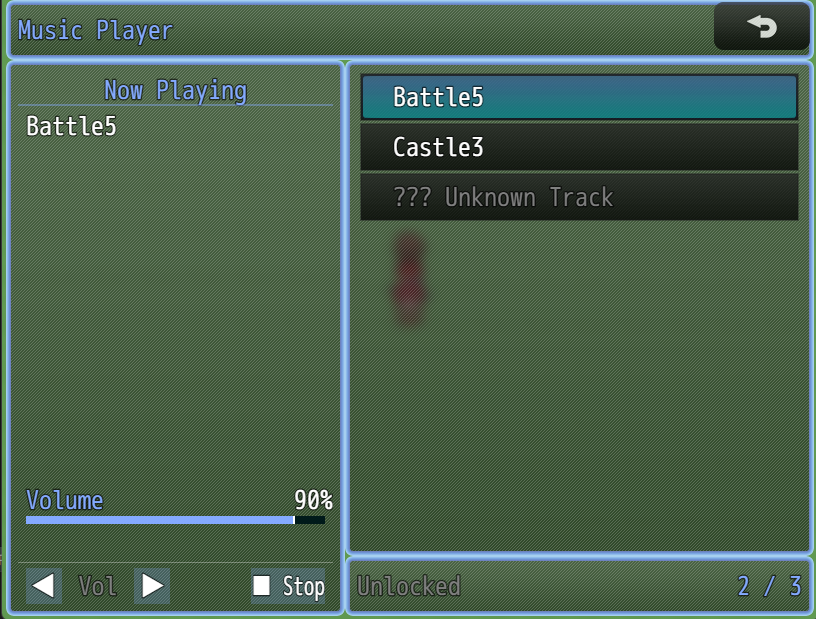
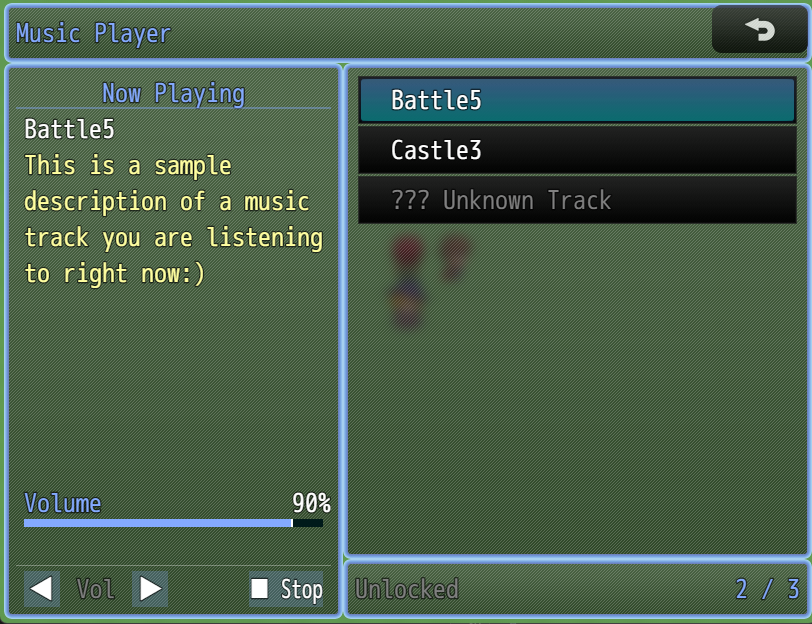
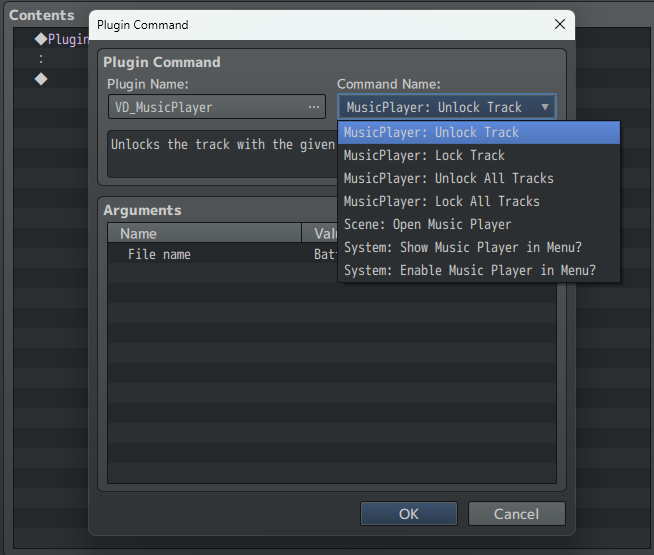
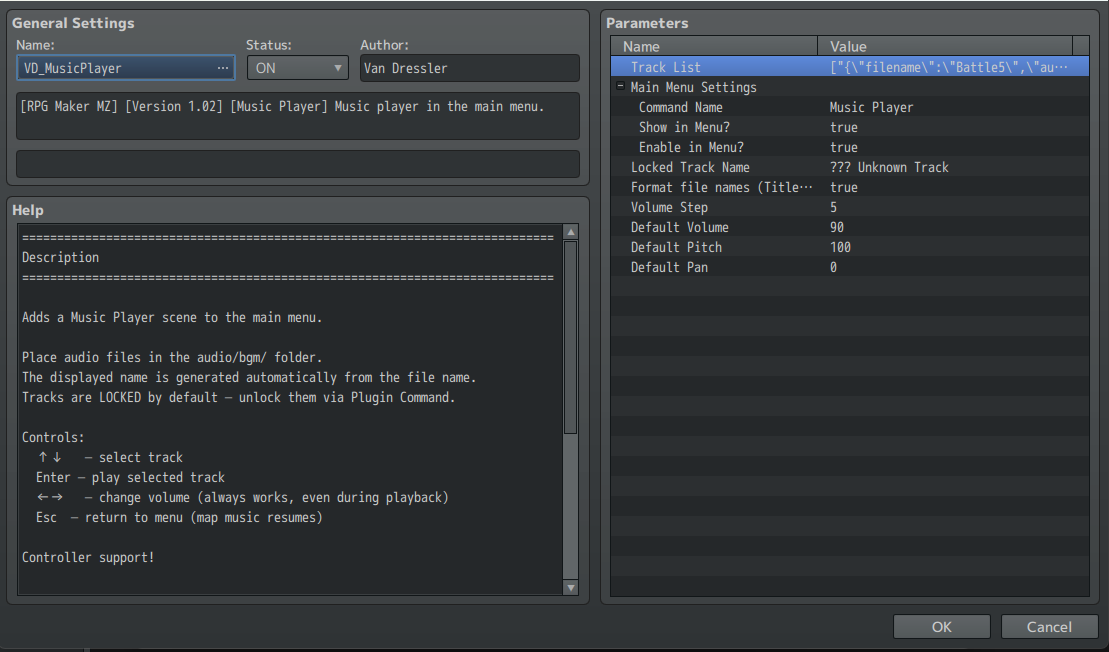
Description VD_MusicPlayer is a plugin for RPG Maker MZ that adds a fully-featured Music Player scene to your game's main menu - letting players browse, unlock, and listen to your game's soundtrack anytime. Perfect for games that want a jukebox, a sound test, or just a nice way to let players revisit their favorite tracks. Features In-Menu Music Player – adds a dedicated "Music" option to the main menu, fully configurable. Track Unlocking – tracks are locked by default and can be unlocked via Plugin Command (individually or all at once), or set to be unlocked from the start. Live Volume Control – adjust volume in real time, even while a track is playing. Full Input Support – works with mouse, keyboard, and a gamepad. Click a track to play it, click the buttons to adjust volume or stop, or use arrow keys/pad the same way. Unlocked Track Counter – shows players how many tracks they've found (e.g. "3/12"). Multiple Audio Types – play back BGM, BGS, ME, or SE files through the player. Custom Display Names & Descriptions – give each track a friendly name and a short blurb, or let the plugin auto-format the file name for you. Seamless Map Music Handling – the map's music is automatically paused on entry and restored when you exit the player. Supported Formats Works with all standard RPG Maker MZ audio formats (.ogg and .m4a) placed in your project's audio/bgm/ folder (or wherever your other audio types live). Pick the file directly from the built-in RPG Maker file browser, no manual typing required. Installation Copy VD_MusicPlayer.js into your project's js/plugins/ folder. Open the Plugin Manager in RPG Maker MZ. Add VD_MusicPlayer and set it to ON. Usage In Plugin Parameters, add your tracks to the Track List - pick the audio file, choose its type (BGM/BGS/ME/SE), and optionally set a display name and description. Use Plugin Commands to unlock tracks as players progress (e.g. after finding a hidden area or defeating a boss). Start your game → open the main menu → select "Music" to browse and play unlocked tracks. Example Workflow Add VD_MusicPlayer.js to your project. Open Plugin Manager → add a few tracks to the Track List, leaving unlockedByDefault off. In an event, use MusicPlayer: Unlock Track after a boss fight to reward the player with a new song. Playtest your game → open the menu → the new track appears, ready to play. Feedback This is an actively maintained plugin and I'm very open to feedback, bug reports, and feature suggestions - feel free to reach out if something doesn't work as expected or you'd like to see something added!
 VanDressler 20 followers· portfolio 11 View creator →
Screenshots
1 / 6