
Inventory System 1.0
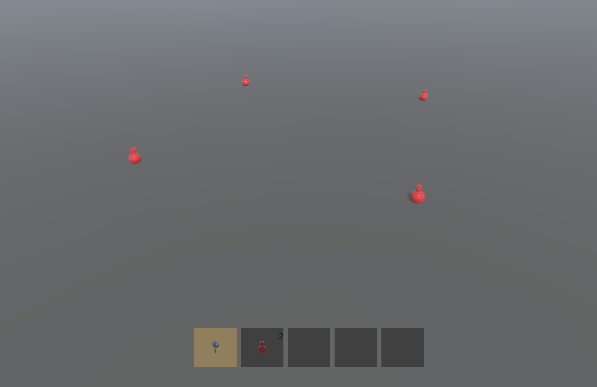
A drop-in inventory and pause system built for Unity, designed to feel complete right out of the box. Pick up items automatically or switch to manual mode with a configurable key — dropped items respect a short pickup cooldown so nothing gets grabbed back mid-air. Manage a hotbar with number-key or scroll-wheel selection, and drag items freely between the inventory panel and hotbar slots. Controls: E — Pick up the nearby item (Manual mode) I — Open / close the inventory 1–5 — Select a hotbar slot directly Mouse Scroll — Cycle through hotbar slots Left-click + drag — Move or drop an item stack Right-click + drag — Split off half a stack Esc — Pause, and back out of menus The pause menu and inventory panel are kept mutually exclusive, so one has to be closed before the other opens, keeping the flow clean and predictable. Pausing freezes gameplay, locks the hotbar and inventory against stray input, and shows an on-screen reminder of the pause key so it's never a mystery. A settings panel includes a mouse sensitivity slider, and exiting is guarded behind a confirmation prompt so nothing is lost to a misclick. Every interactive element — buttons, sliders, inventory slots, hotbar slots — responds with subtle hover and click sound feedback, giving the whole UI a tactile, responsive feel. Check out more of modular systems and prototypes at modular-labs.itch.io, or reach out for custom Unity prototyping and gameplay systems work modular-labs.itch.io
 Modular Labs View creator →