Tiktok Live stream Messi vs Ronaldo
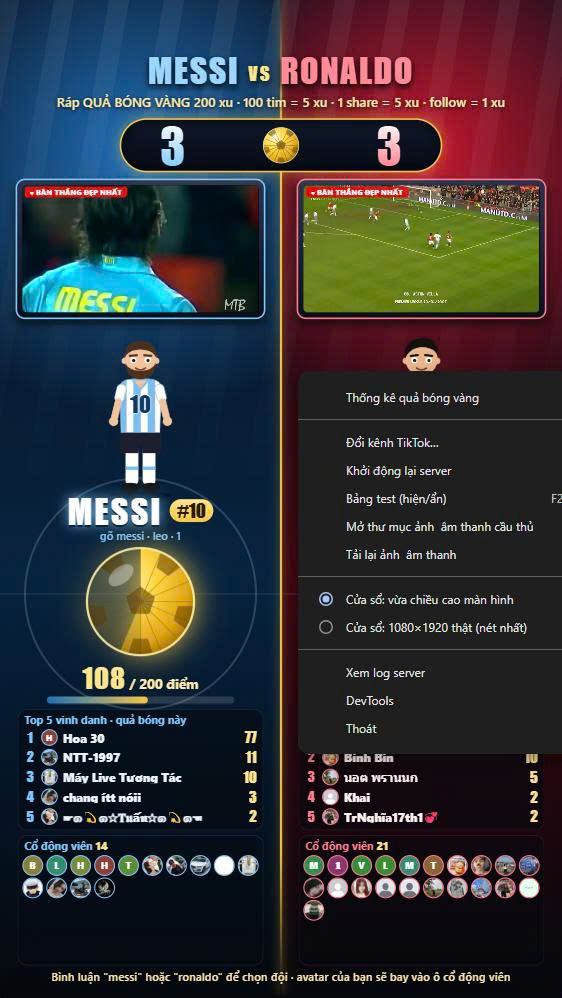
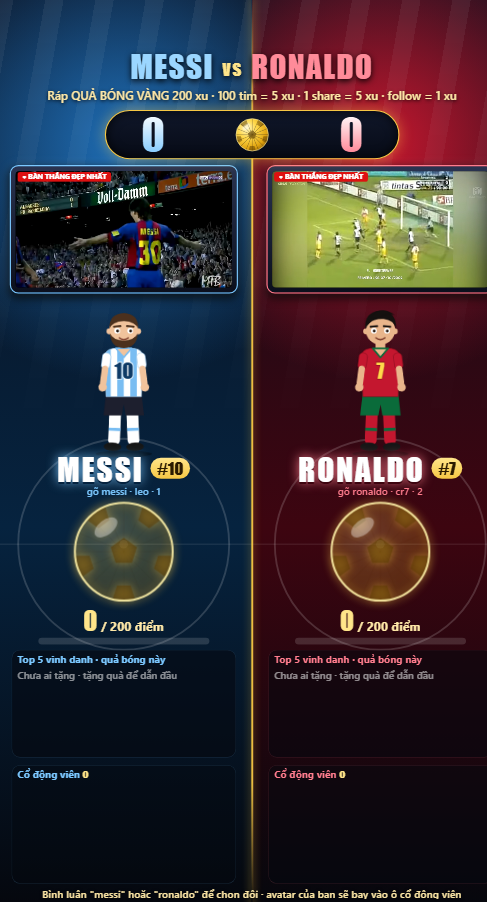
GOLDEN BALL BATTLE: User Guide An interactive TikTok Live game. Two teams compete to assemble a golden ball, powered by your viewers’ comments, gifts, likes, shares and follows. Requirements Windows 10 or 11A TikTok account that is currently LIVEInternet connection Getting started Download and unzip MessiVsRonaldo-win.zip.Open win-unpacked\MessiVsRonaldo.exe. If Windows SmartScreen appears, click “More info”, then “Run anyway”.On the first launch, enter your TikTok username (without the @) and click Start. Make sure you are already live.A server console window opens alongside the game. Keep it open while streaming. Streaming it In TikTok LIVE Studio or OBS, add a “Window capture” source and select the game window.Do not minimize the window. Cover it or move it behind other windows if you need to.Drag the window by its top edge.Right-click the window for the menu: statistics, change channel, test panel, window mode, server log and more. How viewers play Pick a team: comment 1 or 2. Their avatar flies into that team’s fan zone. Switching sides requires at least 30 seconds between changes.Gifts: every gift fills the golden ball. Viewers who have not picked a team join the team that is currently behind.Golden ball: each team builds a ball from 16 pieces, and 200 coins completes one. The viewer who gave the most in that round is credited, and a Top 5 board is shown.Likes: every 100 likes adds 5 coins.Shares: each share adds 5 coins.Follows: each follow adds 1 coin (once per person).Likes, shares and follows only count for viewers who have already picked a side.Every interaction triggers an on-screen effect and a spoken thank-you. Testing before you go livePress F2 (or right-click, then Test panel) to simulate gifts, likes, shares and follows without a real audience. Test balls are marked “test” and hidden from the statistics. Using your own images, sounds and videos Right-click, then open the media folder. Each team has its own subfolder.A file named idle.gif, idle.png or idle.webp is the animated waiting image.Other images (jpg, png, webp, gif) appear during celebrations.Audio files (mp3, wav, ogg, m4a) play with the celebration. A picture and a sound with the same file name are paired.Videos (mp4, webm) loop on the TV screen of each side.After adding or removing files, right-click and choose “Reload images & sounds”.Only use media you have the right to use. StatisticsRight-click and open the statistics window to see balls per person, a timestamped log, filters by name, team and date, and CSV export for Excel. Saved dataThe current match and its history save automatically at %APPDATA%\messi-vs-ronaldo\data\match.json. Delete this file to start from scratch. Troubleshooting Nothing happens when viewers comment: check that the username is correct and that you are live. The console window must stay open.Likes, shares, follows or videos do nothing: an old server may still be running. Close every console window titled “MessiRonaldo Server” and reopen the app.No voice: click once inside the game window, and check that the sound toggle in the test panel is on.Change channel: right-click, then “Change TikTok channel”.
buiminhhoavpc-stack 2 followers· portfolio 4 View creator →Comments over time
Cumulative · 30dScreenshots
1 / 2