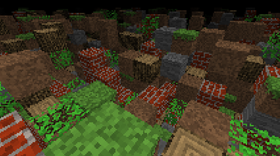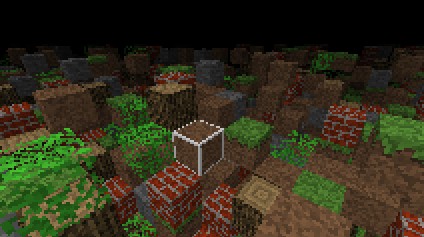
Minecraft 4k
Before you do anything...Extract the contents of this zip folder to a normal folder for things to work. This won't if you won't do this (specifically the 4K.exe application)! Anyways... Hey there! Do you want to play Minecraft 4k in a browser? No? Well, just run the .EXE and you're done! If you do want to run 4K in a browser... I made this because I thought it'd be a nice addition. You don't have to though, and I'd even recommend if you'd use the runnable instead. This will not work at all with Google Chrome. It can work for other browsers though. Open the APPLET.html file in this folderGo to the Search bar on the bottom left (if you're on Windows, if you're on a different OS go to the place where you know you can search for files).Type in 'Java Control Panel' (without quotations)Open it, and go to the Security tabIn the Exception Site List, click on Edit Site List... and then AddIt's going to ask for a website. Paste the URL of the APPLET.html file into the boxThen you're done! There are no security problems with the file. All it does is take javaDeploy.js to deploy applets into HTML webpages. Check the source code!If it still doesn't work, lower the security level on the same Security tab. I don't recommend this because of security vulnerabilites. I will not take responsibility! This will NOT help run Java run on other websites. It only allows Java on this custom made webpage. Thanks! - Maverk Studios Other things: - You can't run M.jar- If you're screen is just black, move the mouse around a bit. Your mouse doesn't lock in this game for some reason- Yes you can place blocks and break them. Use the primary and secondary buttons on your mouse (left or right click)- The source code will not be available because I don't have permission from Notch. If I do and actually try (which I won't) I will release it. But it is pretty simple to decompile .class files.
 Maverk Corporation 6 followers· portfolio 7 View creator →
Ratings over time
Cumulative · 30dComments over time
Cumulative · 30dScreenshots
1 / 3