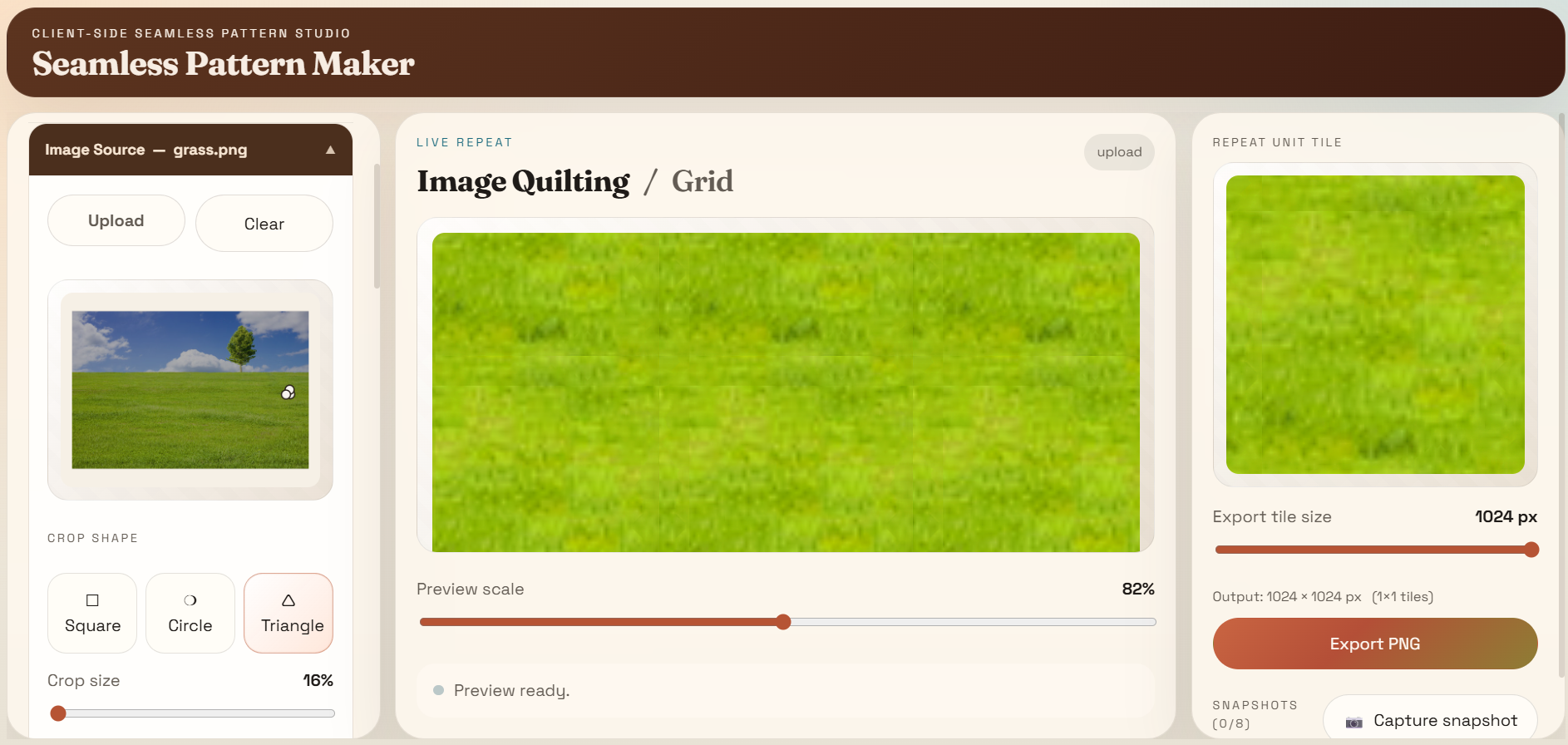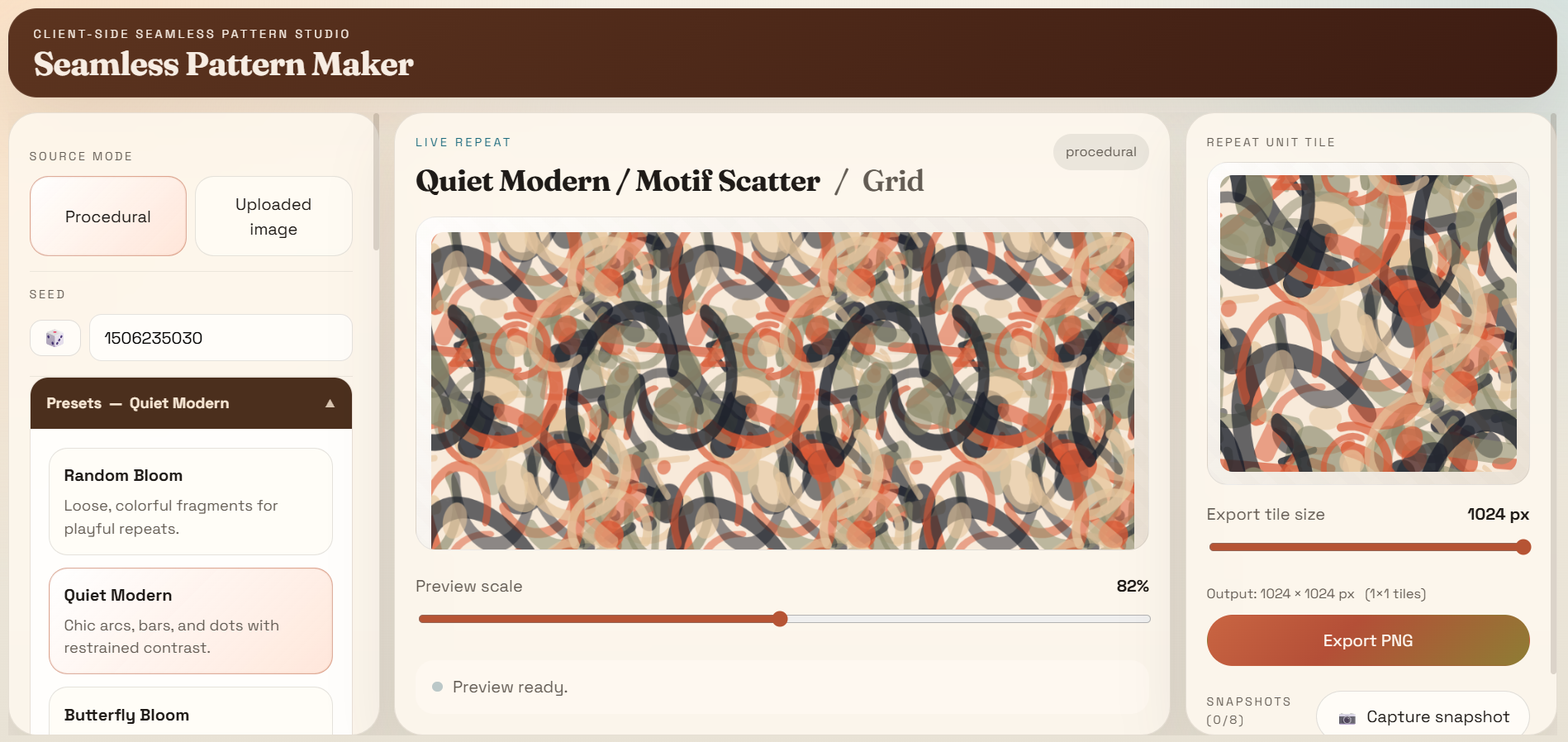
Seamless Pattern Maker
How it works: Choose your source: Start from a procedural seed or upload an image. Customize: Adjust the layout, transformation, and effects using the live preview. Compare: Save promising versions as snapshots to find your favorite look. Export: Download your seamless tile as a high-resolution PNG for your project. changelogv0.19.14 (ongoing) Changed: Firefly Riverside no longer shows the Firefly Primary, Firefly Secondary and Firefly Accent colour pickers in its Generator Controls, because they duplicated the colours you already set in the Color Palette panel — the first three swatches there decide the colours of the fireflies, so those colours are now picked in one place. Worth knowing: the three pickers and the three palette swatches always wrote to the same place, so the picture has always followed the Color Palette panel — nothing about how Firefly Riverside looks changes, and artwork you have already saved opens and paints exactly as it did. The rest of the Firefly Riverside section is untouched: the Density and Complexity sliders stay exactly where they were, and every other generator's panel is untouched. (Issue #695.) Added: Torrential Rain's Background Colors box now paints every swatch you add as its own stop in the sky gradient, instead of only the first and last. The box is no longer pinned at two colours: the Add control now appears (as it does for every other generator) so you can build a multi-stop sky — a five-colour fade from a dark top through to a pale horizon, say — and each colour you place really does show up in the picture, top to bottom in the order you list them. A two-colour palette still paints exactly the picture it always did, so artwork you have already saved opens and looks as it did before. The Splash Color and Fog Color boxes below are untouched. (Issue #678.) Internal quality improvement only (no user-visible changes). The section titles in the control panels — the Swirl Background heading in Alphabet Chaotic and Kanji Chaotic's Generator Controls, and the Background Colors and other block titles in the Color Palette editor — are now exposed to screen readers as proper headings (level 3) rather than as plain text. Before, the visible title was only loosely tied to its controls through the wrapping section's name, so a screen reader had no heading to land on. The text on screen is unchanged and nothing about any picture, control or saved artwork changes. (Issue #688.) Internal quality improvement only (no user-visible changes). The swirl background effect that Alphabet Chaotic and Kanji Chaotic share now draws from one shared piece of code instead of two copies, and the two swirl-angle tests now share a single test harness. Nothing about any picture changes: both generators still paint exactly the tiles they always did, byte-for-byte at every angle (the existing swirl-angle tests pin this). (Issue #687.) Fixed: Alphabet Chaotic and Kanji Chaotic no longer keep a stale Swirl Background angle after you turn the swirl off. Switching the swirl off used to leave the Angle slider's last value sitting in the saved artwork even though it no longer did anything on screen, so re-enabling the swirl could snap it back to that old angle. Turning the swirl off now resets the angle to its default (0°), and artwork you save with the swirl off no longer carries a hidden angle that could reappear. (Issue #686.) Internal quality improvement only (no user-visible changes). A leftover entry in the preset filter-tag map — one that named a Night Sky preset that was never shipped — has been removed. It matched nothing, so the Night Sky presets keep exactly the filter tags they always had, and no dead data remains in the map. No picture, control, scene preset or saved artwork changes. (Issue #685.) Added: Alphabet Chaotic and Kanji Chaotic now let you rotate the swirl behind the letters. When Swirl Background is enabled, the controls show an Enable checkbox and an Angle slider (0–360°, default 0°) under a Swirl Background heading; the slider appears only while the swirl is enabled. Turning the angle rotates the whole swirl — the flow of the ink streams that make up the vortex — without changing its shape or density. The swirl stays seamless at every angle: the pattern still lines up across all four tile edges, so a rotated swirl tiles exactly like an unrotated one. Leaving the angle at 0° paints exactly the picture you always got, and artwork you have already saved opens and paints exactly as before. (Issue #663.) Internal quality improvement only (no user-visible changes). The item just below — Torrential Rain's colours moving into a Background Colors box of their own — was put through the same evidence once more, and everything it says about how the app behaves now was checked against the app itself: with Torrential Rain selected the box really is there and really is called Background Colors, exactly two swatches really do sit inside it and the box is pinned at two colours (there is no Add control and no × at the two-colour minimum, because only the two ends feed the gradient), the Custom Palette heading really does appear nowhere on that panel, the Splash Color and Fog Color boxes below it really are still there, the Reset and Randomize buttons really still act on that pair, Tint really is the only colour this generator takes from Global Colors, and Night Sky Generator, Sunset Nostalgia and Moss Stone really do keep the Custom Palette heading. One thing the item's earlier wording got wrong has been put right: it described what you now get as a relabelled section, when in fact those colours sit in a box of their own with the generic Custom Palette heading taken away, and the item now says so. Nothing about any picture, control or saved artwork changes, and so does not anything else the item below says you can now do. (Issue #658.) Fixed: Torrential Rain's Streak Color Layers can now be edited. Each rain streak is drawn in several overprint layers — a different colour, opacity and width for each — so the woodblock look of the rain comes from this list. The control was there, but because it had been wired to the wrong kind of editor it showed a single colour box that could not hold the layers, so changing the overprint colours of the rain was impossible from the panel. It now appears as a list of layers, each one opening to its own colour, opacity and width controls, and you can add or remove layers between one and five. Nothing else about the rain changes — the streaks still fall in the same directions and at the same density, the Background Colors, Splash Color and Fog Color boxes below are untouched, and artwork you have already saved keeps the layers it had. (Issue #661.) Fixed: Paint Chaos no longer shows an empty Paint Chaos heading in its Generator Controls. The generator's controls were wrapped in a Paint Chaos section title that carried no control of its own — a bare Color sub-heading sat under it with nothing beneath, and the real controls (the Palette mode selector and the colour, stroke, splatter, drip, bleed, wobble, dry-brush and chaos settings) lived under their own headings below. Both empty titles are gone; the Palette mode control, the Color count and Saturation sliders and every stroke, splatter, drip, bleed, wobble, dry-brush and chaos setting are all exactly where they were, and every other generator's panel is untouched. (Issue #662.) Fixed: The number boxes in the Custom Tiling editor no longer flatten a vertex or lattice vector onto the origin when you clear them. The four coordinate boxes — each polygon vertex's x and y, and lattice vectors a and b's x and y — used to write a zero straight into the tiling the moment you emptied one, so a vertex you cleared snapped to (0,0) with no way back to the number that had been there, and the whole tile collapsed around the origin. Each box now keeps what you are typing while you type it and only commits a number once what you have entered makes sense; clear a box and click away without typing and it goes back to the number you had. Typing 0 still gives you a zero — that one is a setting you can choose on purpose — and the Polygon add/remove, Edge pairing and Derive from translation pairs controls are untouched. Nothing about how a saved tiling looks changes. (Issue #672.) Changed: The Night Sky generator is no longer labelled Night Sky Generator in the generator picker. Every other generator in the list is named without a trailing "Generator" — Solar Radiance, Moss Stone, Meat Pattern and so on — so the one generator that carried the word stood out and read as if it were a category rather than a name. Its label is now Night Sky, matching the rest. This is a display-name change only: the generator's internal identifier is unchanged, so any Night Sky artwork you have already saved still opens as Night Sky, and every other generator's label is untouched. (Issue #671.) Added: The Night Sky generator now has three scene presets in the unified preset menu: Night Dream, Night Dawn, and Deep Night. Previously Night Sky had no scene presets at all, so it was absent from the Presets UI and could only be configured manually via Generator Controls. Each scene preset applies a different star density, moon phase, sun visibility and sky gradient — Dream is a balanced starry night, Dawn is a darker pre-dawn sky, and Deep Night is a dense indigo sky with no sun. Each preset now carries its own dark palette, so the sky gradient and stars are painted from it (first colour = top of sky, last colour = horizon), and the palette colours reach the picture for Night Sky just as they do for other generators. The generator's internal id, defaults and renderer are unchanged; saved Night Sky artwork still opens and paints correctly. (Issue #667.) Changed: The three Night Sky scene presets now render as genuinely dark night skies. In the first cut they rendered very bright — the sky glowed in light blue and the stars were large and amber-toned, which contradicted the Night Sky theme. Each preset now carries its own dark palette (deep space black-blues with pale star colours), and the stars are smaller and sparser, so Night Dream, Night Dawn and Deep Night all read as night. The base Night Sky preset's own colours and background were darkened to match. (Issue #667.) Internal quality improvement only (no user-visible changes). The item just below — Torrential Rain's Streak Color Layers becoming editable — was checked against the code as it now stands: the field really is declared as a list of layers each carrying a colour, an opacity and a width, the schema really does mark it as that kind of list rather than as a single colour, and a test now pins both facts — that the control resolves to an array editor (not a colour box) and that the three per-layer fields show up for editing — so the broken wiring cannot return. Nothing about any picture, control other than this one, scene preset or saved artwork changes. (Issue #661.) Internal quality improvement only (no user-visible changes). The item just below — Sumi-e regaining its Background picker — was put through the same evidence once more, and everything it says about the app was confirmed against the app itself: the Background picker really is there beside Tint when Sumi-e is selected, choosing a colour really does repaint the paper the strokes sit on, Washi Warmth still governs how blotchy and fibrous that paper is, and the Reset button, the rest of the sliders and every other generator's panel are as untouched by this work as the item below says they are. Nothing needed changing, and nothing about what the item below says you can now do has changed with it. (Issue #669.) Fixed: Sumi-e now lets you choose the colour of the paper it is painted on. With Sumi-e selected, the Background picker under Global Colors at the top of the Color Palette panel was missing entirely, so the colour of the washi the brush strokes sit on could not be changed at all — and because the generator offers no paper setting of its own anywhere else on the panel, there was nowhere to change it. The scroll has been painting itself from that colour for some time: every part of the paper no brush has touched is filled with it, and the blotches and fibres in the paper are drawn over it. Pick Sumi-e and the Background picker is now there beside Tint, and choosing a colour repaints the tile straight away. Because the picture already followed the background, nothing about a scroll you make now looks different from what it looked like before — only the missing control is added. Nothing else about the generator changes: Ink Flow Count, Ink Pressure, Kusa Count, Kusa Dryness, Stain Red Count, Stain Aged Count, the two stain scales, the two stain opacities, Washi Warmth and Aging Amount all keep working exactly as they did, Washi Warmth still governs how blotchy and fibrous the paper is, the Reset button clears the same things it always cleared, and every other generator's panel is untouched. (Issue #669.) Internal quality improvement only (no user-visible changes). The item just below — Firefly Riverside regaining its Background picker — had the wording around it checked once more, and two things about how it is described were put right: a claim about which earlier rounds the remaining notes in this update belong to was over-confident and has been narrowed to what it can actually stand for, and one sentence could be read as saying a round changed nothing but the technical record, when it also added a line here — it now says plainly which round it means. Nothing about the app changes, and so does not anything the item below says you can now do: the Background picker is beside Tint, choosing a colour redraws the scene straight away, Density and Complexity shape the pattern as they did, the three colours still decide the colours of the fireflies, the Reset button clears the same things it always cleared, and every other generator's panel is untouched. (Issue #668.) Internal quality improvement only (no user-visible changes). The item just below — Firefly Riverside regaining its Background picker — was put through the same evidence once more, and one thing it claimed about that item's own history turned out never to have been true and has been withdrawn; what actually happened to that item is now given correctly, together with two smaller details of the same kind. The fix itself is unchanged, and so is everything the item below says you can now do: the Background picker is beside Tint, choosing a colour redraws the scene straight away, Density and Complexity shape the pattern as they did, the three colours still decide the colours of the fireflies, the Reset button clears the same things it always cleared, and every other generator's panel is untouched. (Issue #668.) Fixed: Firefly Riverside now lets you choose the colour of the night behind the river. With Firefly Riverside selected, the Background picker under Global Colors at the top of the Color Palette panel was missing entirely, so the colour the scene is painted over could not be changed at all — and because the generator offers no backdrop setting of its own anywhere else on the panel, there was nowhere to change it. The scene has been repainting itself from that colour for some time: the gradient of the night behind the river, the darkening towards the edges, the river itself and the water moving over it all come from it — though the haze of mist lying across the scene keeps a colour of its own. Pick Firefly Riverside and the Background picker is now there beside Tint, and choosing a colour redraws the scene straight away. Nothing else about the generator changes — Density and Complexity shape the pattern exactly as they did, the three colours you pick still decide the colours of the fireflies, the Reset button clears the same things it always cleared, and every other generator's panel is untouched. (Issue #668.) Fixed: The number boxes in Generator Controls no longer turn themselves into a zero when you clear them. Emptying one of these boxes used to count as zero and write that zero straight into the pattern, so Moss Stone's Moss Seed could quietly stop being the number you had typed: a zero there is not an ordinary number but the instruction to fall back to the global Seed, and the box was sitting there blank while it did. The box now keeps whatever you are typing while you type it and only settles on a number once what you have entered makes sense. Clear the box and click away without typing anything and it goes back to the number you had, and clearing a box and then typing 1234 now gives you 1234, where before the zero the emptied box had already written in could still be sitting among the digits you typed. Typing 0 still gives you a zero — that one is a setting you can choose on purpose, not a side effect — and the same holds for the number boxes inside lists. Nothing about the pictures changes: every value you can still enter draws exactly the tile it always did, sliders, colour pickers, drop-downs and checkboxes are untouched, and artwork you have already saved is unaffected. (Issue #664.) Internal quality improvement only (no user-visible changes). The item just below — Paint Chaos regaining its Background picker — went through the same evidence once more, and one detail of how it is recorded described how things stood before the fix rather than after it; that detail now describes how things stand. The fix itself is unchanged, and so is everything the item below says you can now do: the Background picker is beside Tint, choosing a colour repaints the tile, and the colour mode, number of colours, every stroke setting, the Reset button and every other generator's panel are all as before. Fixed: Paint Chaos now lets you change the colour behind the paint. With Paint Chaos selected, the Background picker under Global Colors at the top of the Color Palette panel was missing entirely, so the colour the strokes were painted over could not be adjusted at all — there was no control for it anywhere on the panel. The generator had been repainting itself from that colour for some time; the control was simply hidden. Pick Paint Chaos and the Background picker is now there beside Tint, and choosing a colour repaints the tile straight away, as do all four of its scenes — Wildfire, Deep Ocean, Primary and Mud Fight. Nothing else about Paint Chaos changes: the colour mode, the number of colours, and the stroke, splatter, drip, bleed, wobble, dry-brush and chaos settings all keep working exactly as they did, the Reset button still clears the same things it always cleared, and every other generator's panel is untouched. (Issue #657.) Internal quality improvement only (no user-visible changes). The item just below went through the same evidence once more, and two things about the round it describes are now put right rather than restated. The number it quoted for how much that round had changed was already out of date the moment it was written — such a figure moves as soon as any later round lands — so it is gone, and the sentence now gives the reason the comparison it keeps is a fixed one instead. And the round it described as touching a single part of this list was in fact editing two of them, so it now says so. Everything that item says about the Night Sky fix itself is unchanged and still accurate — the colours you pick reaching the sky, the stars and the galactic band, the first colour at the top and the last at the horizon, artwork you saved earlier reopening in the colours of the scene you are on, and the moon and the sun keeping their own colours — and nothing about any pattern, control, scene preset or saved artwork changes. (Issue #656.) Internal quality improvement only (no user-visible changes). Three claims made in the item just below about how the Night Sky fix was recorded turned out to be wrong and have been put right: it said nothing at all had been changed in that round, when the two pieces of it it names had in fact been touched, though only in their explanatory comments; it credited four changes to that round when two of them belonged to an earlier one; and it said this list gained nothing from that round, when one sentence in the item below had been reworded there. Everything the item below says about the fix itself is unchanged and still accurate — the colours you pick reaching the sky, the stars and the galactic band, the first colour at the top and the last at the horizon, artwork you saved earlier reopening in the colours of the scene you are on, and the moon and the sun keeping their own colours — and nothing about any pattern, control, scene preset or saved artwork changes. (Issue #656.) Fixed: Night Sky Generator now paints itself from the Color Palette you pick. The palette swatches were there and editable, but nothing about them reached the picture: the sky, the stars and the band of the galaxy were always drawn in the same built-in colours. Now the first colour you list is the top of the sky and the last is the colour at the horizon, every colour in your list is used in turn for the stars, and the galactic band is a lighter version of your last colour — so a red-and-gold palette really does give you a red-and-gold night sky. One thing worth knowing: inside the app the palette box is never empty — the moment you open Night Sky it is already showing you the colours of the scene you are on, which is the whole point now that those colours are what gets painted. The upshot is that a Night Sky picture you saved earlier now reopens painted in those colours rather than in the old deep-cosmic blue. That change to old artwork is deliberate, and the classic look is still there whenever you want it: put those deep-blue colours into the palette yourself, or pick a palette that is mostly deep blue. The Sky gradient slider still does what it always did, and the moon and the sun keep their own colours either way. (Issue #656.) Fixed: Typing a new Seed no longer produces a number you never asked for. The Seed box filled itself in again the instant you touched it, and an emptied box counted as zero and was quietly raised to 1 — so picking out the current seed to replace it and typing 1234 gave you 11234, a seed you never typed. The picture, and the seed printed in its title, both came from that. The box now keeps whatever you are typing while you type it and only settles on a seed once what you have entered makes sense. Clear the box and click away without typing anything and it goes back to the seed you had. A seed of 1 or more is still required and numbers below that are still quietly raised to 1, but the box now says so: it shows the lowest number it will accept. Nothing about the pictures changes — every seed you can still reach draws exactly the tile it always did — and artwork you have already saved is unaffected. (Issue #659.) Added: The preview panel's title now shows the seed the picture was made from, after the preset, the pattern name and the grid — for example Quiet Modern / Motif Scatter / Grid ( Seed : 4087 ). The number changes the moment you edit the Seed or press Randomize seed, so you can read a seed straight off the screen and type it back in later to get the very same picture. Nothing about the picture, the controls, the presets or artwork you have already saved changes. (Issue #655.) Internal quality improvement only (no user-visible changes). Ten loose ends in the release history were cleaned up in one pass: one change showed up outside its own version section, eight out-of-date pointers in the full technical record, two records that had been glued onto the wrong line or filed one release late, four copies of one improvement that had been listed under releases which predated the work (now one entry under the release that actually shipped it), three user-facing notes that quoted styling internals (rewritten in plain language), and the wording of the project's own check messages, which still promised less than the checks now enforce. The automatic checks were also extended so several of these classes cannot come back: positional line-number self-references in the full technical record are now refused, and styling internals in user-facing notes are refused too. (Issues #640-#652.) Internal quality improvement only (no user-visible changes). Four of the headings in this list named a version and a date but had nothing written under them at all, so the history showed those releases as having happened without ever saying what was in them. Those empty headings are gone, and the project's automatic checks now also refuse a list in which one appears, so this cannot come back. Every heading that does carry changes keeps its own text and its own date exactly as before, and nothing about any pattern, control, scene preset or saved artwork changes. Two version numbers do not appear in this list at all: v0.18.21 and v0.18.20, whose work was kept only in the full technical record and never published here, so the list steps from v0.18.22 straight to v0.18.19. (Issue #638, disclosure per Issue #652.) Internal quality improvement only (no user-visible changes). This round only tidied up how the item below was recorded, and two things in it were slightly off: the tally of how much extra testing that change brought was two short and is now the real figure, and the project's written rules named only two of the four checks its automatic checks actually run, so they now name all four. Nothing about what the list itself says is different — every release still appears exactly once, with its original text and its original date — and nothing about any pattern, control, scene preset or saved artwork changes. (Issue #637.) Internal quality improvement only (no user-visible changes). Seven entries in this list — v0.12.4 through v0.12.10 — each appeared twice under the same version number: once carrying their real wording, and once carrying only a single "internal-only changes" line, on a different date. Anyone reading the release history could therefore see those seven releases as having shipped twice, on two different days. Each pair is now one entry, keeping its original wording and its original date and carrying the extra line along with it. Nothing else in the list moved and not one entry was reworded, so every release reads exactly as before apart from no longer looking like it happened twice. The project's automatic checks now also refuse a list in which one version appears twice, so this cannot come back. Nothing about any pattern, control, scene preset or saved artwork changes. (Issue #637.) Internal quality improvement only (no user-visible changes). The list of changes below for v0.18.2 had been split into two blocks under two identical version headings, and ten entries that belong to v0.18.3 were filed under the earlier one — so anyone reading the release history could find a change listed one release too early. The duplicated heading is gone and those ten entries (the Steampunk Gears rendering speed-up, the duplicate-Generator-Controls fixes for Golden Pattern, Torrential Rain, Steampunk Gears and Ore Pattern v1/v2, the follow-up that limits Ore Pattern v2's control list to the items v2 actually uses, and the Sumi-e Scroll fix that regrouped the stain-section controls) now sit under v0.18.3, where they belong; the other two Sumi-e Scroll entries — the duplicate-slider fix and the 5-section reorganization — are the ones that stay under v0.18.2. Not one entry's wording changed, and nothing about any pattern, control, scene preset or saved artwork changes. (Issue #634.) Internal quality improvement only (no user-visible changes). One of the project's automatic checks on how this list is written no longer mistakes ordinary wording about the app for internal bookkeeping, so a future entry that describes a tooltip, a preset or a saved artwork will not be turned away. Nothing about any pattern, control, scene preset or saved artwork changes. (Issue #629.) Changed: This update's list of changes is shorter and easier to read. Sixteen entries in it said nothing at all about the app — each was only about the other entries on the list rather than about anything you can see in a generator — so they have been removed. Every entry that does describe a change is untouched and still says exactly the same thing: the Reaction Diffusion Simulation steps ceiling at 120, the Terrain Relief Erosion steps ceiling at 92, the Terrain Relief Octaves ceiling at 4, the slider readout that now shows the value a generator really uses, Randomize picking a symmetry order the generator it chose can actually use, and the Heart Pattern Background change are all still here, and so is everything else on the list. No pattern looks, saves or responds to its controls any differently, and artwork you have already saved is unaffected. (Issue #629.) Internal quality improvement only (no user-visible changes). This round re-checked the slider fix recorded just below after review found the Erosion steps ceiling had been set one setting too low, and corrected it. Every statement in that entry now holds: Reaction Diffusion's Simulation steps stops at 120 and Terrain Relief's Erosion steps stops at 92 — the last setting that still changes the picture, so both sliders now stop exactly where the pattern stops changing; every value you can still reach still paints exactly the picture it always did; the labels, step sizes and the rest of both control panels are untouched; and artwork you have already saved is unaffected. Nothing about how any pattern looks, saves or responds to its controls is different. (Issue #623.) Fixed: Two more sliders no longer offer settings that quietly do nothing. Reaction Diffusion's Simulation steps used to run all the way to 220, but past 120 the pattern stops responding entirely — the picture at the top of the slider was exactly the picture one step below it — so 25 of its positions were drawing a tile that had already been decided. It now stops at 120. Terrain Relief's Erosion steps had the same problem and now stops at 92: the erosion passes were capped well before the slider did, so 12 of its 30 positions were all producing the same heavily-eroded tile. Both sliders now stop where the generator genuinely stops changing. Nothing about the patterns themselves changes: every value you can still reach paints exactly the picture it always did, and the labels, step sizes and the rest of both control panels are untouched. Artwork you have already saved is unaffected: if it carries a higher number it opens and paints exactly as before, because the pattern was quietly capping it anyway. (Issue #623.) Fixed: Terrain Relief's Octaves slider no longer offers two settings that quietly do nothing. It used to run all the way to 6, but past 4 the pattern stops responding to it: the picture at 5, and the picture at 6, is exactly the picture at 4, with nothing on screen to suggest the higher numbers were being ignored. The slider now stops at 4. Nothing about the pattern itself changes: every value you can still reach paints exactly the picture it always did, and the slider's label, its step size and the rest of its control panel are untouched. Artwork you have already saved is unaffected: if it carries a higher number it opens and paints exactly as before. Landscape Cycle and Fluid Flow share the very same Octaves setting and are deliberately left alone. Their own base noise stops at 4 too, but they keep using 5 and 6 for the movement that carries their clouds and for the flow that swirls the whole tile, so lowering their sliders would have taken away two settings that genuinely change the picture. (Issue #624.) Fixed: A slider's number can no longer be shown next to a picture it did not draw. The Symmetry order setting is shared across the app, but each generator accepts a different range — Kaleidoscope takes 3 to 12, the Fold count slider of Conformal Map takes 2 to 10, Hyperbolic Disk takes 3 to 8, and Quasiperiodic Field takes 5 to 8 — so a number you chose on one generator can be outside the range of the generator you switch to next. The panel used to keep printing that number anyway, while the picture quietly used a different one: set Symmetry order to 12 on Kaleidoscope and switch to Hyperbolic Disk, and the panel read out 12 over a tile drawn as an 8-fold; do the same into Quasiperiodic Field with a 3 or 4 left over from another generator, and it read out 3 over a 5-fold tile. The number beside the slider — and the slider's handle — now always show the value that generator is really using. Nothing else moves: each slider still offers exactly the values it always did, you can still choose any of them, and moving a slider still writes the number you picked. Artwork you have already saved is unaffected. (Issue #619.) Fixed: Randomize now picks a symmetry order the generator it chose can actually use. The Symmetry order setting is shared across the app, but each generator accepts a different range: Kaleidoscope uses anything up to 12, the Fold count slider of Conformal Map up to 10, while Quasiperiodic Field draws nothing below 5 and Hyperbolic Disk stops at 8. Randomize was rolling one fixed range whatever it picked, so the higher settings those first two accept could never be reached that way at all, and Quasiperiodic Field could be handed an order it silently raises out of the way. Randomize now rolls inside the range the generator it picked really supports — Kaleidoscope can go up to 12 again, Conformal Map up to 10, and Quasiperiodic Field never lands below 5. Nothing else moves: the sliders themselves are unchanged, you can still choose any value they offer, and artwork you have already saved is untouched. (Issue #618.) Fixed: Three sliders no longer offer settings that quietly do nothing. Hyperbolic Disk's and Quasiperiodic Field's Symmetry order sliders used to run all the way to 12, and Penrose Approximant's Hierarchy depth used to run to 5 — but past 8 (past 4, for the depth) the pattern stops changing entirely: the picture at the very top of the slider was exactly the picture one step below it, with nothing to suggest a setting was being ignored. The sliders now stop where the pattern genuinely stops changing — Symmetry order at 8 on both generators, Hierarchy depth at 4. Nothing about the patterns themselves changes: every value you can still reach paints exactly the picture it always did, and the labels, steps and the rest of each control panel are untouched. The same goes for Randomize on those two generators: it no longer rolls a symmetry order above 8 — the point past which they ignored the setting anyway. One knock-on worth knowing: the Symmetry order setting is shared with the Kaleidoscope generator and with the Fold count slider of the Conformal Map generator, both of which do accept higher numbers. Those two are unaffected as sliders, and Randomize now reaches their higher settings too — it picks up to 12 for Kaleidoscope and up to 10 for Conformal Map, as the Randomize entry above explains, so reaching 9 or above no longer means moving a slider yourself. Artwork you have already saved is unaffected: if it carries a higher number it opens and paints exactly as before. (Issue #616.) Fixed: Hyperbolic Disk's Warp strength slider now actually warps the pattern. The slider was being drawn in the panel and accepting a number, but the picture never changed when you moved it: the generator ignored the value entirely, so the control looked and behaved as though it were switched off. It now does what its name says. At the low end of the slider the rings sit further in from the rim, so you see more of them spread across the disk; as you push toward the right they are squeezed outward and harder against the rim, which is the compressed, funnelling-into-the-distance look the name is after. Artwork you have already saved is untouched: the default warp is the one point where the picture is exactly what it was before, so anything saved without touching Warp strength — and Hyperbolic Disk's own default — comes out looking precisely as you left it. The one thing that shifts is the Hyperbolic Relic scene, which carries a warp value of its own: its rings now sit a shade further in from the rim than they did. Nothing else moves — the Symmetry order and Disk falloff sliders, the colours, the other presets and every other generator all behave exactly as they did. (Issue #614.) Fixed: Fourteen generators no longer show a Seed box in their Generator Controls that did nothing. Voronoi Cells, Wang Tiles, Penrose Approximant, Quasiperiodic Field, Reaction Diffusion, Hyperbolic Disk, Terrain Relief, Landscape Cycle, Fluid Flow, Eye Motif, Night Sky Generator, Solar Radiance, Meat Pattern and Paint Chaos each had a Seed box drawn in the panel, but changing it never altered the picture: these patterns are painted from the app-wide global Seed slider, so the box accepted a number, appeared to store it, and the tile stayed identical every time — which looks exactly like a broken app. Those boxes have been removed; use the global Seed for these generators, as for every other one. Nothing about how the patterns look changes, and artwork you have already saved with these generators still opens normally. Every generator the app offers is now also checked, one by one, as part of the app's automatic checks, so that no generator can quietly offer a Seed box that does not actually work — this cannot come back for these fourteen or for any generator added later. (Issue #611.) Fixed: Firefly Riverside's two settings — Density and Complexity — are now kept in step with the pattern the same way every other generator's settings are, so the app's automatic check that a preset's values fit its generator can verify them properly instead of quietly passing over them. The two sliders are unchanged and still drive the picture exactly as they did before. Saved artwork is the part worth knowing about: those two settings are held in two places in a saved file, and where they disagreed, a file saved by an earlier version would have been quietly repainted at the preset's default. They are now brought back into agreement as the file opens, so a Firefly Riverside artwork you saved opens looking the way you left it. A saved file whose two settings already agree, and every other generator, is unaffected. (Issue #609.) Fixed: Firefly Riverside no longer shows a Seed box in its Generator Controls that did nothing. Now that the generator can be found by the app at all, its one setting — a Seed input — was drawn in the panel, but changing it never altered the picture: the pattern is painted from the app-wide global Seed slider, so the box accepted a number, appeared to store it, and the tile stayed identical every time. That control has been removed; use the global Seed for Firefly Riverside, exactly as for the other generators that read it. Artwork saved with a Firefly Riverside seed still opens normally, and nothing else about the generator changes. Fixed: The app can now actually find the Firefly Riverside generator. It had registered itself under a slightly different name from the one the rest of the app uses, so every part of the app that looks a generator up by name quietly came up empty for it: the part of the Generator Controls panel that is drawn from the generator's own settings drew nothing at all, the upgrade step that runs when you open saved artwork skipped Firefly entirely, and the lookups that translate older saved names gave up on it. The generator is now registered under the name the app uses, so all of those find it, as they do for every other generator. Firefly Riverside's own controls — Density, Complexity and the three glow colours — are drawn separately and were never affected, so they behave exactly as before, and the tile it paints is unchanged; saved Firefly artwork also keeps all of its settings. Worth knowing, because it is easy to expect more: this fixes the app recognising the generator, it does not add new Firefly settings. Firefly Riverside has no settings of its own to offer yet, so the part of the panel drawn from them can still be all but empty until that generator is finished. The whole app is now also checked, preset by preset, to make sure the generator each preset names is one the app can actually find, so a mismatch like this cannot quietly come back. (Issue #603.) Internal quality improvement only (no user-visible changes). Some of the project's own notes — the sentences written alongside a fix to explain why it was needed — described how many generators that fix applies to using a fixed number that had since gone wrong, so those notes now make the same point without the number, which was the only part that could ever go stale. Nothing about any pattern, any scene preset or any artwork you have saved changes. Fixed: Artwork you saved before the Golden: Radiant fix now opens with the picture you saved. That scene preset's highlight angle was written as a negative number the pattern cannot use, so the whole configuration was quietly thrown away and the tile repainted with generic settings — the same symptom the preset itself had, but for artwork that already existed, and it stayed that way until you re-selected the preset. Saved highlight angles are now folded back into the valid range (pointing the same way) as the app opens, so the file is read the way it was written instead of being discarded. A file saved with an already-valid angle, and every other generator, is unaffected. (Issue #599.) Fixed: Saved artwork now runs through the generator's own upgrade step when the app opens. Each generator can ship a procedure that brings an older configuration up to date — Kanji Chaotic, Steampunk Gears, Sumi-e and Alphabet Chaotic all have one — but that procedure was never actually called when your artwork loaded, so any generator that gained new settings or dropped old ones in a later version would have quietly left your saved file on the old configuration forever, with no change and no message. Loading now applies the upgrade, so a file saved by an older version of a generator is brought up to date instead of that upgrade silently never happening. Files you saved with the current version of a generator are unaffected, and if a generator's upgrade cannot make sense of a file it is left exactly as you saved it rather than being altered or discarded. (Issue #595.) Fixed: The Golden: Radiant scene preset now shows the picture it advertises. Its highlight angle was stored as a negative number that the pattern could not use, so the entire preset was quietly discarded and the tile was painted with generic settings instead — sparser spirals, weaker metallic highlights, different line widths, and a different angle of light than the preset promises. The angle is now stored in the valid range, which points in exactly the same direction, so the dense radiant look finally comes through. The other three Golden presets were never affected, and all four are now automatically checked so this cannot quietly slip back in. (Issue #597.) Internal quality improvement only (no user-visible changes). Added an automatic check that a future color-theme retune cannot break the Kanji and Alphabet scene presets. If a preset ever names a color theme its generator does not have, the pattern is treated as unreadable and every Generator Control you adjusted silently returns to its default — the check now catches that while the change is being made rather than after it ships. Nothing about how any existing preset looks changes. Fixed: Opening artwork saved with an older Alphabet Chaotic color theme no longer throws your settings away. A saved file could still name one of the Japanese-inherited themes the generator used before its redesign (Ink on Washi, Aged Manuscript, Sumi Gradient, Indigo Wash, Monochrome Dark). The app read that name, did not recognise it, and quietly treated the whole configuration as unreadable — so every Generator Control you had adjusted (Cell Size, Flow Strength, Jitter Amount, Density Variation, Swirl Background) snapped back to its default and the Color Mode dropdown showed nothing at all. The old theme name is now translated as the file is opened, so the artwork opens on the matching new theme — a saved Ink on Washi opens as Parchment & Iron Gall, exactly as this same release's notes promise — with the rest of your settings intact. Saved Kanji Chaotic artwork is handled the same way, and artwork saved with one of the current themes is unaffected. (Issue #592.) Added: A new Alphabet Chaotic generator — a Western companion to Kanji Chaotic that paints the letters and numerals A–Z and 0–9. Its letters run in horizontal lines that snake left-to-right, then right-to-left, then left-to-right again, and each line writhes up and down along a smooth wave, so the tile reads like the coiling lines of a cursed manuscript rather than a character grid. The letters sit on the wave and turn to follow it, so each line reads along its own curve, and a line running right-to-left is never drawn upside down. They are drawn in a Western blackletter / old-manuscript typeface (falling back to a serif where no blackletter font is installed), and the paper underneath is a laid parchment with mottling. The tile still repeats seamlessly in every direction, and the same size, seed and settings always produce exactly the same picture. Every Generator Control works and keeps its name: Cell Size is the letter/line spacing, Flow Strength is how deeply the lines writhe (plus a little per-letter wobble), Jitter Amount is how far each letter strays from its place on the wave, Density Variation is the chance a letter is left out to make a gap, and Swirl Background paints a swirling backdrop behind them. The Color Mode dropdown offers five Western ink themes — Parchment & Iron Gall, Sepia Codex, Alchemical Gold, Midnight Scriptorium and Occult Blood — plus Custom, which paints exactly the colors in your Color Palette panel. It ships with five scene presets, and the Generator Controls, the Color Palette panel, saved artworks and the render pipeline all behave as they do for Kanji Chaotic. Kanji Chaotic itself is not affected by any of this. (Issues #580, #589.) Changed: The five Alphabet scene presets have been re-themed and renamed. Their ids are unchanged, so anything you saved that points at one keeps working, but the pictures they produce differ from those of the in-development build that first introduced them. They are now Alphabet: Parchment Serpentine (formerly Washi Dense), Alphabet: Sepia Codex (formerly Aged Scroll), Alphabet: Tempest Writhe (formerly Storm Flow), Alphabet: Sparse Scriptorium (formerly Sparse Ink) and Alphabet: Occult Blood (formerly Indigo Night), each with its own palette, background and letter spacing, so the five still look clearly different from one another. (Issue #589.) Changed: If you saved an Alphabet Chaotic artwork from an in-development build, the five Japanese-inherited themes it used then (Ink on Washi, Aged Manuscript, Indigo Wash, Sumi Gradient, Monochrome Dark) no longer exist. The file still opens and still paints a sensible Western equivalent — a saved Ink on Washi becomes Parchment & Iron Gall, Aged Manuscript becomes Sepia Codex, Sumi Gradient becomes Alchemical Gold, and both Indigo Wash and Monochrome Dark become Midnight Scriptorium — while newly saved files store the new name. No released version has these themes, because the generator first ships in this release. (Issue #589.) Changed: The description on the Alphabet Chaotic card in the generator picker now matches what the generator actually draws. It still read "Handwritten-style English letters and numerals densely packed in a seamless chaotic pattern", which described the character grid that has been replaced; it now describes letters writhing along serpentine, meandering lines on cursed-manuscript parchment. That card text is also what the generator picker searches on, so the new wording is what now finds the generator. No other picker text, icon or ordering changes. (Issue #589.) Fixed: The Reset button in the Color Palette panel no longer throws away your Alphabet Chaotic settings. Reset used to put the generator back on a Color Mode that no longer exists, and the pattern rejected the whole configuration as unreadable — so every Generator Control you had adjusted (Cell Size, Flow Strength, Jitter Amount, Density Variation, Swirl Background) silently snapped back to its default, and the Color Mode dropdown was left showing nothing at all, with no way to see or pick the theme being used. Reset now returns Alphabet Chaotic to its own default theme, Parchment & Iron Gall — the same theme a freshly selected Alphabet Chaotic starts on — so your custom swatches are cleared as intended and everything else survives. Kanji Chaotic is not affected: its Reset still restores Ink on Washi whenever no scene preset is active, exactly as before. (Issue #589.) Internal quality improvement only (no user-visible changes). The five Alphabet scene presets each carried a background color that was never the one they painted — the panel quietly replaced it with the one belonging to their theme — so they now advertise the background they actually render and can no longer drift away from it; because the old value was ignored anyway, every preset looks exactly as it did before. The rest of this round was housekeeping inside the generator's own notes and its checks, so nothing about how any pattern looks, saves or responds to its controls is different. (Issue #589.) Fixed: Alphabet Chaotic now actually varies with its Seed slider. A weak hash left nearby seeds (for example 1 versus 2) producing a near-identical layout, so changing the seed barely changed the picture; the seed now drives the letters' positions, characters, ink and the parchment grain through a properly mixed random stream, so every seed paints a distinct tile while the same seed still always paints the same one. (Issue #589 follow-up.) Fixed: Resetting the Color Palette while a Kanji Chaotic or Alphabet Chaotic scene preset is active no longer throws your generator settings away. When the active preset named a color theme the generator does not actually have — an outdated leftover from an earlier version of that preset — the Reset button put the generator on a theme that does not exist, and the pattern then rejected the whole configuration as unreadable: every Generator Control you had adjusted silently snapped back to its default and the Color Mode dropdown was left showing nothing at all. Reset now uses a preset's theme only when that theme is one the generator really has, and otherwise returns it to its own default theme — Ink on Washi for Kanji Chaotic, Parchment & Iron Gall for Alphabet Chaotic — exactly as when no scene preset is active. Resetting from a preset whose theme is valid is unchanged, and your custom swatches are still cleared either way. (Issue #590.) Fixed: Selecting Alphabet Chaotic now actually shows its Generator Controls panel. The panel was gated behind a per-generator visibility flag, and the one for Alphabet Chaotic was missing — so the generator was registered and rendered fine, but its controls (Cell Size, Jitter Amount, Flow Strength, Density Variation, Color Mode, Swirl Background) were never drawn and could not be adjusted. The flag is added and the Color Mode handler now initializes Alphabet Chaotic's custom palette and background the same way it does for Kanji Chaotic. (Issue #580 follow-up.) Fixed: Heart Pattern's backdrop now has exactly one control, and it actually works. The Background picker in Global Colors (top of the Color Palette panel) was previously hidden for Heart Pattern because the generator ignored it, while a second, generator-specific Background Color block sat in the same panel and did the real work — so the global control was invisible and the duplicate was the only one you could find. That block is now removed: the global Background color is the single source for the backdrop and editing it repaints the tile immediately. Worth knowing, because it is a visible change: the backdrop is no longer a fixed pastel pink, it now follows your global background — so a fresh Heart Pattern, and each of its scene presets (Sweet Hearts, Valentine Rush, Soft Confetti, Bold Pop), starts on whatever background the app is set to, and picking a different one in Global Colors repaints all of them. The panel's Reset button still clears the heart colors and now leaves your global background alone, since it is no longer a panel-owned value. A backdrop saved with an earlier version is still kept in your file and still opens without errors, it is simply no longer painted. Nothing else about Heart Pattern changes: the panel's ordered swatches remain the heart colors, and every Generator Control (Heart Count, Min / Max Size, Size Power, Base Angles, Rotation Jitter, Fill Density, Overlap Ratio, Poisson Min Dist, Style Weights, Stroke Mode Weights, Outline Width, Size-Color Correlation, Multiply Blend, Outline Darkness, Grid Jitter, Final Fill …) behaves exactly as before. (Issue #571.) Internal quality improvement only (no user-visible changes). The Color Palette panel's flat color-count mirror for the paired-section generators (Moss Stone, Ore Pattern) now matches the palette the edit actually writes, so the two can no longer disagree. Previously, editing one section of a paired generator (e.g. the Stone colors of Moss Stone while Moss stayed on a named theme) mirrored every color of the sibling into the panel's count while committing only the edited section's colors to state — the mismatch was invisible today because the panel renders from the per-section lists, but it violated the single-source invariant already enforced for Steampunk Gears and would surface the moment anything rendered the flat list for those generators. Solar Radiance and Steampunk Gears were already correct. No preset name, color or rendered pattern changes, and previously saved artworks still open and paint exactly as before. (Issue #576.) Changed: Steampunk Gears' Background Tone dropdown is gone from Generator Controls, so all of its colors are now picked in one place — the Color Palette panel. Steampunk has a third section there, Background (Dark Iron / Brick Red / Soot), next to the existing Rust Colors and Steam Colors ones: you pick the same background tone as before, and you can now also set the background gradient's two colors yourself (the top and the bottom of the metal plate — delete the second one and it is worked out from the first). Editing either swatch switches the section to Custom, exactly like Rust and Steam; the panel's 🎲 Randomize button now also reshuffles the background, and its Reset button puts all three sections back to their default themes. Every other Steampunk control (Gear Density, Gear Size Min / Max, Gear Meshing, Pipe Count, Pipe Curviness, Rust Amount, Metal Sheen, Steam Density, Steam Drift) is unchanged, all Steampunk scene presets look exactly the same, and previously saved artworks still open and paint normally — a saved background tone is kept, it is simply no longer editable in Generator Controls. The color count shown under the panel now matches the swatches the panel is actually drawing, which for Steampunk Gears means it counts the Rust, Steam and Background swatches together. (Issue #569.) Internal quality improvement only (no user-visible changes). Steampunk Gears' Rust Amount slider is now checked in two places instead of one: in a real browser, where the pattern is confirmed to genuinely look different with no rust (0) than with rust at its normal level, and in the project's ordinary test run, so if the rust ever stopped being drawn it is caught automatically rather than only when a browser render happens to be inspected by eye. Nothing about how Steampunk Gears looks or behaves changes. (Issue #547.) Internal quality improvement only (no user-visible changes). The list of presets, their names, and everything they render are unchanged — the app just stopped hand-maintaining that list in two places, so a preset can no longer be added in one spot and silently missed in the other. (Issue #541.) Changed: Jagged Mosaic's Base Hue and Accent Hue Offset sliders are gone from Generator Controls, because they duplicated the colors you already set in the Color Palette panel — so all Jagged Mosaic colors are now picked in one place. Worth knowing: those two sliders had already stopped doing anything the moment a palette existed (as it does whenever you select the generator or a Jagged scene preset), so what you saw in the picture came from the panel, not from them. Edge Color Mode (Midtone / Accent Outline / Base Outline) and every other Jagged Mosaic control (Vortex Count, Vortex Strength Range, Vortex Noise Strength, Grid Density, Jitter Amount, Density Follows Vortex, Jagged Amount, Jagged Density, Edge Sharpness, Tile Gradient Strength, Base Lightness Range, Accent Probability Curve, Grain) are unchanged, all Jagged scene presets look exactly the same, and previously saved artworks still open and render exactly as before when the panel has no colors set — saved Base Hue and Accent Hue Offset values are kept and still drive that fallback render, they are simply no longer editable. How the Jagged Mosaic pattern looks is unchanged by this fix. (Issue #551.) Internal quality improvement only (no user-visible changes). Kanji Chaotic's Color Mode → Color Palette mapping is now documented in the code and locked by tests. One shared table now decides both which ink colors each named Color Mode paints and which ones fill the Color Palette panel when you change that Color Mode — so the swatches you see are the inks the pattern is painted with, switching to Custom hands you exactly the colors you were just seeing rendered, and from there editing a swatch paints it. (The only time the panel shows the general pattern colors instead is a fresh load with nothing saved yet, or the moment you switch back out of Custom.) Nothing about how Kanji Chaotic looks or behaves changes — your Generator Controls, the Color Palette panel, saved artworks and every rendered pattern are exactly as before. (Issue #552.) Changed: Heart Pattern's colors are now picked in one place — the Color Palette panel. The generator's Pink Palette editor and Background Color picker are gone from Generator Controls: the panel's ordered swatches become the heart colors (every heart is tinted around the swatch it came from, and the larger/lighter size–color relationship you had before is preserved), and a new Background Color block in the panel sets the backdrop — the panel's Reset button clears both the palette and that backdrop (so the backdrop returns to your Global Background, or to the default pastel pink when you have none), and its 🎲 Randomize button reshuffles the heart colors. Hearts are now tinted a little more tightly around their own swatch than the old pink palette spread them (a few degrees of hue instead of a wide one), and every swatch counts equally, since the panel does not weight colors. Note that until you edit them, the panel's swatches show the general pattern colors rather than Heart Pattern's own curated pinks — so editing any swatch replaces the whole pink palette with the panel's colors, which is exactly what you then see. Size-Color Correlation stays in Generator Controls, because it is a style slider rather than a color. Every other Heart Pattern control (Heart Count, Min / Max Size, Size Power, Base Angles, Rotation Jitter, Fill Density, Overlap Ratio, Poisson Min Dist, Style Weights, Stroke Mode Weights, Outline Width, Multiply Blend, Outline Darkness, Grid Jitter, Final Fill …) is unchanged, and previously saved artworks still open and render exactly as before when the panel has no colors set — a saved backdrop is still honored, while a saved pink palette is kept in the file but does not paint the hearts. (Issue #550.) Changed: Torrential Rain's colors are now picked in one place — the Color Palette panel. Its Background Gradient, Splash Color and Fog Color controls are gone from Generator Controls: the panel's ordered swatches now become the background gradient (first swatch at the top of the tile, last at the bottom), and two new Splash Color and Fog Color blocks in the panel edit those two colors, with the panel's Reset button putting both back to their defaults. The panel's 🎲 Randomize button also reshuffles the background gradient. Streak Color Layers stays in Generator Controls, because every layer there also carries its own opacity and width — a style control the color panel cannot express. Note that until you edit them, the panel's swatches show the general pattern colors rather than Torrential Rain's own washi-paper gradient, so editing any swatch replaces the whole gradient with the panel's colors, which is exactly what you then see. Every other Torrential Rain control (Streak Density, Streak Angle, Splash Density, Fog Layers, Blend Mode, Grain, …) is unchanged, all Torrential Rain scene presets look exactly the same, and previously saved artworks still open and render exactly as before when the panel has no colors set. (Issue #558.) Changed: Sunset Nostalgia's colors are now picked in one place — the Color Palette panel. Its Sky Color Stops editor and Haze Color picker are gone from Generator Controls, the panel's ordered colors become the sky gradient (first color at the zenith, last at the horizon, spread evenly in between), and a new Haze Color block in the panel edits the atmospheric haze. The panel's 🎲 Randomize button also reshuffles the sunset sky, and its Reset button puts the haze back to its default along with the sky. Note that until you edit them, the panel's swatches show the general pattern colors rather than Sunset Nostalgia's own curated sky — so editing any swatch replaces the whole curated gradient with the panel's colors, which is exactly what you then see. Warmth Bias, Haze Intensity, Sun Radius, Bird Count and every other Sunset Nostalgia control are unchanged, and previously saved artworks still open and render exactly as before when the panel has no colors set. (Issue #557.) Changed: Steampunk Gears' Rust Palette and Steam Color dropdowns are gone from Generator Controls, because they duplicated the controls already in the Color Palette panel. Steampunk now has two Color Palette sections — Rust Colors (Copper / Iron / Verdigris / Mixed) and Steam Colors (White / Gray / Pale Blue) — where you pick the same named themes as before and can now also edit custom rust and steam colors directly, and the panel's 🎲 Randomize button randomizes those rust and steam colors (it keeps however many rust swatches you had, leaves the steam section as a single color, and switches both sections to Custom, since the new colors no longer match a named theme — pick a named theme again to go back to it). Every other Steampunk control (Gear Density, Gear Size, Gear Meshing, Pipe Count, Pipe Curviness, Rust Amount, Metal Sheen, Steam Density, Steam Drift, Background Tone) is unchanged, all Steampunk scene presets look exactly the same, and previously saved artworks still open and paint normally — a saved rust / steam choice is kept, it is simply no longer editable there. (Issue #556.) Internal quality improvement only (no user-visible changes). Moss & Stone’s colors were, and still are, picked in one place — the Color Palette panel — and its Generator Controls look and behave exactly as they did before. (Issue #553.) Changed: Parfait Layer's colors are now picked in one place — the Color Palette panel. The generator's own Custom Palette hex editor is gone from Generator Controls (nothing you could previously see changes), and setting Color Theme to Custom makes the layers paint with the Color Palette panel's colors whenever those colors are supplied to the render. The Color Theme selector (Parfait / Dessert / Earth / Custom), the Color Mode selector, and every other Parfait Layer control (layer count, edge style, edge blur, gloss highlight, toppings) are unchanged; the Parfait / Dessert / Earth themes keep their built-in colors exactly as before, all Parfait scene presets look the same, and previously saved artworks still open and paint normally (a saved custom palette is kept — it is simply no longer editable). No existing pattern changes appearance. (Issue #554.) Changed: The Scatter Pattern's Color picker is gone from Generator Controls, because it duplicated the colors you already set in the Color Palette panel — so all Scatter colors are now picked in one place. The Color Mode selector (Single / Palette / Gradient) and every other Scatter control (Count, Size, Size Variation, Rotation, Opacity, Allow Overlap, Min Distance, Distribution) are unchanged, and previously saved artworks still open normally (a saved Color value is kept, it is simply no longer editable). How the Scatter pattern looks is unchanged by this fix. (Issue #555.) Breaking Change: The per-generator Seed field has been removed from the Ore Pattern v1 / v2 Generator Controls, and the Base Color Preset / Fragment Color Preset dropdowns there are gone because they duplicated the controls already in the Color Palette panel. Use the app-wide global Seed for the ore patterns' seed, and pick the rock / ore-fragment colors in Color Palette → "Base Rock Colors" / "Ore Fragment Colors". All other ore controls (Fragment Count, Fragment Size, Placement Mode, etc.) are unchanged, and previously saved artworks still open normally — but if you had set the Ore Pattern v2 Seed, that artwork now follows the global Seed instead. (Issue #544.) v0.19.12 (2026-09-30) Internal quality improvement only (no user-visible changes). v0.19.11 (2026-09-30) Internal quality improvement only (no user-visible changes). v0.19.10 (2026-09-30) Internal quality improvement only (no user-visible changes). v0.19.9 (2026-09-30) Internal quality improvement only (no user-visible changes). v0.19.8 (2026-09-30) Internal: Centralized the generator state initialization logic so that selecting a generator directly and selecting a scene preset both use the same canonical code path. This prevents a bug where selecting Jagged Mosaic or Parfait Layer generators could reset your custom colors or behave inconsistently between the two entry points (Issue #537). v0.19.7 (2026-09-30) Internal quality improvement only (no user-visible changes). v0.19.6 (2026-09-30) Internal: Refactored Jagged Mosaic Vortex generator defaults to a single canonical source (no user-visible change). v0.19.5 (2026-09-30) Internal: Refactored Jagged Mosaic Vortex generator defaults to a single canonical source (no user-visible change). Bug Fix: Selecting a Jagged Mosaic or Parfait Layer generator directly (not through a scene preset) now keeps a Color Palette you had already set, instead of silently resetting it to the generator's default colors. When you have no custom colors set, a direct Jagged Mosaic Vortex selection now applies the same parameter defaults AND the same derived Color Palette as the "Jagged Coarse Contrast" scene preset, so the two entry points produce byte-identical exports (same parameters, same palette) — resolving the hash mismatch where a direct Generator re-select rendered different colors than the Preset. Scene-preset selection keeps its existing behavior: choosing a Jagged Mosaic scene preset applies that preset's own colors to the palette (as it always has), while a Parfait Layer scene preset clears the palette since those presets carry no preset colors. Previously, switching to one of these generators directly dropped your custom colors and the panel showed the wrong default colors until you edited a color. (Issue #509.) Tests: Added a regression guard (Issue #536) asserting that a direct Jagged Mosaic Vortex generator selection and the matching "Jagged Coarse Contrast" scene preset produce byte-identical render-relevant state (same parameters and Color Palette), so the export-hash mismatch from #509/#533 cannot silently return. Also documents that Parfait Layer's named scene presets are intentional variants and are not expected to equal a direct Generator selection. v0.19.4 (2026-09-30) Bug Fix: In the Parfait Layer Pattern's gradient color mode, each layer's linear gradient is now anchored to that band's own y-range (top boundary to bottom boundary) instead of the full tile height, so the visible sliver shows the layer's own color at its top blending cleanly into the layer-below color at its bottom — rather than a washed-out ~50/50 blend sampled from the middle of the whole-tile gradient. Discrete / soft / blended modes and the #514 draw-order / wrap-cap fixes are unchanged. (Issue #529.) Improvement: All control-panel labels now share one consistent look. Field labels (sliders, dropdowns, checkboxes, text and number inputs) are styled uniformly, the palette editor's section titles match the heading system used everywhere else, and the leftover one-off label styles and inline spacing hacks are gone. No effect on pattern rendering, presets, or color settings. This change had previously been listed four times, under v0.19.0 through v0.19.3, all of which were released before the work was merged; it actually shipped in v0.19.4, so the four entries are consolidated here. (Issue #522, consolidation per Issue #650.) v0.18.37 (2026-09-29) Bug Fix: The Parfait Layer Pattern (including the Berry Parfait preset) no longer renders with a perfectly straight horizontal boundary at the top of the tile. Previously the topmost layer was painted all the way down to the bottom of the tile, hiding every layer beneath it, and when tiles were stacked the top and bottom edges met in a straight cut. Now every layer boundary is wavy and organic like a real parfait cross-section, and the layers still connect seamlessly when the pattern is tiled. All presets, seeds, and controls behave as before. (Issue #514.) v0.18.36 (2026-09-28) Bug Fix: The Meat Pattern now responds to the Color Palette. Previously, changing the Color Palette had no effect on the Meat Pattern render — the colors stayed fixed no matter what you picked. Now the palette's five colors drive the meat's tones: the deep muscle, primary meat, pink fiber, fascia, fat, and blood-vessel colors are all derived from your palette, so adjusting the palette visibly retints the whole tile while preserving the dark-to-light meat gradient, the fat, and the vessel structure. When no palette is set, the original built-in meat colors are used, so existing renders are unchanged. (Issue #512.) v0.18.35 (2026-09-27) Improvement: Presets and Generators are now sorted alphabetically (A-Z) by their display names, making them much easier to find. In the Presets panel, generator groups are listed A-Z, and the presets inside each group are also listed A-Z (this holds whether or not you are searching). In the Generators panel, the generator cards are listed A-Z as well. This is a display-order change only: no generator, preset, search behavior, saved artwork, or underlying data order changed. (Issue #511.) v0.18.34 (2026-09-27) Bug Fix: The Meat Pattern presets are back. An earlier cleanup mistakenly removed the five Meat Pattern presets (Wagyu Marbled, Lean Beef, Pork Belly, Tuna Akami, Chicken Breast) from the Presets list, so no Meat preset was visible and searching for "Meat" returned nothing. All five presets are restored with their original names, descriptions, and exact settings — including their original seeds, so existing artworks stay reproducible — and searching "Meat" now shows the Meat Pattern group with all five presets. No other generators, presets, or search behavior changed. (Issue #510.) v0.18.33 (2026-09-27) Bug Fix: Selecting the Jagged Mosaic Vortex or Parfait Layer Pattern generator no longer shows the wrong colors in the Color Palette panel. Previously, choosing one of these generators directly (not through a scene preset) had two problems: your previously set custom colors were thrown away, and the panel's swatches showed the unrelated default theme colors while the render used the generator's own colors — so the panel and the picture never matched until you edited a color. Now: (1) your Color Palette colors are kept and applied immediately when you switch to either generator; (2) when you have no custom colors set, the panel's swatches show exactly what the generator actually paints — for Jagged Mosaic the hue-derived colors, which keep updating live as you move the Base Hue / Accent Hue Offset sliders, and for Parfait Layer the classic pink/cream/chocolate parfait palette. The generator sliders keep working exactly as before (the render still follows them), and scene preset selection, Reset, and all other generators and preset color themes, including the Solar Radiance golden palette, behave unchanged. (Issue #509.) v0.18.32 (2026-09-27) Improvement: Removed the redundant explanatory notes under the "Base Rock Colors" and "Ore Fragment Colors" sections in Generator Controls for Ore Pattern v1 / v2. The section headings remain as before; only the two hint sentences below them are gone, making the panel more compact. No effect on render output, presets, or color settings, and no other generator's controls changed. (Issue #505.) v0.18.31 (2026-09-27) Improvement: Fixed the broken layout of checkbox options in Generator Controls. Previously the checkbox rendered above its label; now every checkbox option shows the label on top with the checkbox below it, consistently across all generators (Swirl Background, Gloss Highlight, Density Follows Vortex, Final Fill Pass, Multiply Blend, Gear Meshing, Allow Overlap). A dedicated checkbox component and an explicit style rule keep this layout from drifting again. No effect on render output, presets, or color settings. (Issue #504.) v0.18.30 (2026-09-27) Improvement: Unified the section heading style across the control panels. All section labels (Global Colors, Custom Palette, Seam Pipeline, Base Rock Colors, Ore Fragment Colors, Mortar Color, and the Sumi-e sections) now render with the same compact uppercase style instead of a mix of large default headings and small labels. No effect on render output, presets, or color settings. (Issue #503.) v0.18.29 (2026-09-27) Bug Fix: Reset in Batch Operations no longer shows "Custom" for the default preset — the Presets header now correctly shows "Quiet Modern", matching what is actually rendered. (Issue #502.) v0.18.28 (2026-09-27) Changed: Rewrote all release notes in English. The service's users are not Japanese, so both the public changelog and the internal developer changelog are now English. No functional or visual changes. (Issue #500.) v0.18.27 (2026-09-27) Improvement: Unified the Generator Controls sliders into a single orange style (accent-color:#b65434). Previously, the orange sliders (same as the Effect ones) and the browser-default blue sliders (caused by missing CSS class) were mixed together; now all are orange. Also added a CSS safety net that makes orange the default regardless of class presence, plus an automated test to prevent style drift from recurring. Does not affect render output, presets, or color settings. (Issue #498.) v0.18.26 (2026-09-27) Improvement: Gave the 3 Wang Tiles presets (Classic / Truchet / Maze) real visual differences. Previously every preset rendered with 6 grid divisions and the same palette, but now Classic is a balanced 6-grid (warm indigo & ochre), Truchet is a fine 9-grid (flowing blues), and Maze is a coarse 4-grid (high-contrast ink & red), each with a distinct background color. Selecting a preset also reflects its palette into the Color Palette panel and sets the Generator Controls grid count to the preset's value. Existing seed values are unchanged, so saved artworks remain reproducible. Added 6 new tests. (Issue #497.) v0.18.25 (2026-09-27) Improvement: Gave the 3 Voronoi Cells presets (Classic / Organic / Crystalline) real visual differences. Previously every preset rendered with 18 cells and the same palette, but now Classic is a balanced 18-cell (warm teal & amber), Organic is a dense 30-cell (mossy greens), and Crystalline is a sparse 10-cell (icy cool tones), each with a distinct background color. Selecting a preset also reflects its palette into the Color Palette panel and sets the Generator Controls cell count to the preset's value. Existing seed values are unchanged, so saved artworks remain reproducible. Added 6 new tests. (Issue #496.) v0.18.24 (2026-09-27) Bug Fix: Fixed a bug in Sumi-e Scroll (ink-wash scroll compositing) where changing the Custom Palette or Background color in the Color Palette had no effect on the rendered result. Previously the palette and background were discarded just before drawing, so the image never changed no matter the color settings. After the fix, the Custom Palette's 5 colors map to ink / grass / red stain / aged tea stain / paper mottle, and the Background color maps to the washi base tone. With an empty palette or the traditional preset colors, output is fully identical to before (existing artworks stay reproducible). Added 13 new regression tests. (Issue #425.) v0.18.22 (2026-09-26) Performance: Triangle Tiling (triangle tiling compositing) renders faster. The per-pixel rotation-angle recomputation was actually only up to 12 values determined by the cell layout, so we now build an angle table once before drawing and look up from it. Also replaced per-pixel vertex-coordinate construction with a choice between two precomputed fixed sets, and moved the blend-mode decision out of the loop. Fewer computations, but the same values are written, so output is identical to before. (Issue #464.) v0.18.19 (2026-09-26) Performance: Random Offset (random offset compositing) renders faster. The per-pixel / per-offset weight computation (sine / cosine) and the wrap-around read-position computation actually depend only on the column (x) or row (y) index, so we now build column- and row-wise tables once per offset before drawing and look up from them. Trigonometric calls drop from about 5.6 million to about 13 thousand across the whole image (at 420px, 16 offsets). Fewer computations, but the same values are written, so output is identical to before. (Issue #460.) v0.18.18 (2026-09-26) Performance: Seam Carve (seam carving compositing) renders faster. For computing neighboring pixel color differences in the seam band, we replaced repeated per-pixel array-index multiplications with sequential reads through contiguous memory. We also eliminated up to 3 redundant position recomputations per cell when finding the optimal seam path, computing once per row (or column). Additionally, since seam color blending depends only on "distance from seam," we now build a blend table once before drawing and look up from it. Fewer computations, but the same values are written, so output is identical to before. (Issue #459.) v0.18.17 (2026-09-26) Performance: Patch Shuffle (patch shuffle compositing) renders faster. Block copying was changed from per-pixel 4-byte copies to whole-row contiguous copies. Also replaced per-pixel repeated array-index calculation (multiplication chains) for seam smoothing with a precomputation done once per column / row. Less work, but the same values are written, so output is identical to before. (Issue #458.) v0.18.16 (2026-09-26) Performance: Mirror (mirror compositing) renders faster. The per-pixel wrap-position computation (modulo and branch) actually depends only on the column and row indices, so we now build column- and row-wise tables once before drawing and look up from them. Whole-image computations drop to under half, and output is identical to before. (Issue #457.) v0.18.15 (2026-09-26) Performance: Offset (offset compositing) renders faster. The per-pixel interpolation-coefficient computation for seam blur is now built once into a per-column table before drawing. Also replaced per-pixel copy-out of the seam band with whole-row contiguous copies. Output is identical to before. (Issue #456.) v0.18.14 (2026-09-26) Performance: Image Flow renders faster. The per-pixel flow-vector constant setup and the per-pixel trigonometric (cosine / sine) recomputation for the same angles are now done once before drawing. Also moved the flow-step range check out of the per-pixel loop. Output is identical to before. (Issue #455.) v0.18.13 (2026-09-26) Performance: Conformal Map renders faster. Among the per-pixel trigonometric computations, those that are constant per column or per row are now precomputed into tables once before drawing and looked up during render. Also, fixed values (intensity, exponent, etc.) that were recomputed per pixel per transform mode are now computed once before drawing. Reduces heavy per-pixel computation by 4, and output is identical to before. (Issue #454.) v0.18.12 (2026-09-25) Performance: Kaleidoscope renders faster. Among the per-pixel trigonometric computations, those constant per column or per row are now precomputed into tables once before drawing and looked up during render. Removes 4 of 10 heavy per-pixel computations, and output is identical to before. (Issue #453.) v0.18.11 (2026-09-25) Performance: Meat Pattern renders faster. When locating fat-cell (adipocyte) positions per pixel, we replaced exhaustive candidate enumeration with a spatial grid that only checks adjacent cells, and removed the need for a square-root distance computation. Output is identical to before. (Issue #442.) v0.18.10 (2026-09-25) Performance: Ore Pattern v2 renders faster. For the base rock texture noise, the per-pixel random-lattice preparation is now replaced by a one-time precomputed table built once before drawing. Also moved per-row common values out of the loop. Output is identical to before. (Issue #441.) v0.18.9 (2026-09-25) Performance: Ore Pattern v1 renders faster. For the base rock texture noise, the per-pixel random-lattice preparation is now replaced by a one-time precomputed table built once before drawing. Also moved per-row common values out of the loop. Output is identical to before. (Issue #440.) v0.18.8 (2026-09-25) Performance: Solar Radiance renders faster. Removed the per-ray distance/angle recomputation (repeated ray-count times) in favor of computing once per tile wrap position and reusing. Also moved fixed values rebuilt every iteration (per-layer sun radii, color composition, etc.) out of the loop. Output is identical to before. (Issue #439.) v0.18.7 (2026-09-25) Performance: Night Sky renders faster. Removed per-pixel recomputation of moon/sun positional calculations in favor of precomputing ray angles and sky-gradient colors up front. Output is identical to before. (Issue #438.) v0.18.6 (2026-09-25) Performance: Fluid renders faster. The advection working buffers (allocated per step) now reuse 2 buffers, and the color-conversion color ramp rebuilt every time is now constructed once up front. Output is identical to before. (Issue #437.) v0.18.5 (2026-09-25) Performance: Landscape renders faster. Moved row-common computations (sky/cloud colors) out of the inner loop and made the per-iteration cloud-flow constant recomputation happen only once. Output is identical to before. (Issue #436.) v0.18.4 (2026-09-25) Performance: Terrain renders faster. Removed per-iteration working-buffer reallocation in the erosion simulation in favor of reusing 2 buffers. Also precomputed each cell's neighbor positions once before the simulation. Output is identical to before. (Issue #435.) v0.18.3 (2026-09-25) Performance: Sunset Nostalgia renders faster. Fused haze generation and screen compositing into a single pass, removing intermediate-tile allocation and copy. Also unified the three full-pixel passes (vignette / grain / shadow desaturation) into one. Output is identical to before. (Issue #452.) Performance: Parfait Layer renders faster. Boundary samples (top/bottom gloss & blend) that were re-read every step are now cached and reused at the pass start. Also, the layer-compositing working canvas is now cleared and reused instead of re-created each time. Output is identical to before. (Issue #451.) Performance: Voronoi renders faster. Replaced the per-pixel all-sites brute-force search (O(N×cells)) with a uniform-grid spatial index using a certificate-based ring-expansion search (effectively O(N)), fully preserving torus wrapping and second-neighbor (edge-strength) computation; output is identical to before. Verified byte-identical against a reimplementation on the host via exhaustive comparison (1,290 cases across sizes / cell counts / seeds / palettes). (Issue #429.) Performance: Wang renders faster. When re-rendering with identical parameters (size / palette / seed / grid count / background), it now returns the finished raster from a module-level cache (identical parameters are fully deterministic). On cache hit the data is copied before returning, protecting callers from mutation, and the drawing logic is unchanged. Output is identical to before. (Issue #430.) Performance: Penrose renders faster. Memoized rhombus vertex computation per parameter to skip recomputation, and narrowed the draw region to only the adjacent wraps needed when drawing polygons crossing tile boundaries. The drawn pixels are fully identical to before. (Issue #431.) Performance: Quasiperiodic renders faster. The per-pixel per-band trigonometric and noise-phase computations are now computed once before drawing. Per-band cost drops by the pixel count, and output is identical to before. (Issue #432.) Performance: Reaction-Diffusion renders faster. Removed per-step working-buffer reallocation in the simulation in favor of reusing 2 buffers. Also precomputed each cell's neighbor positions (up/down/left/right) once before the simulation. Output is identical to before. (Issue #433.) Performance: Hyperbolic renders faster. Removed per-pixel color-ramp reconstruction in favor of building it once before drawing, and moved row-common computations outward. Also excluded disc-exterior regions (tile corners, etc.) from drawing, keeping only the background undercoat. Output is identical to before. (Issue #434.) Performance: Kanji Chaotic renders faster. Changed swirl-background segment generation to direct torus clipping and replaced the per-cell 9-offset array with iteration over a precomputed fixed array. Output is identical to before. (Issue #445.) Performance: Paint Chaos renders faster. Fused the two full-pixel loops (background fill and canvas texture/noise) into one, changed the spatial-grid string key to a numeric key, and batched brush-texture drawing via Path2D. Output is identical to before. (Issue #444.) Performance: Heart Pattern renders faster (precompute heart geometry once per heart instead of per 9-wrap, removed per-wrap object allocations, flat occupancy grid, explicit empty-cell list). Output identical. (Issue #448.) Performance: Torrential Rain renders faster. Used a fast path for blending onto opaque pixels, removed per-sample wrap-coordinate array allocation, and eliminated unused writes. Output is identical to before. (Issue #447.) Performance: Steampunk Gears renders faster. When Rust Amount is 0, all rust computation is skipped, and rust generation and application are merged into one pass, removing extra memory allocation and 2 full-image scans. Gear-mesh computation also switched to an adjacency-list approach. Output is identical to before. (Issue #446.) Fixed: Golden Pattern's Generator Controls no longer show duplicate items. Previously the same items (Lattice Points, Spiral Turns, Element Radius, Metallic Intensity, etc.) appeared in two groups, one of which was an unused control that did not affect rendering when moved. The duplicates are removed and only the working controls show, one each. (Issue #422.) Fixed: Golden Pattern's Generator Controls (schema-driven controls) now actually affect rendering when moved. Previously this was the inverse of the pattern already fixed in Torrential Rain: only the hand-written legacy controls moved the drawing, and the new Generator Controls values never reached the renderer. Now the Generator Controls values take priority for rendering, with legacy settings retained as a base. (Issue #422.) Fixed: Torrential Rain's Generator Controls no longer show duplicate items. Previously the same items (Streak Density, Streak Angle, Splash Density, Fog Layers, etc.) appeared in two groups, one of which was an unused control that did not affect rendering when moved. The duplicates are removed and only the working controls show, one each. (Issue #421.) Fixed: Torrential Rain's Generator Controls (schema-driven controls) now actually affect rendering when moved. Previously this was the inverse of the pattern fixed in Steampunk Gears: only the hand-written legacy controls moved the drawing, and the new Generator Controls values never reached the renderer. Now the Generator Controls values take priority for rendering, with legacy settings retained as a base. (Issue #421.) Fixed: Steampunk Gears' Generator Controls no longer show duplicate items. Previously the same items (Gear Density, Pipe Count, Rust Amount, Steam Density, etc.) appeared in two groups, one of which was an unused control that did not affect rendering when moved. The duplicates are removed and only the working controls show, one each. (Issue #420.) Fixed: Steampunk Gears' Generator Controls (schema-driven controls) now actually affect rendering when moved. Previously this was the inverse of the pattern fixed in Ore and Sumi-e: only the hand-written legacy controls moved the drawing, and the new Generator Controls values never reached the renderer. Now the Generator Controls values take priority for rendering, with legacy settings retained as a base. (Issue #420.) Fixed: Ore Pattern v1 / v2's Generator Controls no longer show duplicate items. Previously the same items (rubble count, size, distortion, stripes, etc.) appeared in two groups, one of which was an unused control that did not affect rendering when moved. The duplicates are removed and only the working controls show, one each. In Ore Pattern v1, all original adjustment items remain as a single group. (Issue #419.) Changed: Ore Pattern v2 now shows only the items v2 actually uses (Fragment Count / Fragment Size / Placement Mode, etc.). The v1-only items v2 does not use (Warp strength, Stripe frequency, Erosion, etc.) are removed from v2's panel. These items remain adjustable in Ore Pattern v1. (Issue #419.) Changed: Fixed the classification of the stain section in Sumi-e Scroll's Generator Controls. Red Stains now groups Red Stain Count / Red Stain Scale / Red Stain Opacity (red-stain count / size / intensity), and Aged Stains groups Aged Stain Count / Aged Stain Scale / Aged Stain Opacity (aged-stain count / size / intensity). Previously the red and aged "count" items coexisted under Red Stains while size/intensity were mixed into another section, so labels did not match content. (Issue #413 rev2 / PR #423.) v0.18.2 (2026-09-24) Fixed: Sumi-e Scroll's Generator Controls no longer show duplicate sliders. Previously the same items (ink flow, grass, stains, etc.) appeared in two groups, one of which was an unused control that did not affect rendering when moved. The duplicates are removed and only the working controls show, one each. (Issue #413.) Changed: Sumi-e Scroll's Generator Controls are reorganized into 5 sections — Paper and Aging / Ink Flow / Grass Kusa / Red Stains / Aged Stains — making the 12 sliders easier to find. (Issue #413.) v0.18.1 (2026-09-23) Internal quality improvements only (no user-visible changes). v0.18.0 (2026-09-23) Fixed: Sumi-e's Generator Controls now actually affect rendering when sliders are moved. Previously, changing controls such as stain (red / aged) count / size / intensity did not change the tile. (Issue #409.) Changed: Lowered the stain intensity (Opacity) in each Sumi-e Scroll scene preset, since stains were too strong. Aged Stain is now a subtle fade around 0.02–0.05, and Red Stain is tuned to Red Stain Scale 0.30 / Red Stain Opacity 0.18 to read as an accent. The 3 presets (Classic / Minimal / Aged Scroll) keep clear differences through non-stain elements (ink flow, grass density, washi warmth, overall aging), so they are kept rather than merged. (Issue #412.) v0.17.3 (2026-09-23) Internal quality improvements only (no user-visible changes). v0.17.2 (2026-09-22) Internal quality improvements only (no user-visible changes). v0.17.1 (2026-09-22) Fixed: In Solar Radiance's Color Palette, pressing Reset now restores that scene preset's intended color theme. Previously, after changing the theme to something other than Golden (e.g. White) and pressing Reset, it stayed White. (Issue #379.) v0.17.0 (2026-09-22) Internal quality improvements only (no user-visible changes). v0.16.6 (2026-09-21) Fixed: Quasiperiodic Field scene presets now render actually different patterns per preset. Previously the three presets' interference patterns were identical. Also removed 2 presets that did not match reality (Quasiperiodic Penrose / Quasiperiodic Interference) and corrected the remaining Quasiperiodic Classic description to the actual drawing. (Issue #375.) Fixed: Golden Pattern's "Gold Palette" control no longer shows duplicated in Generator Controls. The remaining segment control is now vertically stacked, and all 4 palette names (Pale Gold / Royal Gold / Amber Gold / Deep Bronze) are fully readable. (Issue #374.) Added: Added a Randomize (🎲) button to Moss Stone's "Moss Seed" numeric input. It generates a new value the same way as the global Seed randomizer. (Issue #373.) v0.16.5 (2026-09-21) Added: Solar Radiance gained a dedicated Color Palette section. Under Solar Radiance Colors you can pick a theme (Golden / White / Rose / Jade / Custom) and edit up to 4 color swatches. Editing a swatch or adding/removing a color switches the theme to Custom. (Issue #372.) Changed: Removed the Color Theme segment control from Solar Radiance's General Controls. The theme is selected only in the Solar Radiance Colors section of the Color Palette panel. (Issue #372.) Fixed: In sectioned Color Palettes (Moss Stone's Stone/Moss Colors, Ore Pattern's Base Rock Colors / Ore Fragment Colors), adding or removing a color now switches that section's theme to Custom. (Issue #370.) Changed: Renamed Ore Pattern's Color Palette section names to plural ("Base Rock Colors" / "Ore Fragment Colors") to match the Generator Controls heading. (Issue #370.) Changed: Ore Pattern v1 has returned to the original rock-texture renderer from before the v2 rewrite (strata stripes, veins, rubble, weathering — all original adjustment items available). The v2 palette-driven drawing remains. (Issue #367.) Changed: The 4 rock-type scene presets (Granite Bedrock / Basalt Column / Sandstone Strata / Slate Ledge) now draw the user-approved rich palette-driven v2 generator. (Issue #367.) Added: Revived Ore Pattern v1-only scene presets (Granite Bedrock (v1) / Basalt Column (v1) / Sandstone Strata (v1) / Slate Ledge (v1)). (Issue #367.) Added: Ore generator is now 2 choices: Ore Pattern v1 (original simple rock texture) and Ore Pattern v2 (palette-driven rich rubble drawing). Existing saved state carries over to v2. (Issue #364.) Fixed: The Color Palette panel now matches the colors Ore actually uses when drawing. (Issue #364.) Added: Ore Pattern v1/v2 Color Palette now uses the same section structure as Moss Stone (Base Rock Color / Ore Fragment Color, each with preset themes and Custom editing). (Issue #364.) Added: Ore Pattern now reflects the Color Palette. Base rock is colored by Base Color Preset (granite / basalt / sandstone / slate), rubble by Fragment Color Preset (gold / emerald / sapphire / ruby / amethyst), and swatch edits apply directly to the drawing. (Issue #364.) Changed: The Color Palette accordion heading now shows only "Color Palette". (Issue #360.) Changed: Moved Moss Stone's Mortar Color control from Generator Controls to the Color Palette panel, so Moss Stone colors are edited centrally in the Color Palette panel. (Issue #358.) Changed: The Color Palette editor's Moss Stone swatches now look the same as the flat palette, and the theme-derived 🎨 badge is gone. Color edit/delete behavior is unchanged. (Issue #352.) Changed: Removed duplicate Custom Palette editing controls from Parfait Layer Pattern's Generator Controls (the Color Palette panel manages it centrally). (Issue #349.) Added: Added Custom Tiling mode. Define your own polygon edge gluings (translation / 180° rotation / reflection) and a translation lattice to edit seamless tile arrangements. Includes an on-the-fly check for whether the edge correspondence is valid. (Issue #299.) Added: Added Guided Patterns UI mode. Picking a mirror guide (Mirror Strip / Radial Mirror / Quarter-Turn Weave) auto-selects the cut shapes usable with that guide, and invalid combinations cannot be chosen. (Issue #298.) Fixed: When overlaying cutouts with transparent margins (triangles, circles, etc.), later copies no longer erase earlier-drawn content (triangle-family recipe overlaps now display correctly). (Issue #316.) Fixed: Expanding multiple generator groups in the Presets panel no longer hides the presets below. (Issue #302.) Added: On export, cutout masks (circle / square / triangle) are now drawn with supersampling, eliminating the thin background-color halo that appeared on polygon edges. (Issue #286.) v0.16.4 (2026-09-12) Fixed: Jagged Mosaic Vortex's Color Palette no longer leaves the drawn tile unchanged when Reset is pressed. (Issues #238, #268.) v0.16.3 (2026-09-12) Fixed: For the 13 generators that draw fully opaque and ignore the global background (Heart Pattern, Moss Stone, Parfait Layer, Steampunk, Torrential Rain, Sumi-e, Sunset Nostalgia, Night Sky, Quasiperiodic, Firefly Riverside, Paint Chaos, Ore Pattern, Meat), the Color Palette Background control is now hidden. Tint continues to apply to all generators. (Issues #244-#250, #256, #258, #263-#266.) Fixed: Removed the invalid Background control that was showing in Jagged Mosaic's Color Palette. (Issue #240 follow-up.) v0.16.1 (2026-09-10) Fixed: Jagged Mosaic Vortex now changes its actual drawing when a scene preset is selected. Palette colors apply only when the Custom Palette is edited. Fixed: Jagged Mosaic Vortex's scene-preset Color Palette now shows colors that match the actual drawing. Fixed: When editing Jagged Mosaic Vortex's palette, the edited swatch color is now used as-is. v0.16.0 (2026-09-10) Jagged Mosaic Vortex now supports Custom Palette. The Color Palette panel shows editable theme-matched colors, and the 3 scene presets (Jagged Coarse Contrast / Jagged Fine Subtle / Jagged Dense Accent) initialize the palette with their own colors. v0.15.0 (2026-09-07) Kanji Chaotic now supports Custom Palette (edit up to 4 custom ink colors in the Color Palette panel). Added a "Custom" color mode to the Generator Controls dropdown. Fixed: Fixed a bug where a 5th color temporarily appeared in Kanji Chaotic's Custom Palette after a Color Mode change, keeping the 4-color limit. Fixed: Kanji Chaotic's Color Mode change now reflects into the Custom Palette as the selected mode's ink color. Fixed: Fixed a bug where adding a color in Kanji Chaotic's Custom Palette appeared to revert immediately after adding. v0.14.0 (2026-09-07) Added: Paint Chaos now supports Custom Palette in the Color Palette panel. The 4 scene presets (Wildfire / Deep Ocean / Primary / Mud Fight) auto-set the palette and sync with the Generator Controls Palette Mode selector (picking a mode updates the palette; editing a color sets the mode to "Custom"). v0.12.10 (2026-09-07) Fixed: Ore Pattern's scene presets (Gold Vein / Crystal Geode / Emerald Scatter) now correctly apply their own base/fragment colors and placement mode. Internal-only changes (test additions). v0.12.9 (2026-09-06) Fixed: Ore Pattern's Base Color Preset / Fragment Color Preset / Placement Mode are now selectable via dropdown. The text-overflow problem is resolved and the UI is unified with other procedural generators. Internal-only changes (test additions). v0.12.8 (2026-09-05) Fixed: Heart Pattern's background now correctly falls back to the Global Background. When unspecified, Global Background is used; if that is also unset, Heart Pattern's pale pink (#fff0f5) is applied automatically. This is the behavior promised in the v0.12.6 changelog. Internal-only changes (test additions). v0.12.7 (2026-09-05) Internal-only changes (removal of unused saved items and migration; saved settings are essentially preserved). Internal-only changes (test additions). v0.12.6 (2026-09-05) Fixed: Golden Pattern's background can now be correctly changed via the Color Palette Background. The separate Background picker inside Generator Controls is removed, unifying background control to Global Background only. Changed: Cleaned up Heart Pattern's background priority. The Background Color picker inside Generator Controls edits that value (full Global Background fallback provided in v0.12.8). Saved settings are preserved as-is. Internal-only changes (architecture & tests). v0.12.5 (2026-09-05) Fixed: Firefly Riverside's background can now be correctly changed via the Color Palette Background. The Night Background picker inside Generator Controls and the 4th palette slot are removed, reorganized into a 3-color (primary / secondary / accent) scheme. The saved 4-color palette is preserved as-is. Internal-only changes (test additions). v0.12.4 (2026-09-03) Fixed: Segment-control labels no longer overflow the button frame. All segment controls — such as Ore Pattern's Generator Controls (Fragment Color Preset, Placement Mode) — now show the selected item readably. Internal-only changes (documentation & tests). v0.13.0 (2026-09-01) Internal-only changes (upgrade to React 19; no user-visible changes). v0.12.13 (2026-09-01) Fixed: Fixed a bug where the tile canvas stayed the cream washi background after selecting the Kanji: Sparse Ink scene preset; it now correctly switches to the dark monochrome tile. (Issue #190.) v0.12.12 (2026-09-01) Internal-only changes (test additions). v0.12.11 (2026-09-01) Internal-only changes (test additions). v0.12.3 (2026-08-31) Internal-only changes (improved transparency-input precision; no effect on current UI settings). v0.12.2 (2026-08-30) Internal-only changes (added public-API classification and release checks to the version policy). v0.12.1 (2026-08-29) Choice cards inside the Controls panel are now reliably clickable, no longer hidden behind adjacent headings. v0.12.0 (2026-08-29) Removed the individual Seed input from Kanji Chaotic's Generator Controls, since its value was overwritten by the global Seed and had no effect. Use the global Seed (Randomize / Reset) for layout changes. Kanji Chaotic's Generator Controls (cell size, jitter, flow strength, density variation, color mode, swirl background) now correctly reflect into the drawing. v0.11.2 (2026-08-29) Internal-only changes (test hardening). v0.11.1 (2026-08-29) Internal-only changes (migration-base integration and test additions). v0.11.0 (2026-08-29) Sumi-e Scroll and Steampunk Gears are now proper registry-based generators. All 13 controls (Sumi-e) / all 14 controls (Steampunk) show in the panel, scene presets apply to all parameters, and saved settings carry over as-is. v0.10.10 (2026-08-29) Fixed a bug where Paint Chaos occasionally rendered fully black. An opaque background matching the Color Palette > Background picker is now always guaranteed. v0.10.9 (2026-08-29) Added an active-group highlight to the Presets panel. The group of the selected preset is emphasized in the same color, visible even when collapsed. v0.10.8 (2026-08-28) Internal-only changes (migration-table improvements, tests, documentation). v0.10.7 (2026-08-28) Kanji Chaotic no longer overwrites a pure-black (#000000) background explicitly chosen by the user via Color Palette > Background with the internal palette. Internal-only changes (legacy key conversion integration & type cleanup). v0.10.6 (2026-08-28) Internal-only changes (test-helper fixes). v0.10.5 (2026-08-28) Kanji Chaotic is now a registry-based implementation. Generator Controls gained parameter controls (cell size, jitter, flow strength, density variation, color mode, swirl background, seed), and existing saved settings are migrated over. v0.10.4 (2026-08-28) Fixed a bug where Kanji Chaotic rendered fully black. Color Palette > Background now correctly applies to Kanji Chaotic tiles (falls back to the legacy colorMode default when unset). Legacy-format saved Kanji Chaotic preset color-mode settings are now converted to the current setting via migration. v0.10.3 (2026-08-27) Eliminated a dev-time Canvas2D console warning (drawing-performance improvement). v0.10.2 (2026-08-27) Changed: Simplified the Color Palette panel's "Reset to Preset" button label to "Reset". v0.10.1 (2026-08-26) Added: Added open/close animation (height, opacity, padding) to the Preset Group tree. Respects prefers-reduced-motion. v0.10.0 (2026-08-26) Added: Added accordion open/close animation to the Controls panel. Added: Respected prefers-reduced-motion (reduced-motion setting). v0.9.2 (2026-08-26) The Custom Palette delete button is now hidden (instead of disabled-display) when there are the minimum 2 colors. v0.9.1 (2026-08-25) The Preview Panel now shows a Unified Preset label matching the Presets header. v0.9.0 (2026-08-25) Added a sectioned color-palette UI for Moss Stone Pattern (Stone Colors / Moss Colors). Added theme selection for Stone (Forest / Brown / Dark / Custom) and Moss (Forest / Yellow-Green / Yellowish / Custom). Added theme-color editing with add/remove colors. On Custom selection, auto-populates the custom palette from the preset theme. v0.8.4 (2026-08-23) The Randomize button now also randomizes Global Colors (background / tint). v0.8.3 (2026-08-22) The Reset button now resets all settings in the Controls panel (except Source Mode). Covers all generator-specific parameters and core settings (tileSize, export, preview, seam, crop, layout, color adjustment, grain, etc.). v0.8.2 (2026-08-22) The Reset button now also resets Color Palette changes (custom palette, theme, background, tint). v0.8.1 (2026-08-22) Moved the Background and Tint color pickers from the Effects panel to the Color Palette panel. Made the Color Palette panel always visible. v0.8.0 (2026-08-21) Moss Stone Pattern now auto-syncs the palette when changing Stone / Moss themes. Also handles mixed cases such as only one theme being Custom. v0.7.3 (2026-08-20) Moss Stone Pattern presets (Forest Floor / Old Wall / Riverbed) now correctly apply their defined themes. v0.7.2 (2026-08-18) Added Custom Palette support to Moss Stone Pattern. Added theme selection for Stone / Moss (Forest / Brown / Dark / Custom, etc.). Added Color Palette editor ↔ Generator Controls sync and auto-setup from presets. v0.7.1 (2026-08-18) Unified the Color Palette add-button label from "Add Color" to "Add". v0.4.0 (2026-08-15) Added a search-linked collapsible preset tree. Auto-expands the group on preset match; groups matching only the generator stay collapsed. v0.3.7 (2026-08-14) Breaking Change: Removed individual seed inputs for Golden / Heart / Scatter Pattern. Reproducibility is guaranteed by the app-wide global Seed. Added / range-corrected Heart Pattern's Pink Palette slider. Improved control mapping; stabilized min/max slider clamp display; fixed radio-control and accordion-heading display. v0.3.6 (2026-08-13) Added incremental search to the accordion menus (Scene Presets / Style Presets / Generator / Layouts). Added search-term highlighting and improved search-result layout. v0.3.5 (2026-08-12) Breaking Change: Heart Pattern's overlapping hearts now use a rich multiply blend in both fill and outline modes. Breaking Change: Scene-preset selection now correctly reflects onto the UI preset selection. Merged the dual preset system (Style Presets + Scene Presets) into a single unified preset menu. Added Custom Palette support to Heart Pattern and Parfait Layer. v0.3.4 (2026-07-31) Added the Parfait Layer pattern generator (layered-dessert style). Fixed numeric-range extraction for sliders and a colorTheme conflict on generator switch. v0.3.3 (2026-07-29) Added the Moss Stone pattern generator (Voronoi stonework and moss growth). Sped up the simulation (about 100x). v0.3.2 (2026-07-25) Added Heart Pattern / Jagged Mosaic generators. Added array/object controls, a Reset button, and Golden / Heart presets. v0.3.1 (2026-07-22) Added Torrential Rain / Golden Pattern generators. v0.3.0 (2026-07-12) Introduced a plugin-style generator registry and state migration. Added Ore / Meat / Sumi-e Scroll / Firefly Riverside / Paint Chaos / Kanji Chaotic / Steampunk Gears generators. Fixed seamless-tiling bugs (rust FBM boundary, steam-ball wrap, gear sync). v0.2.6 (2026-06-26) Solar Radiance ray-count range fix and UI control addition, drawing-performance improvement, preset-selection generator-reset fix. v0.2.5 (2026-06-25) Added the Solar Radiance pattern generator (sunlight and glow expression). v0.2.4 (2026-06-24) Added the Night Sky pattern generator (Milky Way, shooting stars, nebulae). v0.2.3 (2026-06-20) Added a preview loading spinner and error dialog. v0.2.2 (2026-06-20) Split rotation into motif rotation and tile rotation, and fixed rotation-tile and export background-color handling. v0.2.1 (2026-06-18) Added the Egyptian Eye pattern generator (Eye of Ra preset) and a rotation control. v0.2.0 (2026-06-17) Added support for .webp / .jpg files. Added batch operations (randomize, reset). v0.1.1 (2026-05-10) Fixed a bug where the exported image size differed from the UI specification.
 Outbound Gateway View creator →
Ratings over time
Cumulative · 30dComments over time
Cumulative · 30dScreenshots
1 / 3