BLACKWOOD MANOR
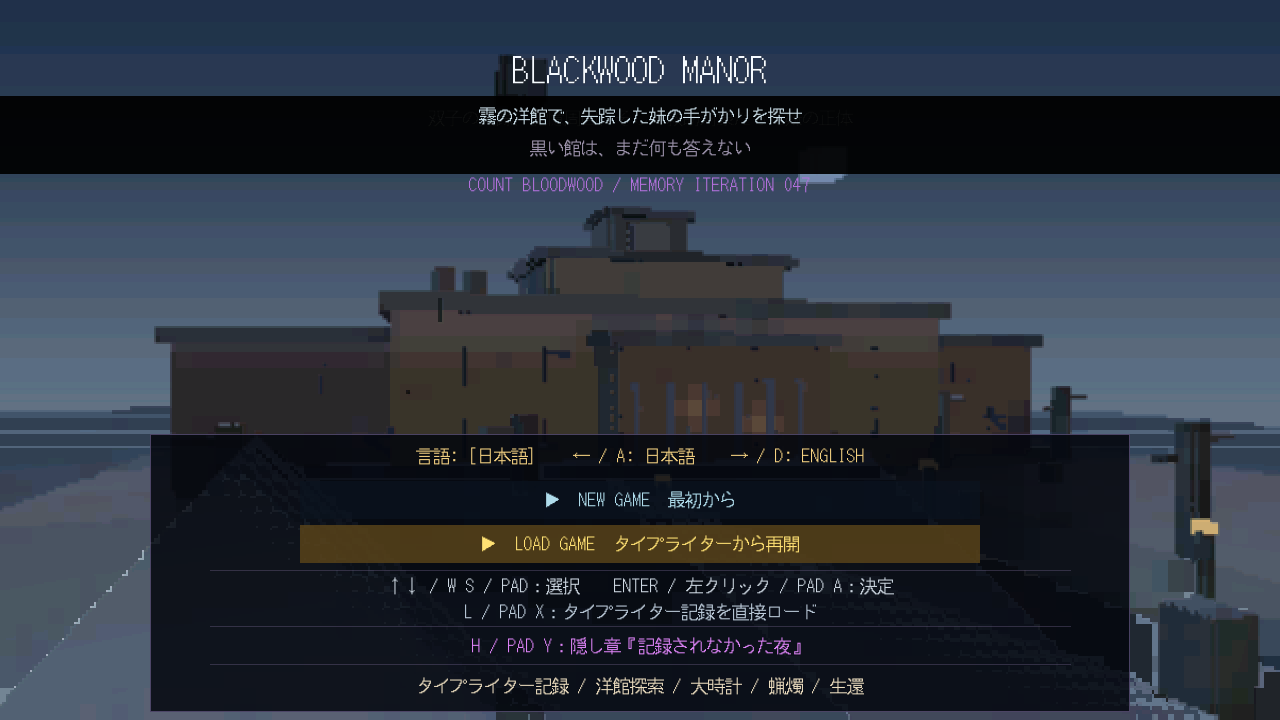
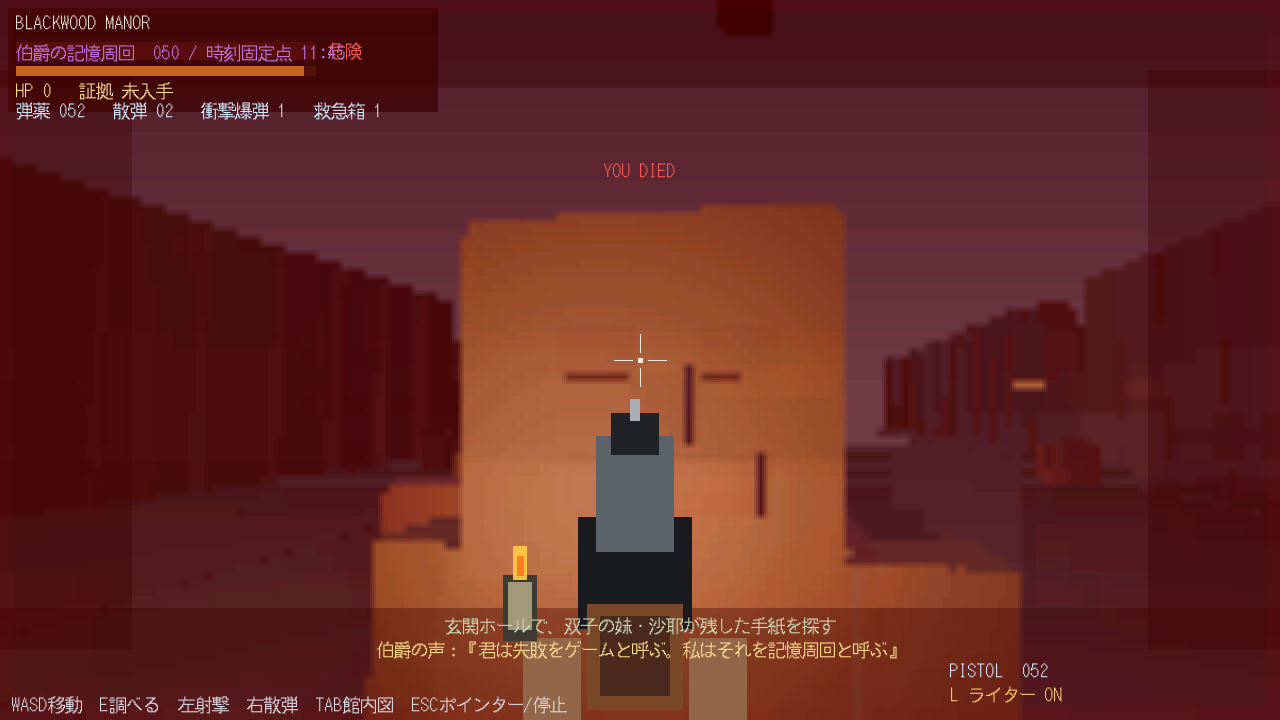
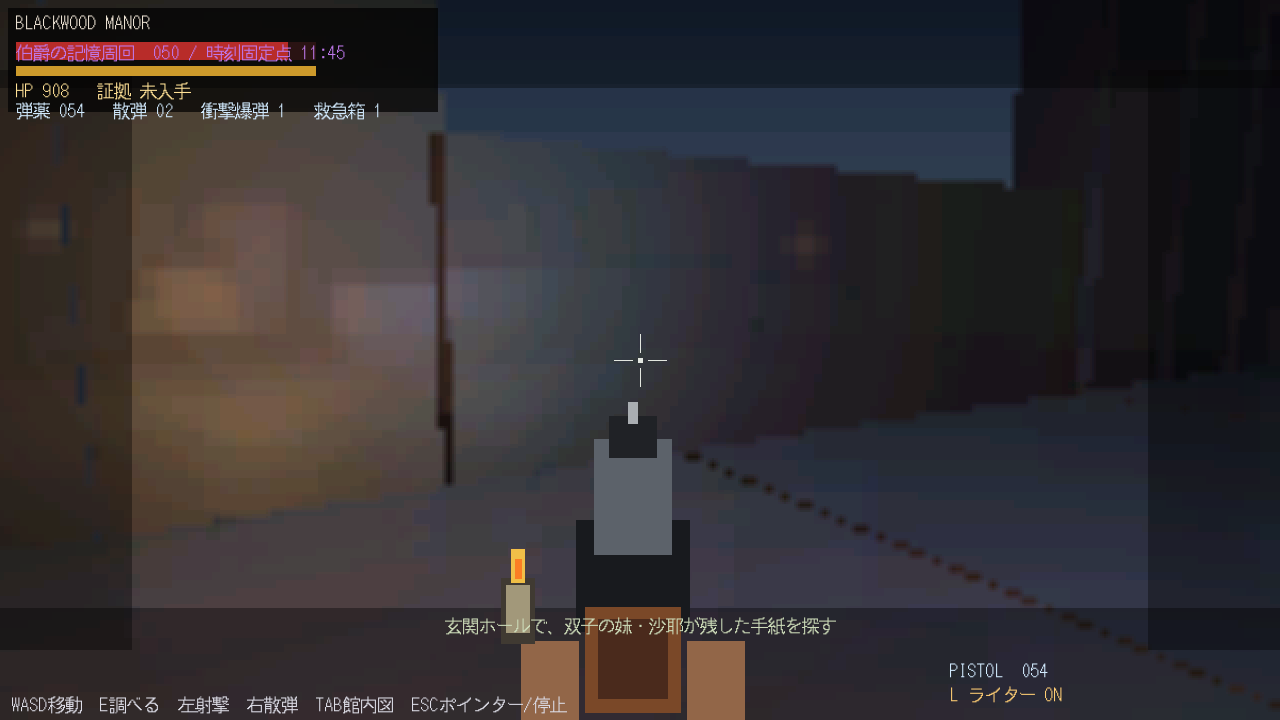
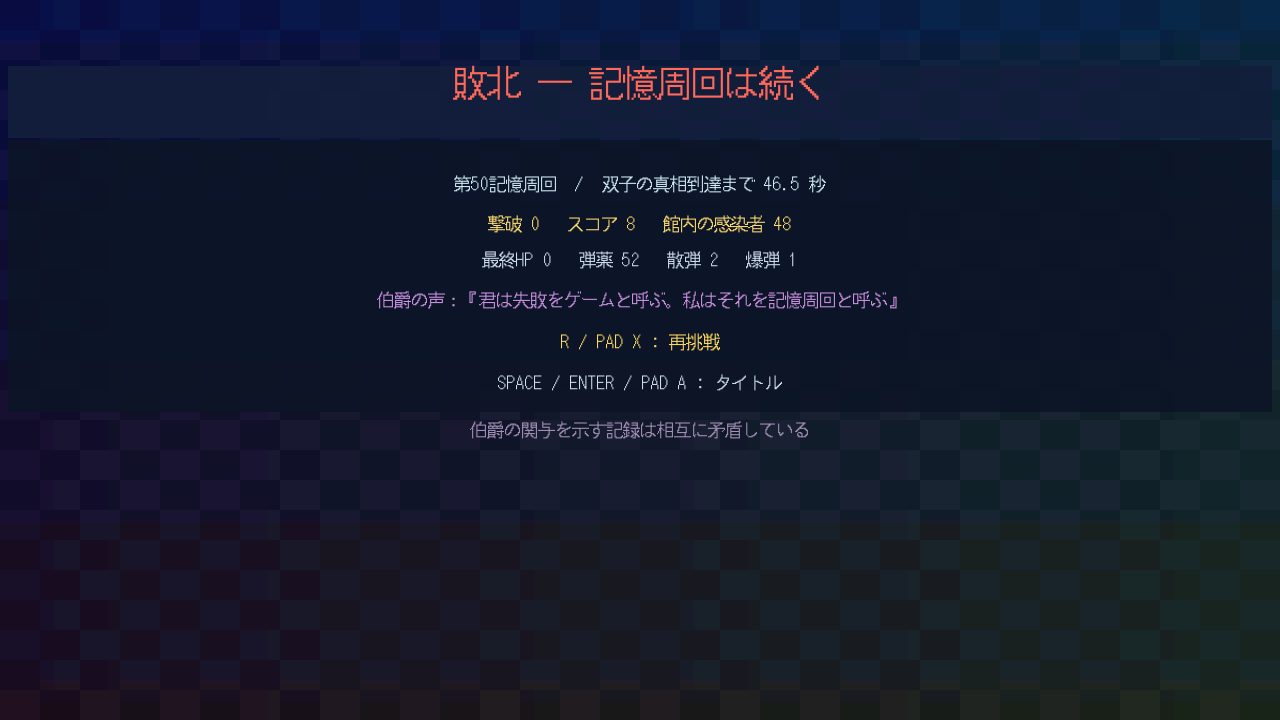
# BLACKWOOD MANOR **3D Survival Horror / Mystery Adventure** **Version:** v18 Title Spoiler Text Removed **Copyright (C) 2026 Kacchando / かっちゃん堂** --- # 日本語 ## 1. ゲーム概要 霧に包まれたブラックウッド館を探索し、失踪した妹の手がかりを探す3Dサバイバルホラーです。 館内には、タイプライター、大時計、肖像画、ピアノ、配電設備、地下区画などがあります。周囲をよく観察し、手がかりを読み、敵を避けるか倒しながら先へ進んでください。 このREADMEは初見プレイ向けです。物語の核心、追加要素の解放条件、ボスの詳細は記載していません。 ## 2. 起動方法 ### Windows版 1. 配布されたZIPファイルを展開します。 2. `blackwood_manor.exe`または同梱のゲーム実行ファイルを起動します。 3. `game.data`やDLLファイルを実行ファイルと同じフォルダーに置いたままにしてください。 ### Web版 ブラウザーで`index.html`を配信しているゲームページを開きます。ローカルファイルとして直接開くと、ブラウザーの制限で起動しない場合があります。 ## 3. タイトル画面 | 操作 | キーボード/マウス | コントローラ | |---|---|---| | メニュー選択 | `↑` `↓` または `W` `S` | 方向パッド上下 | | 決定 | `Enter` / `Space` / 左クリック | `A` / `START` | | 日本語へ変更 | `←` または `A` | 方向パッド左 | | 英語へ変更 | `→` または `D` | 方向パッド右 | | タイプライター記録を直接ロード | `L` | `X` | セーブデータが存在すると、`LOAD GAME`からタイプライターに記録した地点へ戻れます。 > **注意:** `NEW GAME`を選ぶと、現在の周回用セーブデータは削除されます。 ## 4. 基本操作 ### キーボード/マウス | 操作 | 入力 | |---|---| | 移動 | `W` `A` `S` `D` | | 視点操作 | マウス | | 視点の補助操作 | 方向キー | | ジャンプ | `Space` | | 調べる/決定/装置を使う | `E` | | ピストル射撃 | マウス左ボタン | | 散弾銃 | マウス右ボタン または `2` | | 衝撃爆弾 | `Q` または `3` | | 救急箱 | `H` | | ライターON/OFF | `L` | | 館内図 | `Tab` | | 一時停止/マウスポインター表示 | `Esc` | ### コントローラ | 操作 | 入力 | |---|---| | 移動 | 左スティック | | 視点操作 | 右スティック | | ジャンプ | `A` | | 調べる/決定/装置を使う | `X` | | ピストル射撃 | 右トリガー `RT` | | 散弾銃 | 左トリガー `LT` | | 衝撃爆弾 | 右ショルダー `RB` | | 救急箱 | 左ショルダー `LB` | | ライターON/OFF | `Y` | | タイトルへ戻る | `BACK` | 一部の装置を操作している間は、`LB`と`RB`が装置の値変更に使われます。 ## 5. タイプライター タイプライターはセーブポイントです。白い用紙や青い読書灯を目印にしてください。 | 操作 | キーボード | コントローラ | |---|---|---| | セーブ/記録を読む | `E` | `X` | | セーブデータをロード | `L` | `B` | - タイプライターの近くでは、`L`はライター切り替えではなくロード操作になります。 - ロードすると、記録時点の位置、体力、弾薬、アイテム、謎解き、敵、ボス戦などが復元されます。 - エンディング到達後は、その周回用セーブが整理されます。 ## 6. 謎解きと状況別操作 ### 大時計 画面に時計操作が表示されている間だけ、以下の入力が有効です。 | 操作 | キーボード | コントローラ | |---|---|---| | 時を変更 | `R` | `LB` | | 分を変更 | `T` | `RB` | | 決定 | `E` | `X` | ### 肖像画・ピアノ・配電設備 対象の正面に立ち、画面の案内が表示された状態で`E`/`X`を押してください。 ピアノは鍵盤の近くへ移動してから入力します。正しい鍵盤は押した後に発光し、進行状況を確認できます。 ### 選択端末 選択画面が開いている間はゲームが一時停止します。 | 操作 | キーボード | コントローラ | |---|---|---| | 前の項目 | `R` / `←` / `A` | `LB` / 方向パッド左 | | 次の項目 | `T` / `→` / `D` | `RB` / 方向パッド右 | | 決定 | `E` / `Enter` | `X` / `A` | | 閉じる | `Q` | `B` | 端末が使用可能になると、画面と警告灯が怪しく発光します。 ## 7. 戦闘と探索のヒント - 敵の攻撃前には予備動作や警告表示があります。距離を取るか、壁や扉で射線を切ってください。 - 敵に囲まれたときは、同じ場所で撃ち続けず、広い場所へ移動してください。 - ピストルは弾数を管理しやすく、頭部への攻撃が有効です。 - 散弾銃は近距離の複数目標に向いています。 - 衝撃爆弾は強力ですが所持数が少ないため、密集した敵や危険な戦闘に残しておくと有効です。 - 体力が減ったら`H`/`LB`で救急箱を使えます。 - 暗い場所では`L`/`Y`でライターを使ってください。 - `Tab`で館内図を確認できます。色付きの目印は回復、武器、装置、地下入口などを表します。 - タイプライター周辺は立て直しや状況確認に適しています。 ## 8. リザルト画面 | 操作 | キーボード | コントローラ | |---|---|---| | 再挑戦 | `R` | `X` | | タイトルへ戻る | `Space` / `Enter` | `A` | クリアまたは敗北直後は、誤入力防止のため短時間だけ入力を受け付けません。一度ボタンを離してから、改めて押してください。 ## 9. セーブ関連ファイル Windows版では、実行フォルダーに次のファイルが作成されます。 | ファイル | 内容 | |---|---| | `blackwood_manor_save.dat` | 現在の周回のタイプライターセーブ | | `blackwood_manor_meta.dat` | クリア記録など、周回をまたぐ情報 | | `blackwood_manor_language.cfg` | 日本語/英語の設定 | データをバックアップする場合は、ゲームを終了してから上記ファイルをコピーしてください。 完全に初期化する場合は、ゲーム終了後に上記3ファイルを削除してください。 ## 10. 画面表示 ### Windows - `Alt + Enter`:フルスクリーン切り替え - `Alt + Backspace`:ウィンドウ倍率をリセット ### Web ゲーム画面付近のフルスクリーンボタンで切り替えます。 ## 11. トラブルシューティング ### ゲームが起動しない - ZIP内のファイルをすべて展開してください。 - EXE、`game.data`、DLLを同じフォルダーに置いてください。 - セキュリティソフトがDLLやEXEを隔離していないか確認してください。 ### 文字が表示されない `game.data`または`font.ttf`が不足している可能性があります。配布ファイルを再展開してください。 ### コントローラが反応しない - ゲーム起動前にコントローラを接続してください。 - 一度抜き差しし、ゲームを再起動してください。 - 汎用コントローラでは、右スティックを一度大きく動かすと軸を認識しやすくなる場合があります。 ### マウスで視点を動かせない `Esc`を押してゲームへ戻ってください。マウスポインター表示中はゲームが一時停止します。 ### 動作が重い 本作は3D描画、反射、間接光などの処理を行います。ほかのアプリケーションを閉じ、ウィンドウ表示で動作を確認してください。正式な最低動作環境は設定されていません。 ### ロードできない - `blackwood_manor_save.dat`が存在するか確認してください。 - `NEW GAME`開始後やエンディング到達後は、以前の周回用セーブが残らない場合があります。 - 保存先フォルダーが書き込み禁止になっていないか確認してください。 ## 12. 権利表記 **BLACKWOOD MANOR** **Copyright (C) 2026 Kacchando** **Copyright (C) 2026 かっちゃん堂** Game engine: TinCLE v0.04 Third-party libraries and assets are credited separately in `CREDITS.txt`. --- # English ## 1. About the Game BLACKWOOD MANOR is a 3D survival-horror mystery game. Explore a manor hidden in the mist and search for clues about Reina's missing sister. The manor contains typewriters, a grandfather clock, portraits, a piano, electrical equipment, underground areas, hostile creatures, and other interactive devices. Observe the environment, read clues, manage your supplies, and survive. This README is spoiler-safe. It does not reveal major story answers, optional-content unlock conditions, or boss details. ## 2. Starting the Game ### Windows 1. Extract the complete ZIP archive. 2. Run `blackwood_manor.exe`, or the included game executable. 3. Keep `game.data` and the supplied DLL files in the same folder as the executable. ### Web Open the hosted game page containing `index.html`. Opening `index.html` directly as a local file may fail because of browser security restrictions. ## 3. Title Screen | Action | Keyboard / Mouse | Controller | |---|---|---| | Select menu item | `Up` `Down` or `W` `S` | D-pad Up/Down | | Confirm | `Enter` / `Space` / Left Click | `A` / `START` | | Switch to Japanese | `Left` or `A` | D-pad Left | | Switch to English | `Right` or `D` | D-pad Right | | Quick-load typewriter record | `L` | `X` | When a save exists, select `LOAD GAME` to continue from a typewriter record. > **Warning:** Selecting `NEW GAME` deletes the current run save. ## 4. Basic Controls ### Keyboard / Mouse | Action | Input | |---|---| | Move | `W` `A` `S` `D` | | Look | Mouse | | Alternate look controls | Arrow Keys | | Jump | `Space` | | Examine / Confirm / Operate | `E` | | Fire pistol | Left Mouse Button | | Use shotgun | Right Mouse Button or `2` | | Launch impact bomb | `Q` or `3` | | Use first-aid kit | `H` | | Toggle lighter | `L` | | Manor map | `Tab` | | Pause / Release mouse pointer | `Esc` | ### Controller | Action | Input | |---|---| | Move | Left Stick | | Look | Right Stick | | Jump | `A` | | Examine / Confirm / Operate | `X` | | Fire pistol | Right Trigger `RT` | | Use shotgun | Left Trigger `LT` | | Launch impact bomb | Right Shoulder `RB` | | Use first-aid kit | Left Shoulder `LB` | | Toggle lighter | `Y` | | Return to title | `BACK` | While operating certain devices, `LB` and `RB` are used to change device values instead of using combat items. ## 5. Typewriters Typewriters are save points. Look for white paper and a blue reading lamp. | Action | Keyboard | Controller | |---|---|---| | Save / Read record | `E` | `X` | | Load save data | `L` | `B` | - Near a typewriter, `L` loads the save instead of toggling the lighter. - Loading restores position, health, ammunition, items, puzzle progress, enemies, and boss-battle state. - The current run save is cleaned up after reaching an ending. ## 6. Puzzle and Context Controls ### Grandfather Clock These controls apply only while the clock interface is displayed. | Action | Keyboard | Controller | |---|---|---| | Change hour | `R` | `LB` | | Change minute | `T` | `RB` | | Confirm | `E` | `X` | ### Portraits, Piano, and Electrical Devices Stand in front of the target and press `E` / `X` when the on-screen prompt appears. For the piano, move close to the key you want to press. Correct keys glow after being activated, showing your current progress. ### Choice Terminal The game pauses while the choice interface is open. | Action | Keyboard | Controller | |---|---|---| | Previous choice | `R` / `Left` / `A` | `LB` / D-pad Left | | Next choice | `T` / `Right` / `D` | `RB` / D-pad Right | | Confirm | `E` / `Enter` | `X` / `A` | | Close | `Q` | `B` | When the terminal becomes available, its screen and warning lights begin to glow. ## 7. Survival Tips - Enemies show warning motions before attacking. Create distance or break line of sight with walls and doors. - Do not remain stationary when surrounded. Move toward a wider area before fighting. - The pistol is reliable and headshots deal increased damage. - The shotgun is effective at close range and against grouped enemies. - Impact bombs are powerful but limited. Save them for dangerous encounters. - Use `H` / `LB` to consume a first-aid kit when injured. - Use `L` / `Y` to light dark areas. - Press `Tab` to view the manor map. Colored markers indicate healing items, weapons, devices, underground access, and other landmarks. - Typewriter areas are useful places to recover your bearings and review your objective. ## 8. Result Screen | Action | Keyboard | Controller | |---|---|---| | Retry | `R` | `X` | | Return to title | `Space` / `Enter` | `A` | Input is briefly locked after victory or defeat to prevent accidental skipping. Release the button, then press it again. ## 9. Save Files The Windows version creates the following files in the game folder: | File | Purpose | |---|---| | `blackwood_manor_save.dat` | Current run and typewriter save | | `blackwood_manor_meta.dat` | Completion records stored across runs | | `blackwood_manor_language.cfg` | Japanese / English setting | Exit the game before copying these files for backup. To completely reset all progress and settings, close the game and delete all three files. ## 10. Display Controls ### Windows - `Alt + Enter`: Toggle fullscreen - `Alt + Backspace`: Reset window scale ### Web Use the fullscreen button near the game canvas. ## 11. Troubleshooting ### The game does not start - Extract every file from the ZIP archive. - Keep the executable, `game.data`, and DLL files together. - Check whether security software quarantined an executable or DLL. ### Text is missing `game.data` or `font.ttf` may be missing. Extract the distribution again. ### The controller does not respond - Connect the controller before starting the game. - Reconnect it and restart the game. - With a generic controller, moving the right stick through its full range once may help automatic axis detection. ### Mouse look does not work Press `Esc` to resume the game. The game is paused while the mouse pointer is released. ### Performance is slow The game performs 3D rendering, reflections, and indirect-light calculations. Close other applications and try windowed mode. Official minimum system requirements have not been established. ### A save cannot be loaded - Confirm that `blackwood_manor_save.dat` exists. - Starting `NEW GAME` or reaching an ending may remove the previous run save. - Confirm that the game folder is writable. ## 12. Copyright and Credits **BLACKWOOD MANOR** **Copyright (C) 2026 Kacchando** **Copyright (C) 2026 かっちゃん堂** Game engine: TinCLE v0.04 Third-party libraries and assets are credited separately in `CREDITS.txt`.
 Kacchyan 12 followers· portfolio 9 View creator →
Comments over time
Cumulative · 30dScreenshots
1 / 5